 by
by “AI-powered hosting” can mean very different things depending on the provider. In some products, AI is used behind the scenes for anomaly detection, capacity forecasting, support, or security triage. In others, the label is mainly marketing around conventional automation. Website owners should therefore evaluate the actual capabilities rather than assume AI automatically makes hosting faster or more reliable.
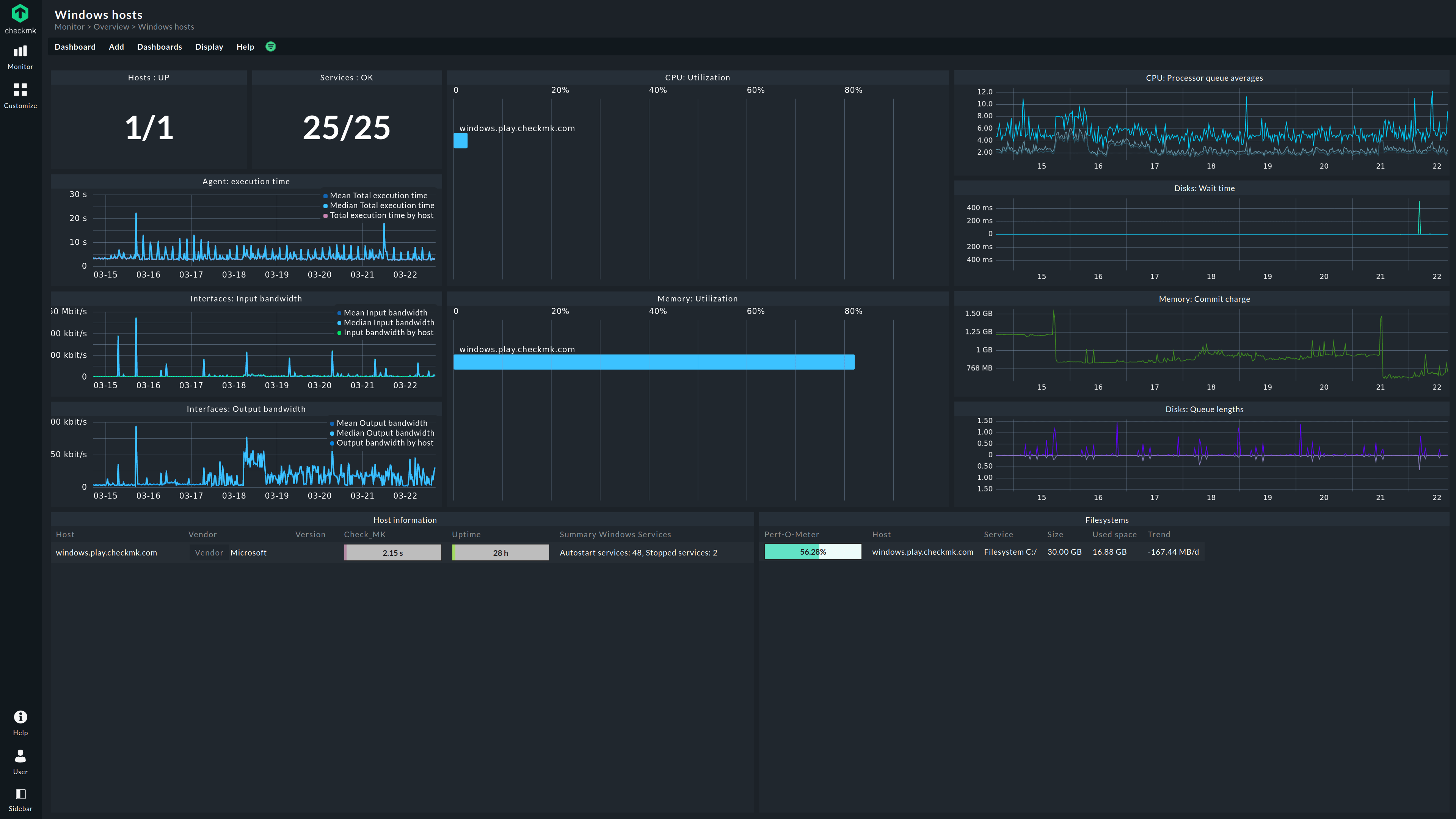
The most practical role for AI in hosting is to help operators interpret large amounts of infrastructure data and automate low-risk, repeatable tasks. It can summarize incidents, flag unusual resource patterns, suggest scaling actions, classify support requests, or help teams investigate logs. High-impact actions still need clear permissions, testing, and human accountability. The NIST AI Risk Management Framework is a useful reference for organizations evaluating reliability, transparency, governance, and risk in AI-assisted systems.
What AI-Powered Hosting Can Actually Include
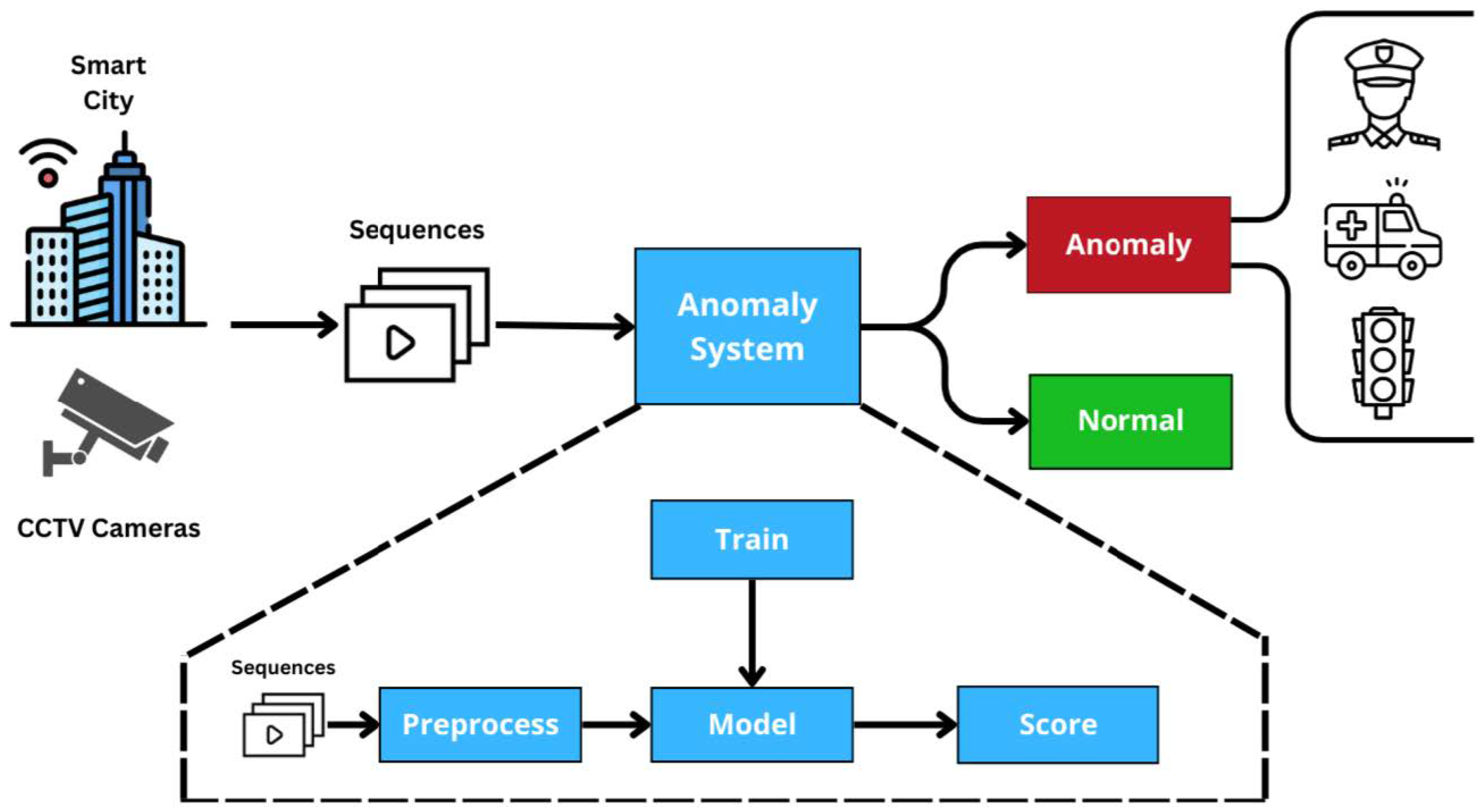
Performance anomaly detection
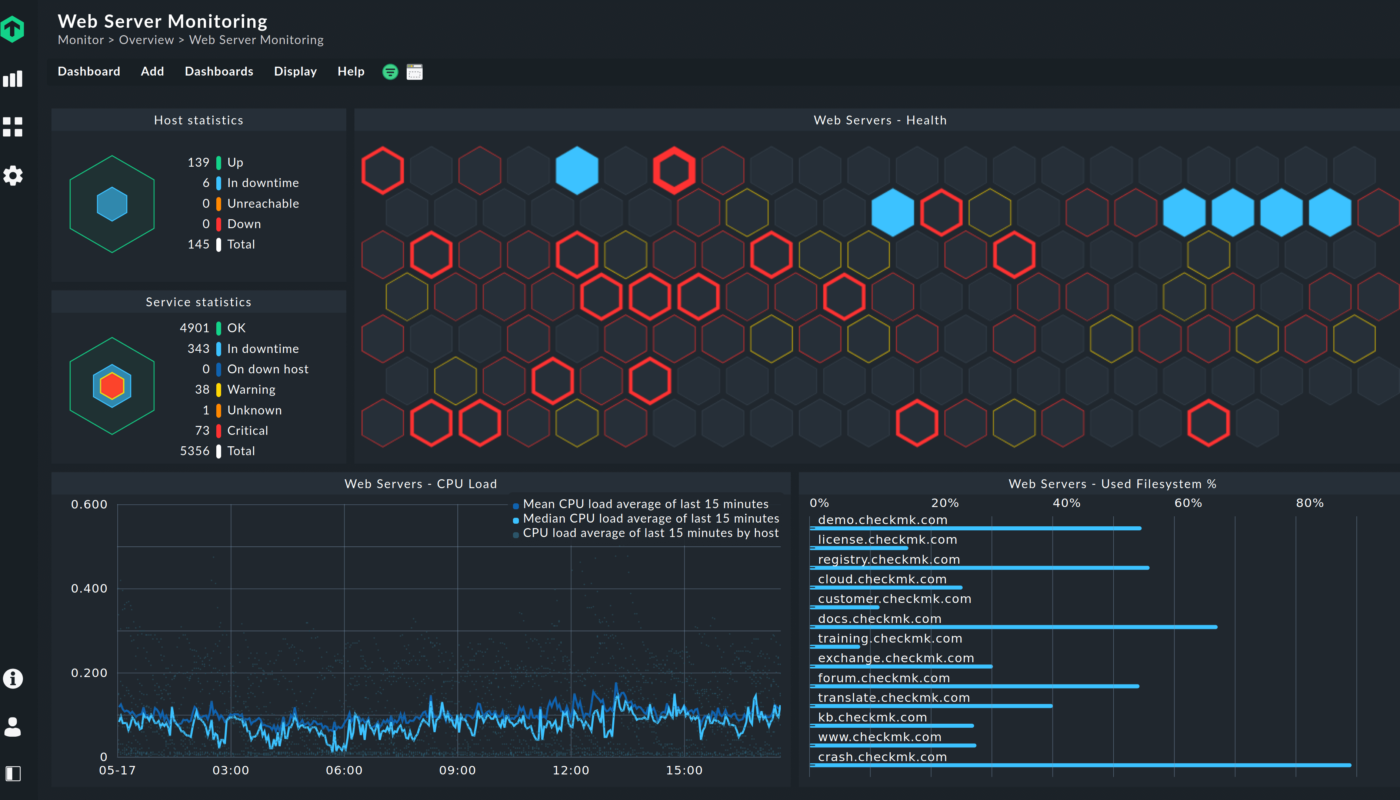
Hosting platforms collect metrics such as CPU, memory, disk usage, database latency, error rates, response times, and traffic. Machine-learning systems can learn normal patterns and flag behavior that deserves investigation.
Capacity forecasting
Historical traffic and resource usage can help estimate when a site is likely to need additional capacity. This is useful for recurring events such as seasonal sales or predictable traffic cycles.
Operational assistance
Generative AI can turn technical logs and alerts into summaries, suggest diagnostic steps, or help support teams search documentation. These features save time when they are connected to trustworthy underlying data.
Security triage
AI can help prioritize suspicious login activity, malware signals, or unusual server behavior. It should complement—not replace—patching, MFA, secure configuration, backups, and human incident response.
AI Automation vs Traditional Hosting Automation
Hosting has been automated for years. Auto-scaling rules, scheduled backups, health checks, failover, deployment pipelines, and caching do not require generative AI. The distinction matters because deterministic automation is often better for predictable infrastructure actions.
| Task | Traditional automation | AI-assisted approach |
|---|---|---|
| Backup at 2:00 AM | Excellent fit | Usually unnecessary |
| Restart failed service after health check | Excellent fit with safeguards | May add diagnosis/context |
| Explain unusual log patterns | Rule-based systems can help | AI can summarize and correlate context |
| Forecast capacity | Thresholds are useful | Statistical/ML models can improve forecasting |
| Choose production architecture | Requires design rules | AI may assist, but humans own the decision |
The best systems use the simplest reliable mechanism for each task rather than forcing AI into every workflow.
How AI Can Support Website Performance
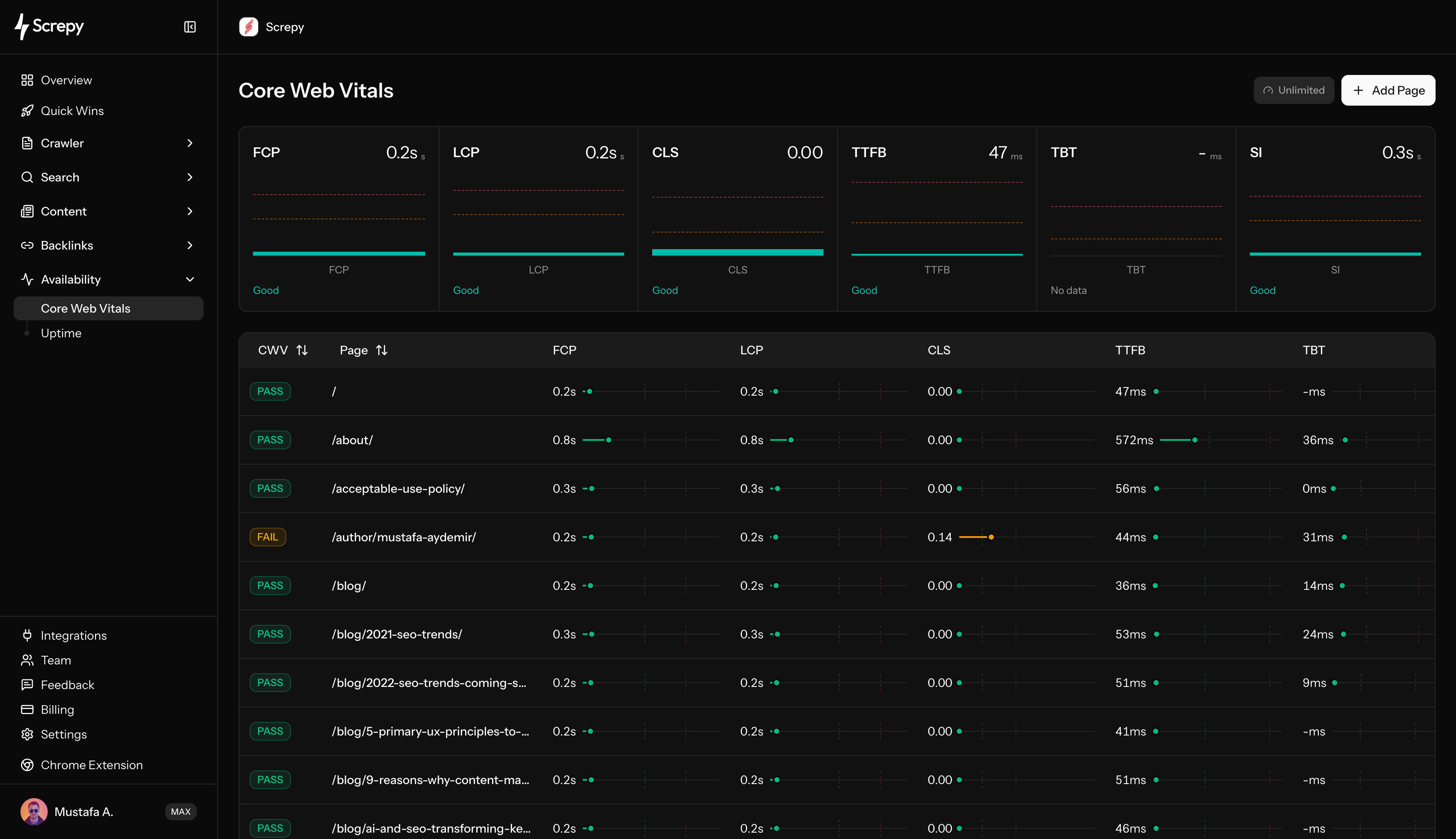
AI can help identify performance problems, but the underlying improvements remain familiar: fast server response, effective caching, optimized databases, appropriately sized media, efficient code, and sensible third-party scripts.
Google’s Core Web Vitals documentation measures user experience through loading, responsiveness, and visual stability. A hosting assistant might help find backend bottlenecks, but front-end optimization is still required.
Useful AI-assisted performance tasks
- Summarizing slow-request patterns from logs.
- Correlating traffic spikes with CPU or database load.
- Highlighting recurring errors after deployments.
- Suggesting cache candidates based on request patterns.
- Forecasting capacity before planned campaigns.
For a detailed look at infrastructure performance, see our guide on hosting and Core Web Vitals.
AI Hosting and Security
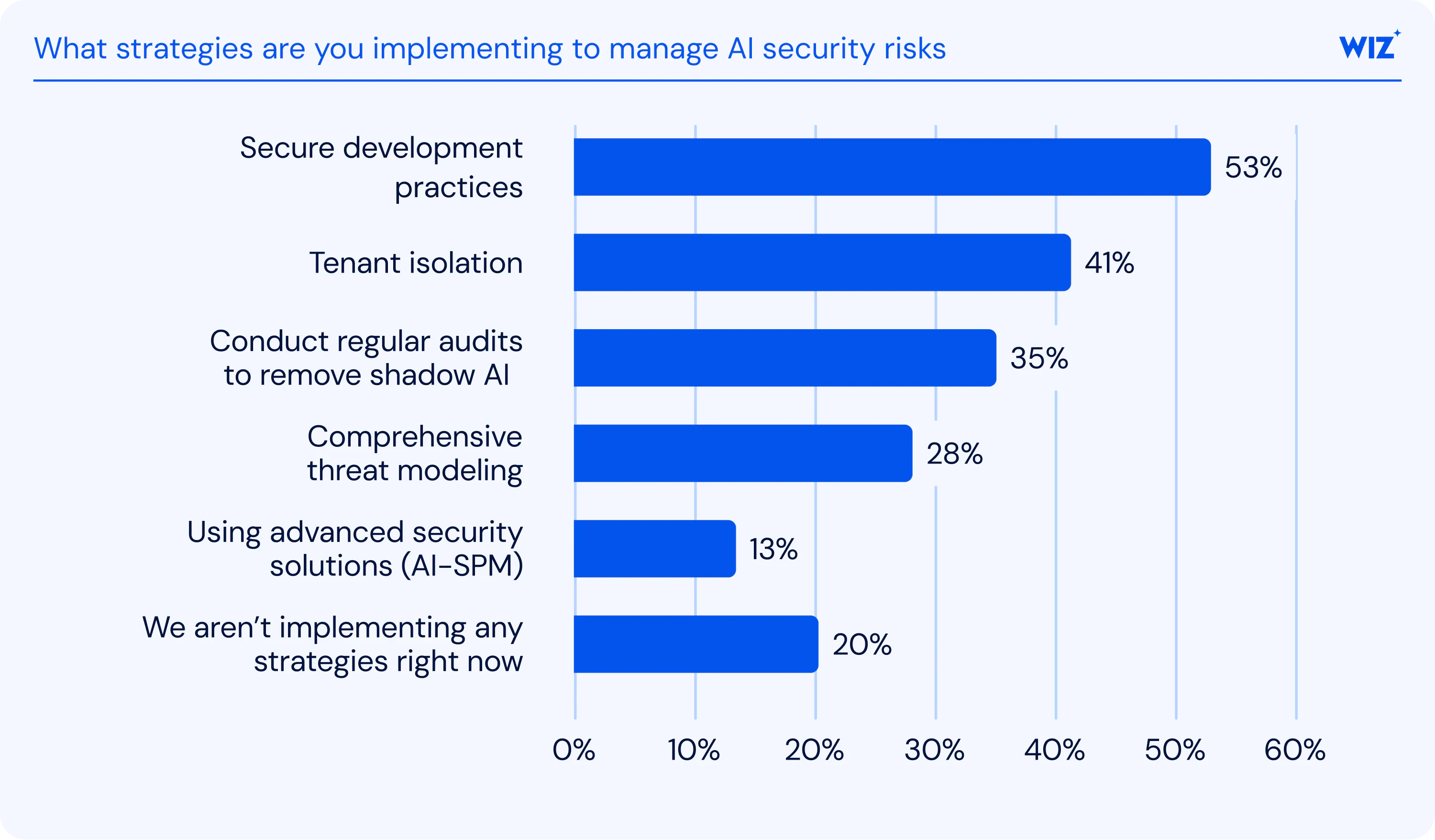
Security automation can help with large volumes of events, but AI introduces its own risks. A model may misclassify normal behavior, expose sensitive logs to an external service, or recommend a disruptive action based on incomplete context.
Safe design principles
- Keep high-impact actions behind approval gates.
- Give AI tools only the permissions they need.
- Do not send secrets or sensitive customer data to unapproved models.
- Log AI-triggered actions so changes are auditable.
- Maintain manual recovery paths.
- Test behavior during provider/model outages.
Our cloud security framework guide explains the underlying identity, configuration, logging, and recovery controls that remain necessary.
Where AI Can Improve Hosting Support

Support is one of the clearest use cases. An AI assistant can collect account context, identify common error messages, suggest relevant documentation, and summarize a customer’s troubleshooting history before a human technician joins the case.
Good support systems should be transparent about when a user is interacting with automation and make escalation easy. AI should not fabricate server status, billing facts, or configuration details when the system cannot verify them.
Risks of Over-Automating Website Infrastructure
Incorrect remediation
An automated system may restart, resize, block, or reconfigure the wrong resource if its diagnosis is incomplete.
Runaway costs
Automatic scaling without budgets or limits can create unexpected bills during attacks, bugs, or abnormal traffic.
Permission creep
An AI agent with broad cloud administrator rights may become a high-value security target. Keep privileges narrow and separated by task.
Operational dependency
If teams rely entirely on an AI assistant, they may struggle when it is unavailable. Documentation, monitoring, backups, and manual procedures should remain accessible.
How to Evaluate an AI-Powered Hosting Provider
- Ask exactly which features use AI or machine learning.
- Check whether AI recommendations are optional or automatic.
- Understand what data is sent to models and how long it is retained.
- Confirm how high-impact infrastructure changes are approved.
- Ask for normal hosting metrics: uptime architecture, backups, support scope, regions, resource limits, and pricing.
- Test support quality without relying only on chatbot demonstrations.
- Check whether you can export data and migrate away.
- Review cost controls for any automatic scaling.
If the site has outgrown shared resources but does not need sophisticated orchestration, a simpler VPS upgrade may still be the better option.
Frequently Asked Questions
Does AI-powered hosting make every website faster?
No. AI can help identify bottlenecks or automate operational tasks, but performance still depends on infrastructure, code, databases, caching, media, scripts, and network delivery.
Can AI run a hosting environment without administrators?
Some low-risk tasks can be automated, but business-critical systems still need ownership, monitoring, permissions, recovery processes, and human decisions for unusual or high-impact situations.
Is AI hosting necessary for a small blog?
Usually not. A small site often benefits more from reliable managed hosting, caching, backups, security updates, and good support. AI features are useful only if they solve a real operational problem.
Conclusion
AI is becoming a useful operational layer in hosting, especially for anomaly detection, forecasting, support, log analysis, and security triage. The valuable part is not the label—it is whether the feature produces reliable, explainable improvements without introducing unnecessary permissions, costs, or complexity.
Evaluate AI-powered hosting the same way you would evaluate any infrastructure service: architecture first, then performance, resilience, security, support, recovery, and total cost. AI can help teams operate those systems more efficiently, but it should strengthen proven hosting practices rather than replace them.