 by
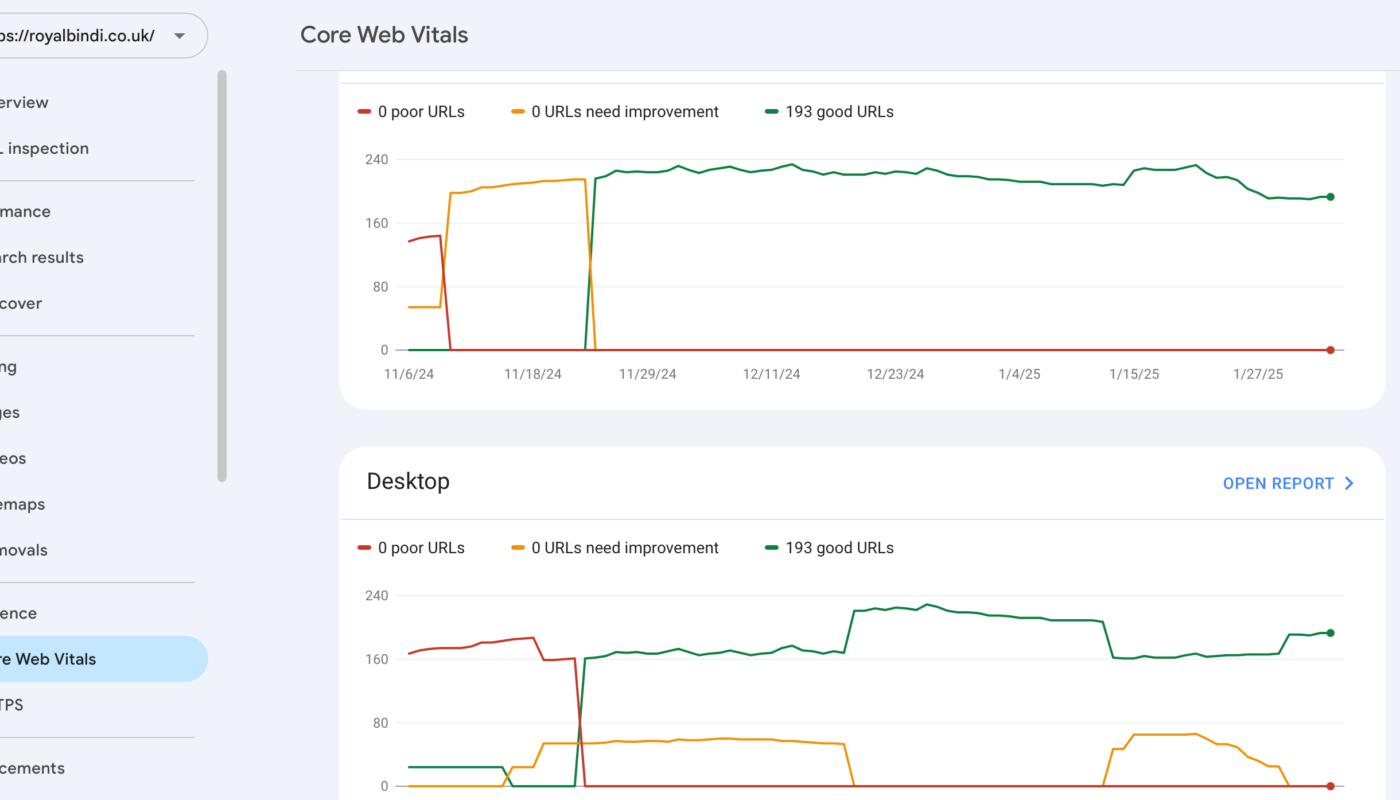
by Hosting can influence website performance, but it is only one part of the page-speed equation. A fast server can deliver HTML quickly, yet a page may still feel slow because of oversized images, render-blocking scripts, heavy advertising code, third-party widgets, poor font loading, or complex browser work. The reverse is also true: a highly optimized front end can still struggle when the origin server is overloaded.
For SEO, it is important to avoid a common oversimplification: better hosting does not automatically produce higher rankings. Google uses many signals, and its own Core Web Vitals documentation explains that good page experience is broader than any single metric. Hosting matters because it can support reliable delivery and real-user performance, not because changing servers creates an automatic ranking boost.
What Core Web Vitals Measure
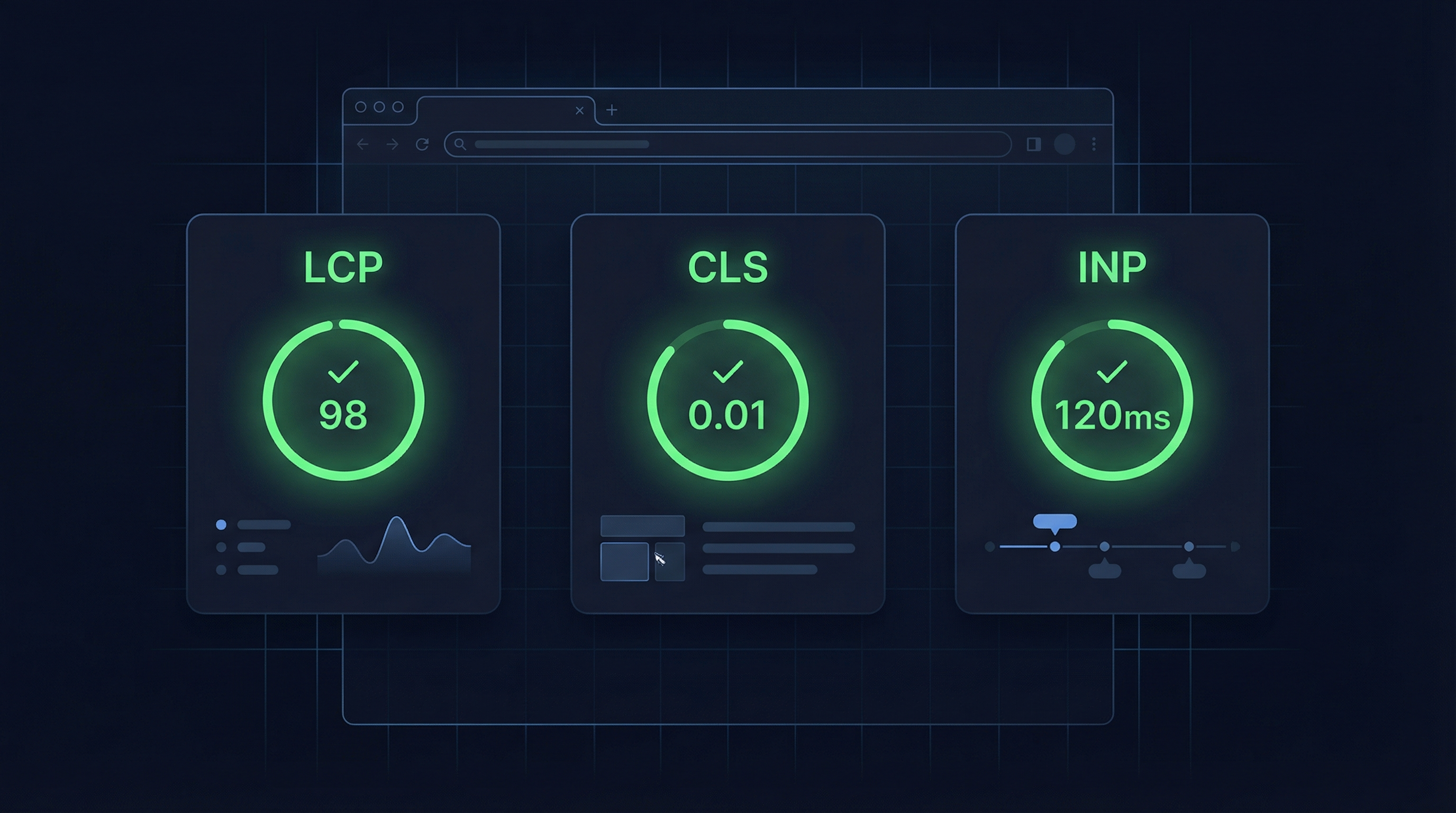
Core Web Vitals are user-experience metrics measured in the browser. The current set focuses on three areas:
- Largest Contentful Paint (LCP): how quickly the main visible content loads.
- Interaction to Next Paint (INP): how responsive the page is when a user interacts.
- Cumulative Layout Shift (CLS): how visually stable the page remains while loading.
Hosting has the clearest direct influence on the early delivery of the document and dynamic content. It has a more indirect relationship with INP and CLS, which are often dominated by front-end JavaScript and layout behavior.
How Hosting Can Affect LCP
LCP often depends on several sequential steps: the browser requests the page, the server responds, the browser discovers the main image or content, and required assets are downloaded and rendered. A slow origin can delay everything that follows.
Hosting-related factors
- Server CPU and memory availability.
- Application execution time.
- Database query performance.
- Full-page caching.
- Network latency between user and origin.
- CDN configuration.
- Server overload during traffic peaks.
However, if the LCP element is a 3 MB image loaded late by a page builder, moving to a faster server will not solve the main issue. The media itself must be optimized.
Time to First Byte Is a Diagnostic Signal, Not the Whole Story
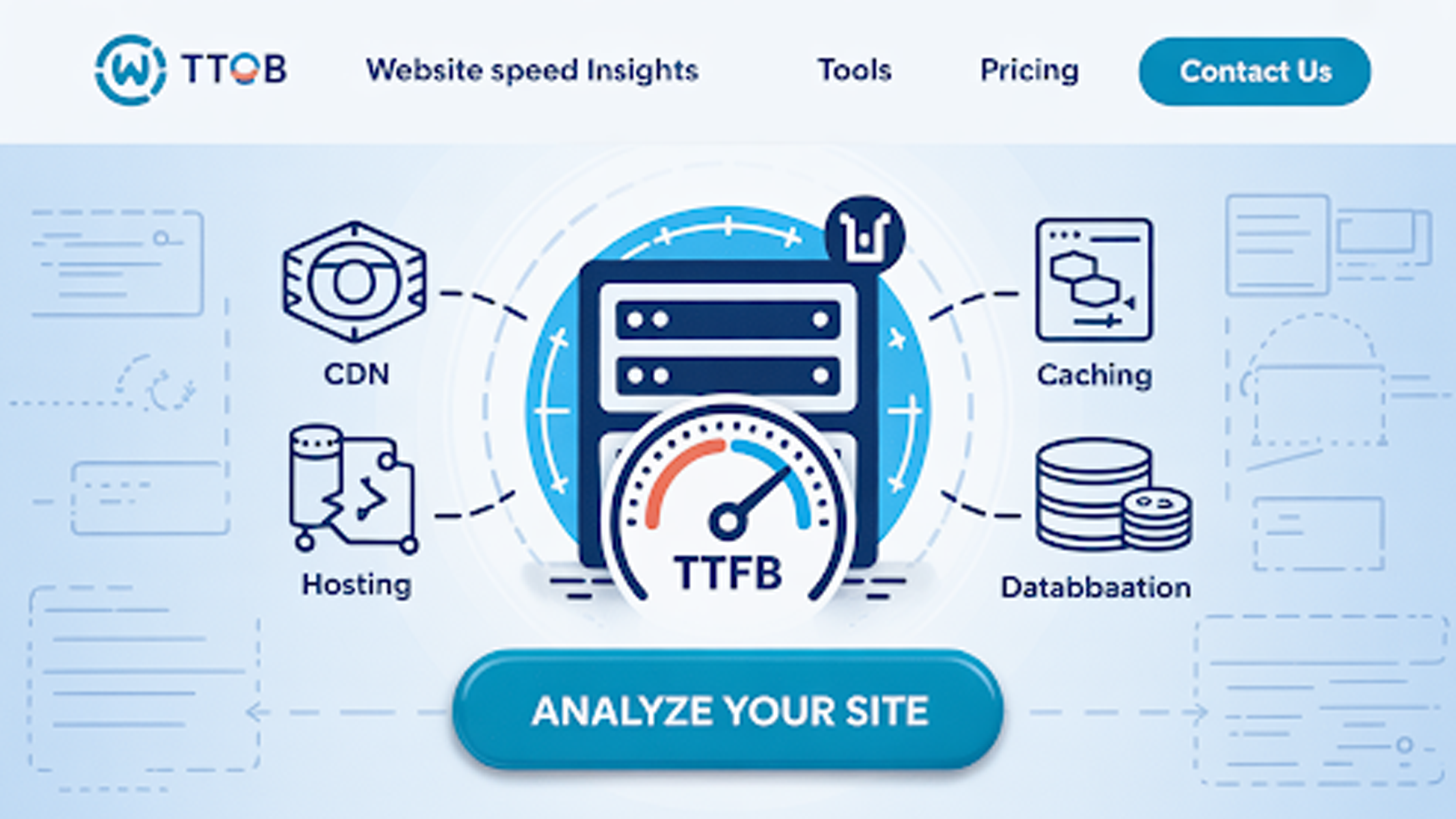
Time to First Byte (TTFB) measures how long it takes before the browser receives the first byte of a response. It can reveal slow server processing, network latency, cache misses, or backend bottlenecks. But a good TTFB does not guarantee a fast page.
| Symptom | Possible cause | Likely area to investigate |
|---|---|---|
| Slow TTFB on every page | Origin/server/backend latency | Hosting, application, database, caching |
| Fast TTFB but slow LCP | Large or late-loading main content | Images, CSS, fonts, render path |
| Good load speed but poor INP | Main-thread JavaScript work | Theme, scripts, third parties |
| Layout jumps while loading | Missing dimensions or injected content | Front-end layout and ads |
| Only slow during traffic spikes | Resource saturation | Capacity, caching, database, scaling |
Caching Often Matters More Than Buying a Bigger Server
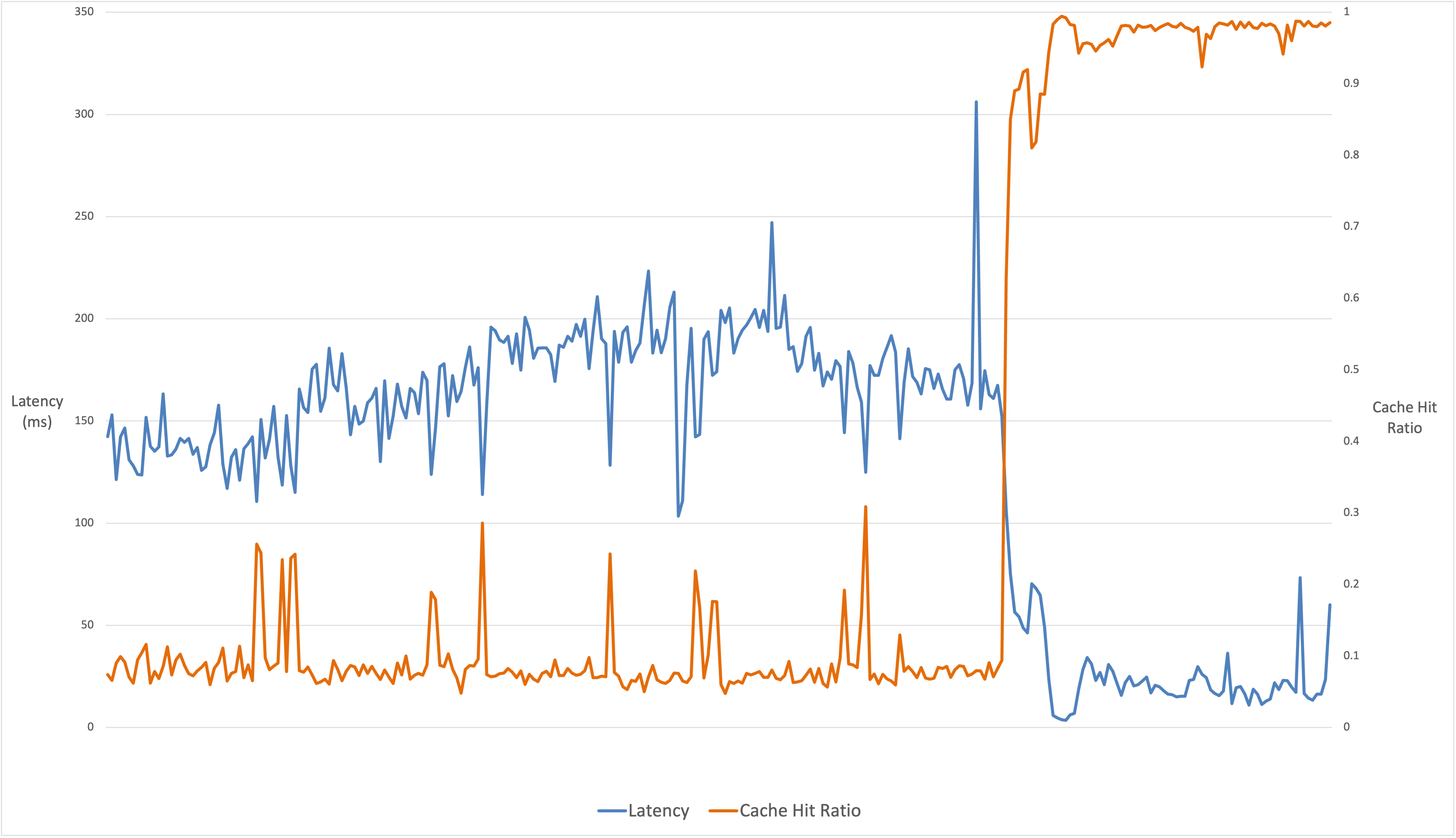
A public article does not need to be rebuilt from the database for every reader. Full-page caching can serve a stored response with much less application work. This reduces CPU use and makes traffic spikes easier to handle.
Useful cache layers
- Browser caching for static assets.
- CDN edge caching.
- Full-page server caching.
- Object caching for repeated database results.
Caching must be configured correctly for logged-in, personalized, ecommerce, and other dynamic pages. The goal is not to cache everything; it is to avoid repeating work that produces the same public response.
When Better Hosting Can Make a Real Difference
Resource throttling
If your current plan repeatedly hits CPU, memory, process, or database limits, moving to an environment with more predictable resources can stabilize response times.
Slow uncached backend
Dynamic sites may benefit from faster CPU, storage, databases, or more PHP/application workers after inefficient code has been investigated.
Traffic spikes
Cloud or scalable hosting can provide capacity during campaigns and events, especially when paired with strong caching.
Global audience
A host with suitable regions plus a CDN can reduce network distance for visitors in different countries.
Our guide to cloud hosting explains scaling and global delivery in more detail.
What Hosting Cannot Fix
- Oversized images.
- Too many third-party scripts.
- Heavy client-side JavaScript.
- Layout shifts caused by missing image/ad dimensions.
- Slow web fonts.
- Unused CSS and JavaScript.
- Poorly designed themes or page builders.
- Excessive ad density or intrusive interstitial behavior.
Google’s people-first guidance also makes an important broader point: technical speed cannot replace useful content. A fast page with thin or unhelpful information is still a poor result for users.
A Practical Website Performance Diagnosis
- Measure real pages. Test home, article, category, product, and other important templates.
- Separate field data from lab data. Real-user data shows actual experience; lab tests help reproduce problems.
- Check backend response. Compare cached and uncached response times.
- Identify the LCP element. Determine whether the delay is server-side or asset-related.
- Inspect JavaScript work for INP issues. Hosting upgrades rarely fix browser main-thread overload.
- Review layout shifts. Reserve dimensions for images, ads, and embedded components.
- Test under traffic. A site that is fast for one visitor may fail under concurrency.
- Change one layer at a time. Re-measure to confirm the improvement.
WordPress Hosting Performance Checklist

- Use a supported PHP/database stack based on the current WordPress requirements.
- Enable reliable full-page caching for public content.
- Optimize images before upload or through a controlled image pipeline.
- Remove unused plugins and scripts.
- Use a CDN when visitor geography makes it useful.
- Monitor resource-limit and application errors.
- Test database-heavy pages separately from cached articles.
- Keep themes and plugins updated.
- Use staging for risky performance changes.
- Maintain tested backups before major migrations.
If you are repeatedly hitting shared-hosting limits, read when it is time to upgrade to a VPS.
Frequently Asked Questions
Will a faster server improve Core Web Vitals?
It can improve backend response and help LCP when the origin is the bottleneck. It may have little effect on INP or CLS if those problems come from front-end code and layout.
Do Core Web Vitals guarantee higher rankings?
No. Search ranking uses many signals. Good Core Web Vitals support user experience, but relevant, helpful content and other search-quality factors still matter.
Should I change hosts before optimizing images and scripts?
Measure first. If server response is already fast, front-end optimization may deliver the larger improvement. If the server is consistently slow or throttled, hosting should be investigated.
Conclusion
Better hosting can improve website performance when the origin server, database, resource limits, or network delivery are real bottlenecks. It is especially useful for unstable response times, traffic spikes, and dynamic workloads. But hosting is not a universal Core Web Vitals fix.
Diagnose the page from server to browser: backend response, caching, LCP resource, JavaScript responsiveness, layout stability, and real-user traffic. Upgrade infrastructure when measurements justify it, and optimize the front end where the browser is doing the slow work.