

 by
by Cloud hosting has become common because websites rarely have a perfectly steady workload. Traffic rises during campaigns, product launches, news events, seasonal demand, and business hours. Traditional hosting can still work well, but cloud platforms make it easier to combine virtualized compute, storage, networking, load balancing, backups, and managed services without depending on one fixed server.

The term “cloud hosting” is also used loosely in marketing. A useful evaluation should look beyond the label and examine the architecture: where the website runs, how resources are allocated, what happens during failure, how backups work, who manages security, and how pricing changes as usage grows. NIST’s established definition of cloud computing describes core characteristics such as on-demand access, resource pooling, rapid elasticity, and measured service.
What Cloud Hosting Means for a Website
In a cloud environment, computing resources are typically delivered from a virtualized infrastructure rather than a single dedicated physical machine assigned permanently to one customer. A website may still run on one virtual instance at a time, but the surrounding platform can make storage, networking, backups, scaling, and replacement easier to automate.
Common cloud-hosting building blocks
- Virtual machines or containers for application workloads.
- Managed databases.
- Object storage for media and backups.
- Load balancers for distributing traffic.
- CDNs for serving cached content closer to users.
- Monitoring and logging services.
- Automated backups or snapshots.
- Identity and access-management controls.
Not every website needs all of these components. Complexity should match the business need.
Why Scalability Is a Major Advantage
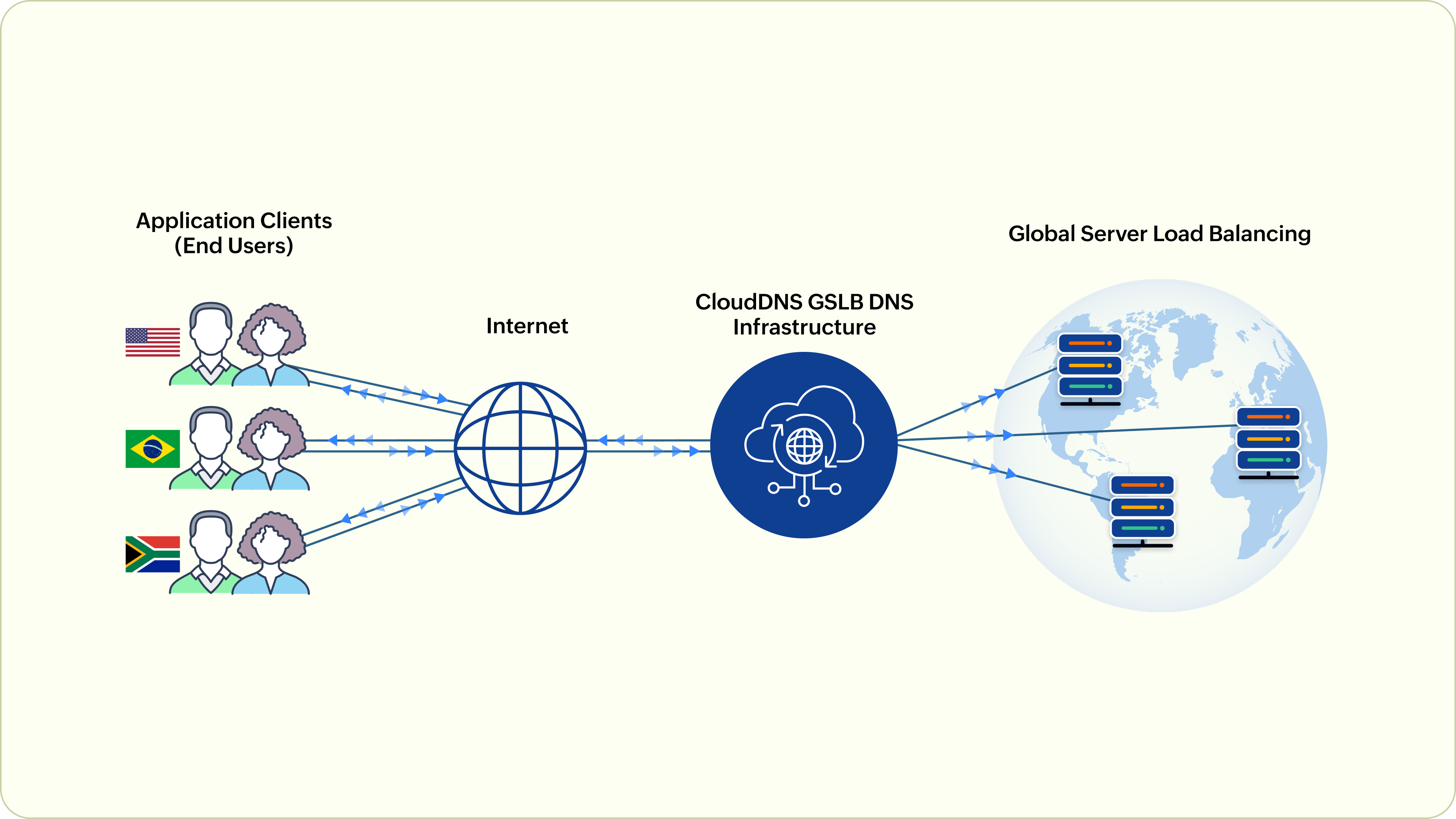
On a fixed server, increasing capacity may require a plan upgrade, a larger machine, or a migration. Cloud platforms can often resize compute resources or add additional instances more flexibly. This is valuable for workloads with changing demand.
Vertical and horizontal scaling
Vertical scaling means giving one server more CPU or memory. Horizontal scaling means adding more application instances and distributing traffic between them. Horizontal scaling can improve resilience, but the application must be designed for it—for example, user sessions and uploaded files should not depend on one local server.
Scaling is not a substitute for optimization. A slow database query or oversized media can simply become a more expensive problem when additional resources are added.
Cloud Hosting and Website Resilience

A resilient website is designed to recover from component failures. Cloud infrastructure can make redundancy easier, but high availability is not automatic. A site running on one virtual server with no tested backup can still experience significant downtime.
Resilience questions to ask
- Is the application dependent on one virtual machine?
- Are database backups automated and tested?
- Can a failed instance be recreated quickly?
- Are DNS, storage, and database services redundant?
- Does the provider offer multiple availability zones or regions?
- What recovery time does the business actually require?
For smaller sites, a managed cloud host may package these decisions into a simpler service. Larger applications may need explicit architecture and recovery planning.
Performance: Cloud Helps, but the Application Still Matters

Server response time affects how quickly a browser can begin rendering a page, but user experience depends on more than hosting. Images, JavaScript, CSS, fonts, caching, third-party scripts, and browser work all contribute.
Google’s current Core Web Vitals guidance focuses on loading, responsiveness, and visual stability. Good hosting can support those goals through reliable server response, caching, and capacity, but it cannot compensate for a poorly optimized front end.
| Performance area | Hosting can influence | Application/site must handle |
|---|---|---|
| Server response | CPU, memory, network, caching | Code and database efficiency |
| Global delivery | Regions and CDN availability | Cache rules and asset design |
| Traffic spikes | Scaling capacity | Scalable application behavior |
| Page weight | Compression support | Images, scripts, fonts, CSS |
See our guide on hosting and Core Web Vitals for a more detailed performance discussion.
Security in Cloud Hosting
Cloud providers secure the underlying infrastructure, but website owners still have responsibilities. These commonly include application updates, user accounts, permissions, data handling, exposed services, backups, and configuration.
- Require MFA for hosting and administrator accounts.
- Use least privilege for staff and automated services.
- Patch customer-managed software.
- Keep secrets out of public repositories.
- Enable logs for important administrator actions.
- Protect backups from routine production access.
- Review public storage and network exposure.
Our cloud security framework guide covers these responsibilities in more depth.
Cloud Hosting Costs Can Be Flexible—and Unpredictable
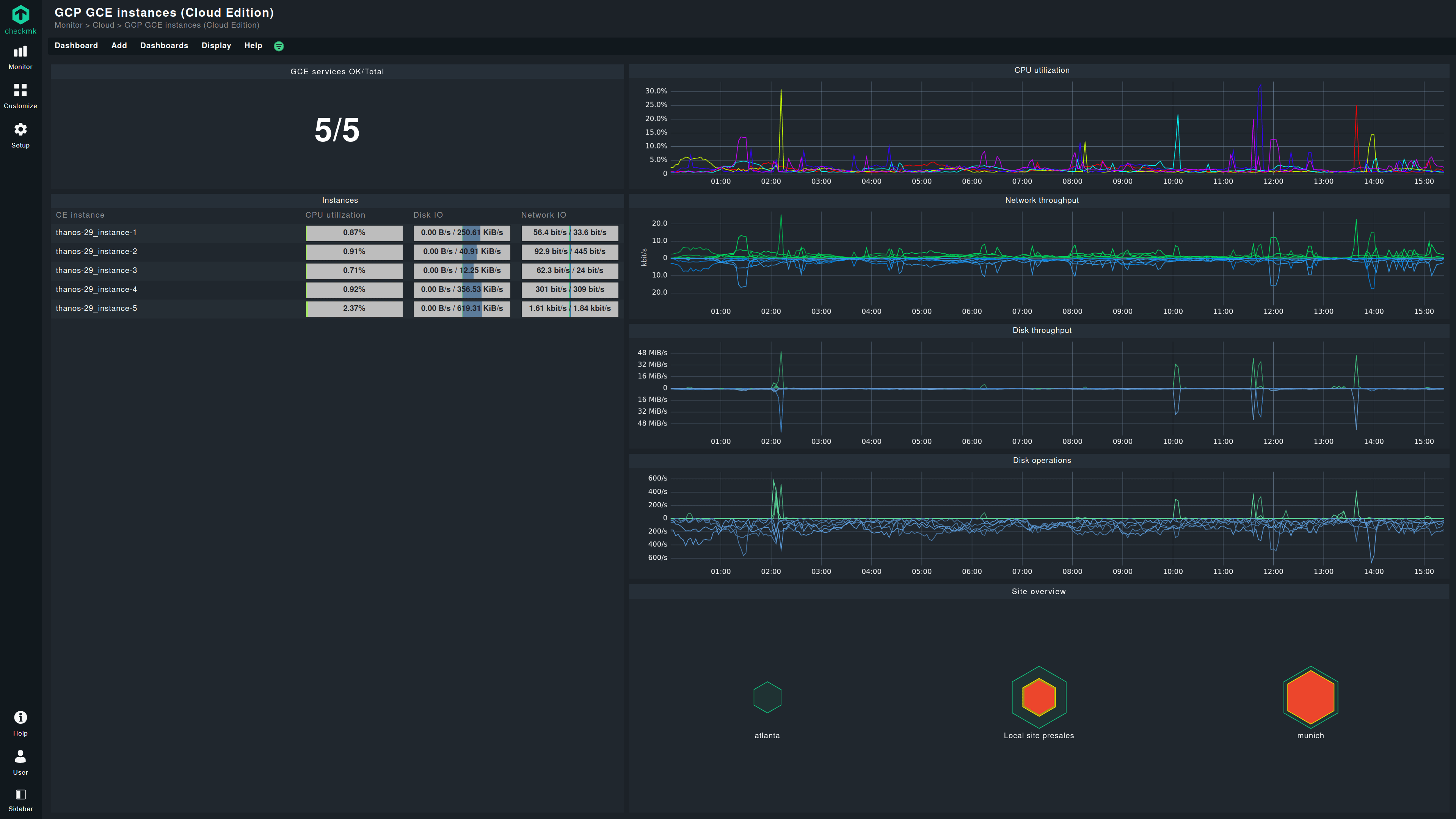
Measured usage is useful because businesses can avoid paying for maximum capacity all the time. It can also make bills harder to predict. Data transfer, managed databases, storage operations, backups, load balancers, monitoring, and premium support may be charged separately.
Control costs with practical limits
- Set budget alerts.
- Review idle resources.
- Use caching and CDNs to reduce repeated origin work.
- Right-size instances using actual utilization.
- Understand data-transfer pricing before moving large datasets.
- Delete old snapshots and test environments when no longer needed.
Cloud Hosting vs VPS Hosting
The categories overlap because many VPS products run on cloud infrastructure. From a buyer’s perspective, the important difference is operational model. A simple VPS usually gives you a virtual server to manage. A cloud platform may provide a broader set of managed services, APIs, scaling options, and redundancy patterns.
If you mainly need more resources and server control, read our guide to upgrading from shared hosting to a VPS.
Cloud Hosting Buyer Checklist
- Confirm the real compute, memory, and storage allocation.
- Understand whether the service is managed or self-managed.
- Check backup frequency, retention, and restore process.
- Review data-center regions and CDN options.
- Ask how scaling works and whether it is automatic.
- Review uptime architecture, not only an SLA percentage.
- Confirm supported software and runtime versions.
- Check security features such as MFA, firewalling, logs, and access roles.
- Estimate total cost including traffic and managed services.
- Understand migration and data-export options before committing.
Frequently Asked Questions
Is cloud hosting always faster than traditional hosting?
No. Architecture, resource allocation, optimization, caching, user location, and application design determine real performance. Cloud infrastructure provides flexibility, not an automatic speed guarantee.
Does cloud hosting prevent downtime?
No. It can make resilient architecture easier to build, but a single-instance cloud site can still fail. Redundancy, monitoring, backups, and tested recovery matter.
Is cloud hosting good for WordPress?
Yes, when the environment meets WordPress requirements and is operated correctly. Small sites may prefer managed services, while larger sites may benefit from more customizable cloud architecture.
Conclusion
Cloud hosting is widely used because it gives website owners flexible access to compute, storage, networking, managed services, and scaling. Its real value appears when those capabilities solve specific needs such as traffic variability, faster recovery, global delivery, or infrastructure automation.
Choose based on architecture, support, security responsibility, recovery options, and total cost—not the word “cloud” in a product name. For many modern sites, a well-managed cloud platform is an excellent foundation, but simplicity remains valuable when a smaller hosting plan already meets the site’s needs.



One thought on “Why Cloud Hosting Has Become the Standard for Modern Websites”
Comments are closed.