 by
by AI presentation tools can create a first draft in minutes, but a client-ready deck needs more than attractive templates. The final presentation must tell a clear story, use accurate information, match the client’s brand, make decisions easy to understand, and survive close review. AI is best used to accelerate the work around the deck—not to remove professional judgment from it.
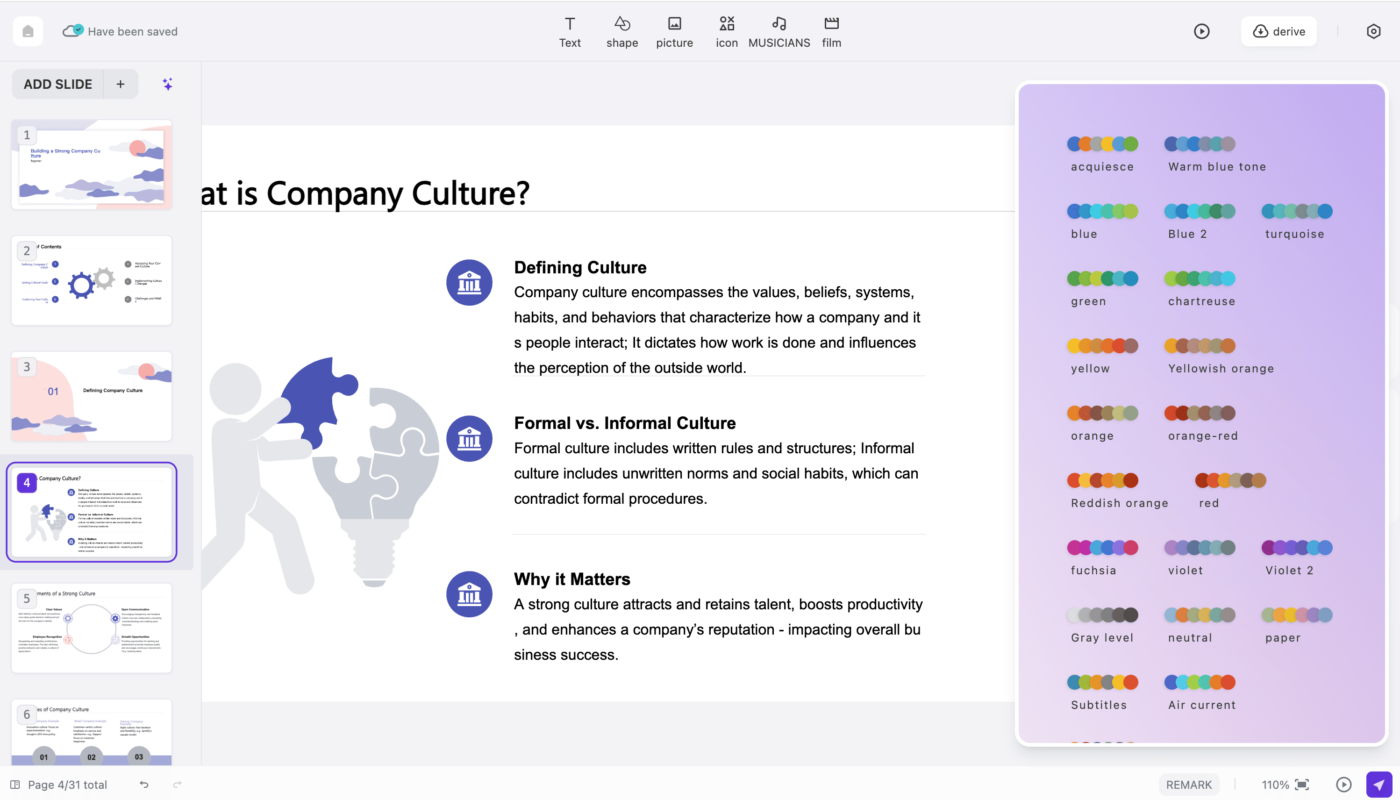
Modern tools can help generate outlines, draft slides, rewrite copy, create visuals, and apply brand styles. Microsoft’s current Copilot in PowerPoint guidance shows prompt-based presentation creation, while Canva’s AI presentation maker can generate draft presentations and then let users refine the design. The productive approach is to treat these outputs as a starting point and apply a structured client-delivery process.
Start With a Client Brief, Not a Prompt
A vague prompt usually produces a generic deck. Before opening an AI presentation tool, define the business context.
Write down these inputs
- Audience: executives, investors, customers, employees, or technical reviewers.
- Decision: what should the audience understand, approve, buy, or do?
- Presentation length: time available and approximate slide count.
- Evidence: approved documents, data, research, and client sources.
- Brand: logo, fonts, colors, existing template, image style, and tone.
- Constraints: legal text, confidentiality, claims that require sources, and information that must not be changed.
This brief becomes the source of truth for the AI and the human editor.
Step 1: Build the Story Before Designing Slides
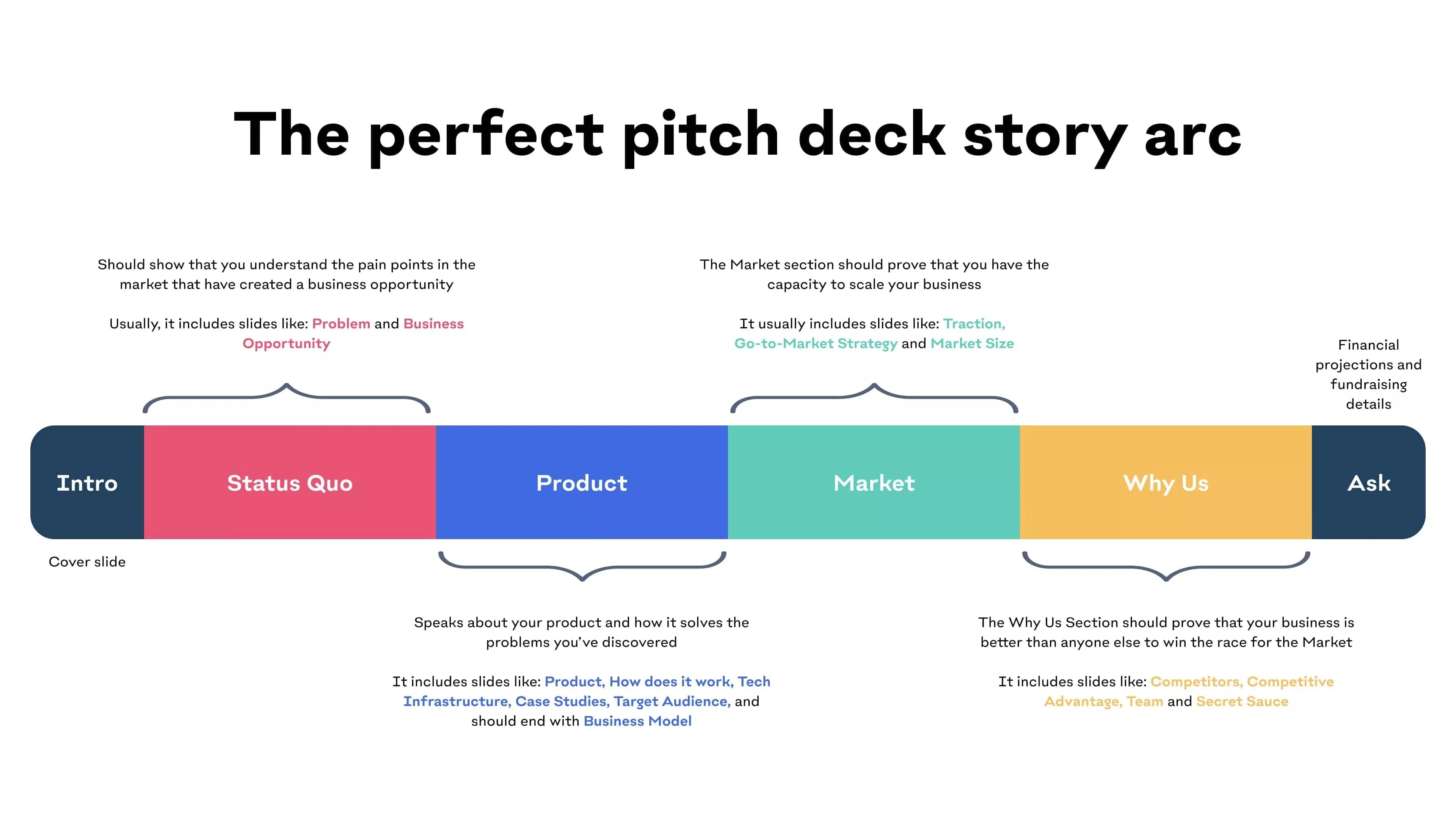
A presentation is easier to follow when each slide moves the audience toward one conclusion. Start with a simple narrative rather than a collection of topics.
A practical business-deck structure
- Context: what is happening now?
- Problem or opportunity: why does it matter?
- Evidence: what supports the argument?
- Options or recommendation: what should be done?
- Implementation: how will it happen?
- Impact: what result should be expected?
- Next step: what decision or action is required?
Ask the AI to create an outline first. Review the outline before asking it to generate full slides. This prevents time being spent polishing a weak story.
Step 2: Ground the Deck in Verified Source Material
Client presentations often contain numbers, market claims, product capabilities, customer facts, or regulatory information. AI can summarize these sources, but it should not invent missing evidence.
Use a source hierarchy
- Client-approved internal documents for company-specific facts.
- Official product documentation for features and technical capabilities.
- Government, standards bodies, and primary research for regulated or technical claims.
- High-quality industry research for market context.
- Secondary articles only when better primary evidence is unavailable.
Keep the source link beside every important factual claim while drafting. Citations can be shortened for the slide and expanded in speaker notes or an appendix.
Step 3: Choose the AI Tool Based on the Existing Workflow
| Situation | Useful starting tool | Why |
|---|---|---|
| Company already works in PowerPoint | Copilot in PowerPoint | Creates and edits inside the existing deck workflow |
| Design-heavy marketing deck | Canva | Fast visual layouts, brand assets, and collaborative editing |
| Need a first outline before slides | General AI assistant | Strong for structure, synthesis, and rewriting before design |
| Existing document must become slides | PowerPoint Copilot or similar document-grounded tool | Can draft slides from referenced source material |
Microsoft’s current support documentation also allows PowerPoint Copilot to create slides grounded in a referenced file. That can be useful when the client has an approved report or PDF that should remain the factual foundation of the deck.
Step 4: Give the AI Slide-Level Instructions
Instead of asking for “a professional presentation,” specify the communication job of each slide.
Example slide brief
- Slide purpose: explain why customer churn increased.
- Main message: most of the change came from first-90-day customers.
- Evidence: approved Q2 retention table.
- Visual: simple cohort bar chart.
- Copy limit: one headline, one supporting sentence, three labels.
- Speaker note: explain two possible causes that still need validation.
Specific instructions reduce generic filler and make the slide easier to review.
Step 5: Apply the Client Brand Deliberately
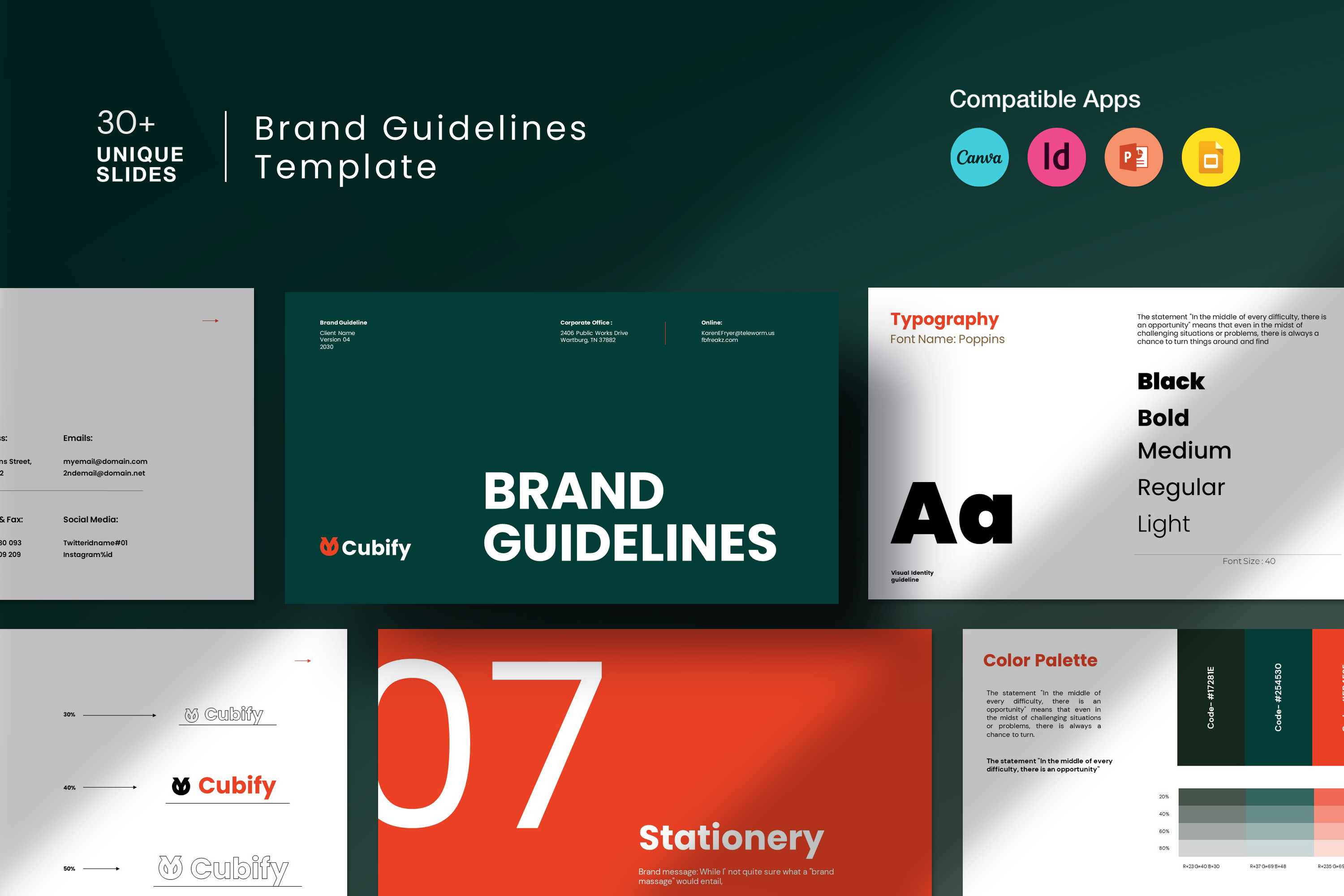
Brand consistency means more than using the correct logo. A professional deck should have predictable typography, spacing, chart treatment, image style, and tone.
Microsoft’s July 2026 PowerPoint brand guidance explains that well-structured templates help Copilot generate slides that follow an organization’s layouts and design elements. Canva similarly supports applying brand assets after an AI-generated draft.
Check these brand elements
- Logo placement and clear space.
- Approved fonts and hierarchy.
- Primary and secondary colors.
- Chart and table styling.
- Photography or illustration direction.
- Icon style.
- Tone of headlines and calls to action.
Step 6: Replace Generic AI Visuals With Purposeful Visuals
A slide should use a visual because it makes the message easier to understand. Decorative imagery can make a deck feel polished, but it should not compete with the evidence.
Choose the right visual for the message
- Trend over time → line chart.
- Category comparison → bar chart.
- Process → simple flow diagram.
- Before/after → paired visual.
- Strategy → prioritized framework.
- Human story → relevant photograph.
- Concept without available photography → generated illustration, clearly reviewed for accuracy.
Do not use an AI-generated chart when the data itself can be plotted accurately in spreadsheet or presentation software.
Step 7: Run a Client-Ready Quality Check
Content QA
- Every slide has one clear point.
- Facts match the source.
- Numbers are consistent across slides.
- Claims that need citations have them.
- No placeholder or invented client details remain.
- Terminology matches the client’s language.
Visual QA
- Text is readable at presentation distance.
- Charts have labels and meaningful titles.
- Objects align consistently.
- Images are high resolution and legally usable.
- Brand colors and fonts are consistent.
- Animations are used only when they help explanation.
Delivery QA
- Links work.
- Embedded media works on the presentation device.
- Fonts do not break when exported.
- PDF export looks correct if a PDF will be sent.
- Speaker notes contain required context.
- A clean final filename and version are used.
Fast Client Presentation Workflow
- Collect the brief and approved sources.
- Create a one-page story outline with AI.
- Verify the outline against the business objective.
- Generate a first slide draft.
- Replace weak copy with concise slide-level messaging.
- Apply the client template and visual system.
- Build accurate charts from source data.
- Add citations and speaker notes.
- Run content, visual, and delivery QA.
- Rehearse the presentation and simplify any slide that is hard to explain aloud.
For the design side of this process, see our related guide on designing professional presentations with AI. For broader daily workflows, see AI productivity apps for everyday work.
Frequently Asked Questions
Can AI create a complete client presentation automatically?
It can create a useful draft, but client delivery still needs fact checking, brand review, visual refinement, source verification, and human judgment about the recommendation.
Should AI-generated slides include citations?
Important factual claims should be traceable to a reliable source. Use concise source labels on slides and fuller links in notes or an appendix when appropriate.
How many words should be on a slide?
There is no universal limit, but slides designed for live presentation should be scannable. Put detailed explanation in speaker notes or supporting materials rather than shrinking the font to fit more text.
Conclusion
AI can reduce the time required to move from a blank page to a structured, visually polished presentation. The professional value comes from what happens after generation: verifying the evidence, sharpening the story, applying the brand, choosing meaningful visuals, and checking the final deck from the client’s perspective.
Use AI to accelerate drafting and iteration, but keep ownership of the message. A client-ready presentation should feel like a thoughtful business recommendation—not like a template that happened to contain the right topic.