 by
by AI agents are software systems that use an AI model to decide what steps to take toward a goal, often using external tools along the way. Instead of only generating a response, an agent may search a knowledge base, call an API, inspect a file, run code, update a system, or hand a task to another specialized agent.
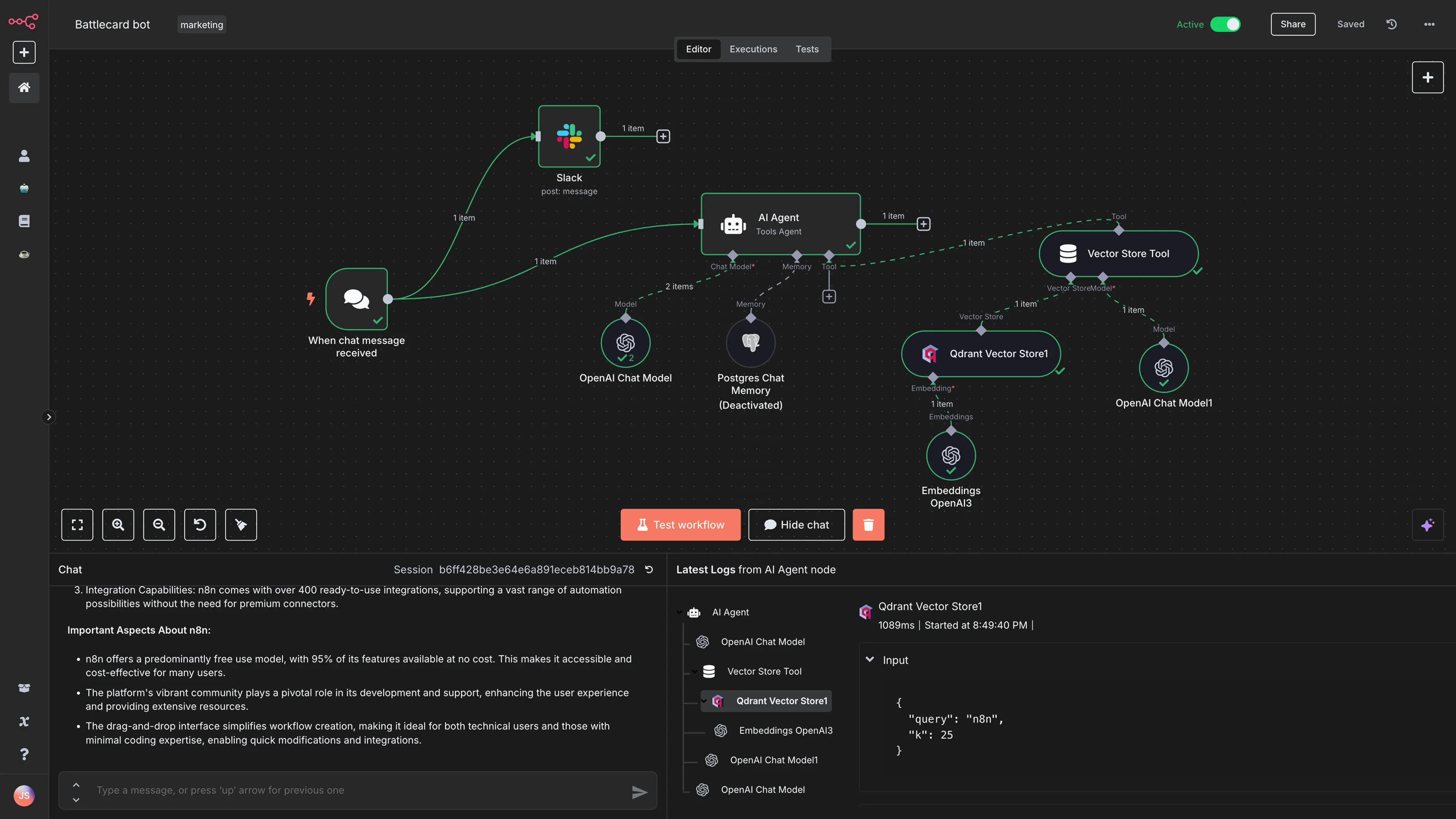
This flexibility is what makes agents useful—and what makes them more complex than ordinary chatbots. A chatbot that answers a policy question has limited impact. An agent that can change a customer record or deploy code needs identity controls, validation, logging, stop conditions, and human approval. In 2026, the practical conversation around AI agents is increasingly about reliable operation rather than impressive demos.
Chatbots, Workflows and AI Agents Are Different
| System | How it works | Best use |
|---|---|---|
| Chatbot | Responds to user messages | Questions, drafting, guided support |
| Fixed workflow | Runs predetermined steps and rules | Repeatable deterministic processes |
| AI agent | Selects actions/tools based on context | Tasks where the path can vary |
Many good systems combine all three. A workflow may handle known steps, an AI model may interpret unstructured text, and an agent may choose between tools only when flexibility is necessary.
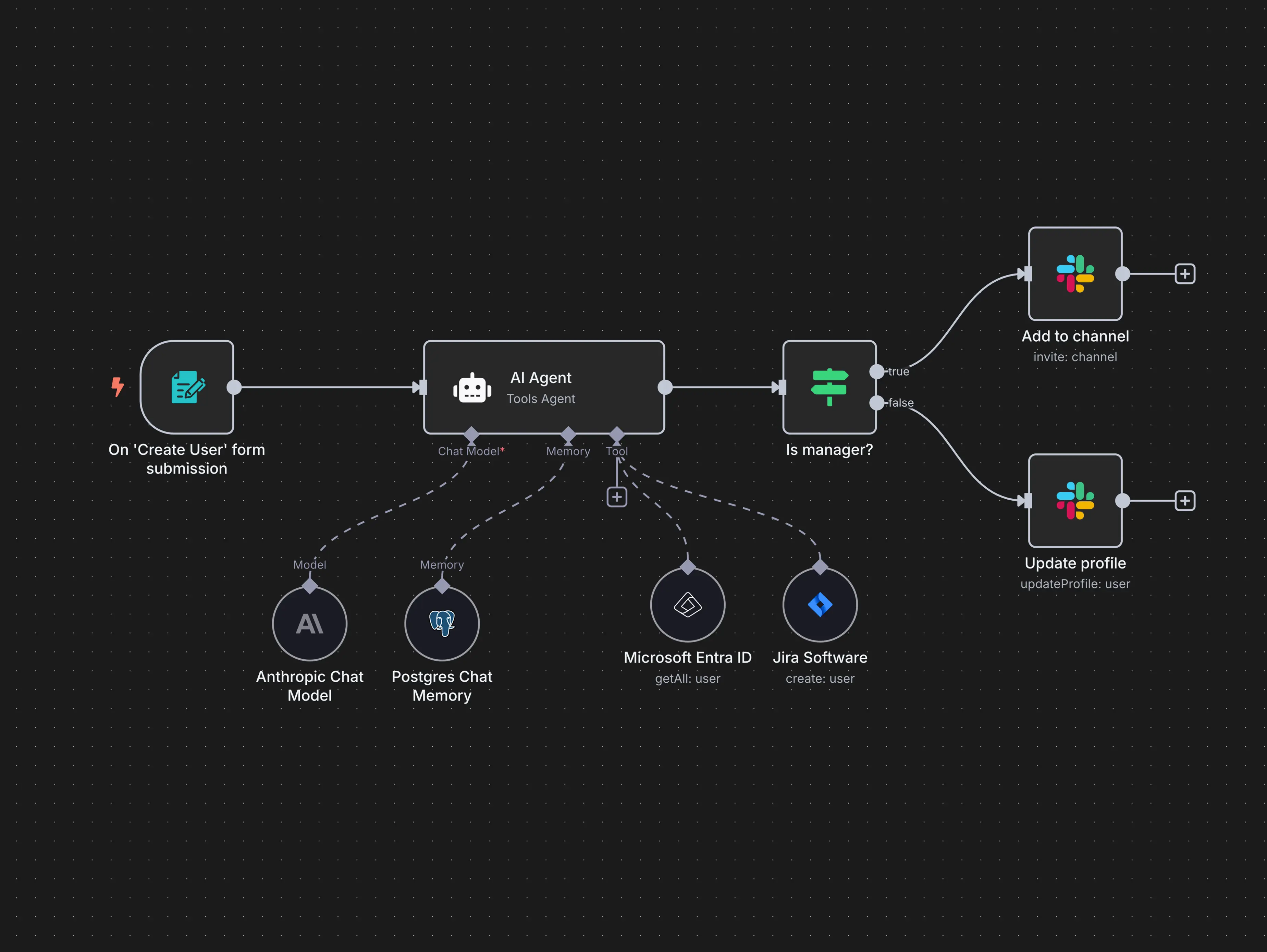
The Core Parts of an AI Agent
Model
The model interprets instructions and decides what to do next. Different models vary in reasoning, tool use, latency, context length, cost, and modality.
Instructions
System instructions define role, priorities, constraints, output expectations, and rules for using tools. They should be specific enough to guide behavior without relying on the model to infer important business policies.
Tools
Tools connect the agent to the outside world. Examples include search, databases, calendars, CRM systems, code execution, browsers, file storage, and business APIs.
State and memory
State tracks the current task. Longer-term memory can store user preferences or prior work when appropriate. Persistent memory should be deliberate because storing more data creates privacy and accuracy concerns.
Guardrails and approvals
Validation rules can restrict inputs or outputs, while approval gates can stop the agent before sensitive actions. Tool permissions should follow least privilege.
How an Agent Completes a Task
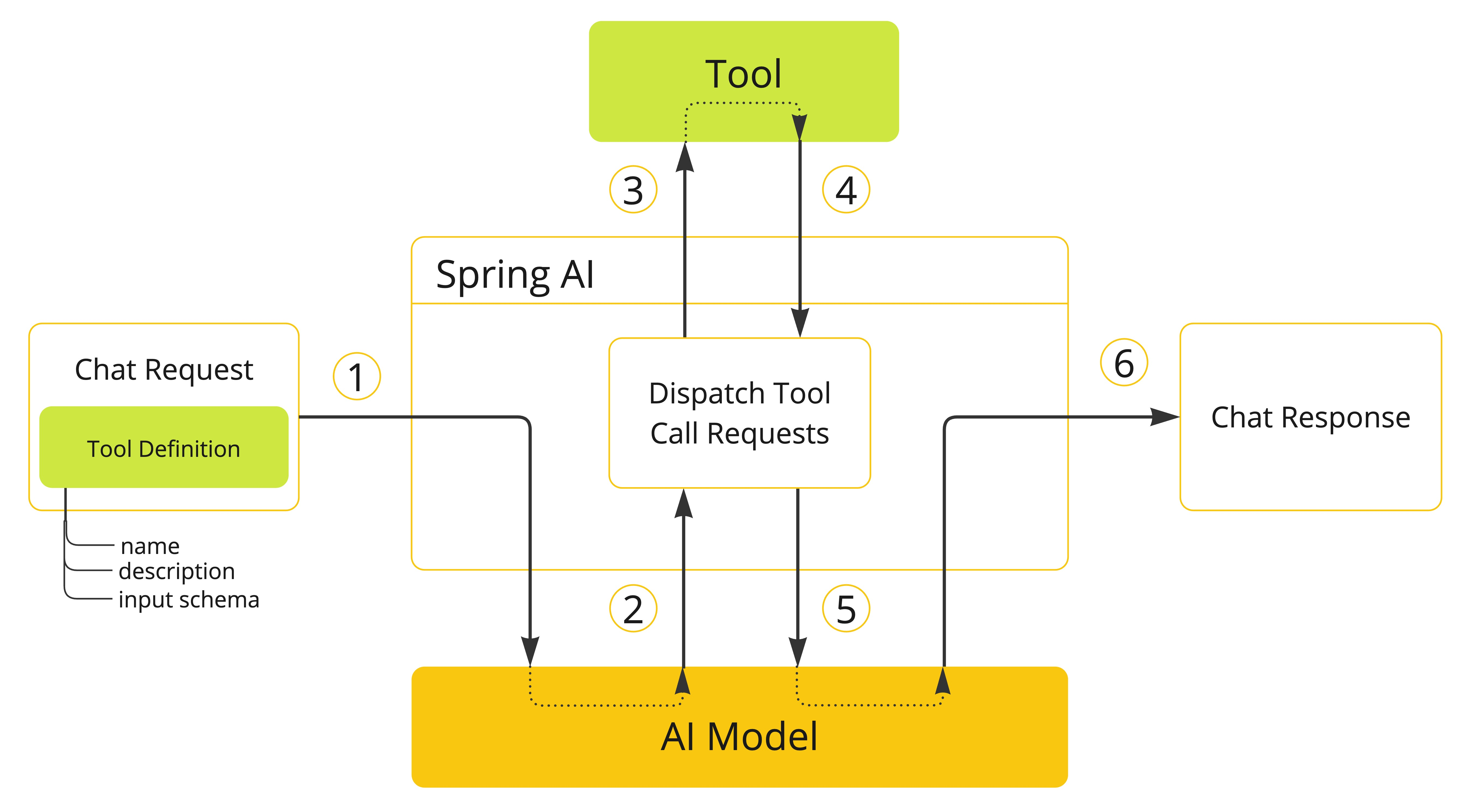
A simplified agent loop looks like this:
- Receive a goal and available context.
- Decide whether to answer directly or use a tool.
- Call the selected tool with structured input.
- Read and interpret the result.
- Choose the next step.
- Stop when the goal is complete, a limit is reached, or human input is required.
This loop is powerful because the exact path does not need to be hard-coded for every request. It is also risky if the agent can keep taking actions without limits.
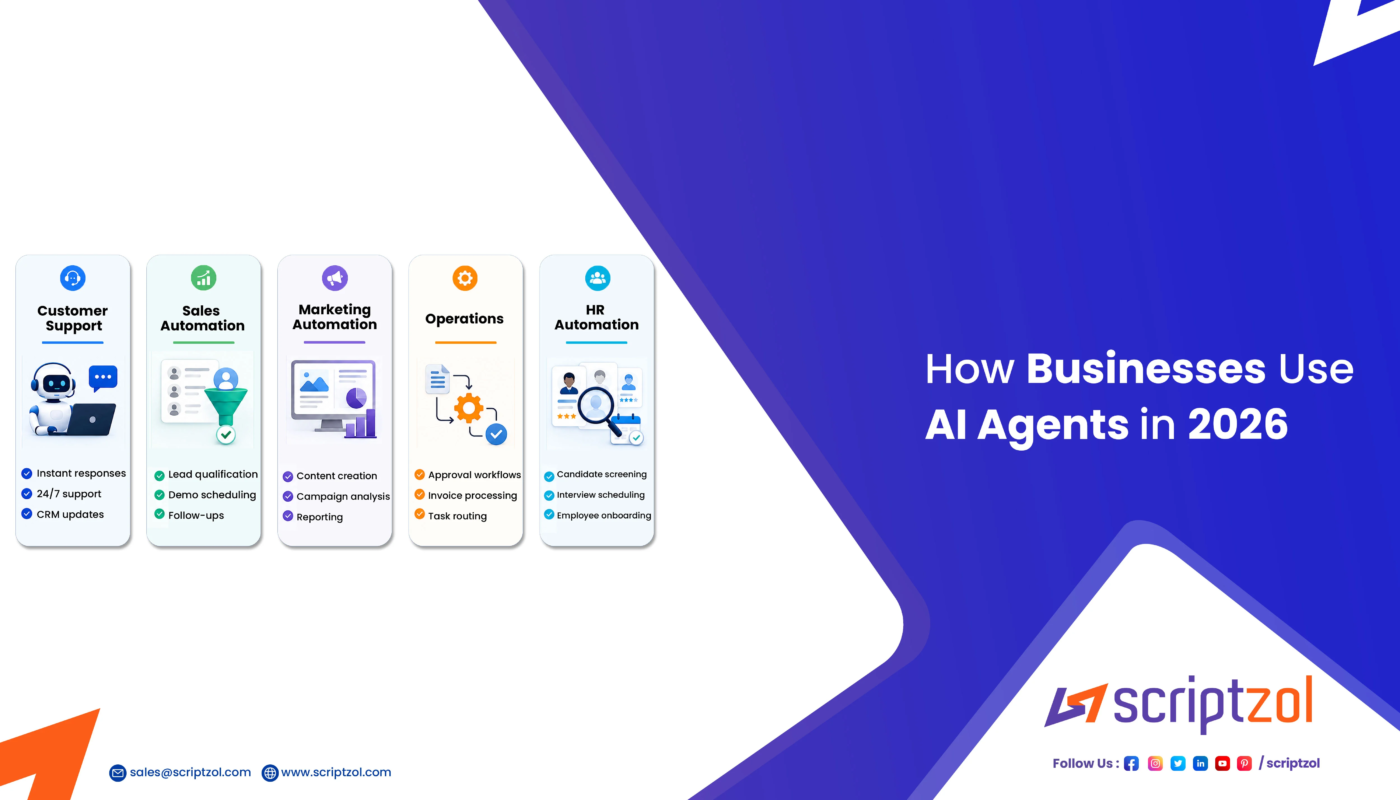
Where Businesses Are Using AI Agents
Customer support
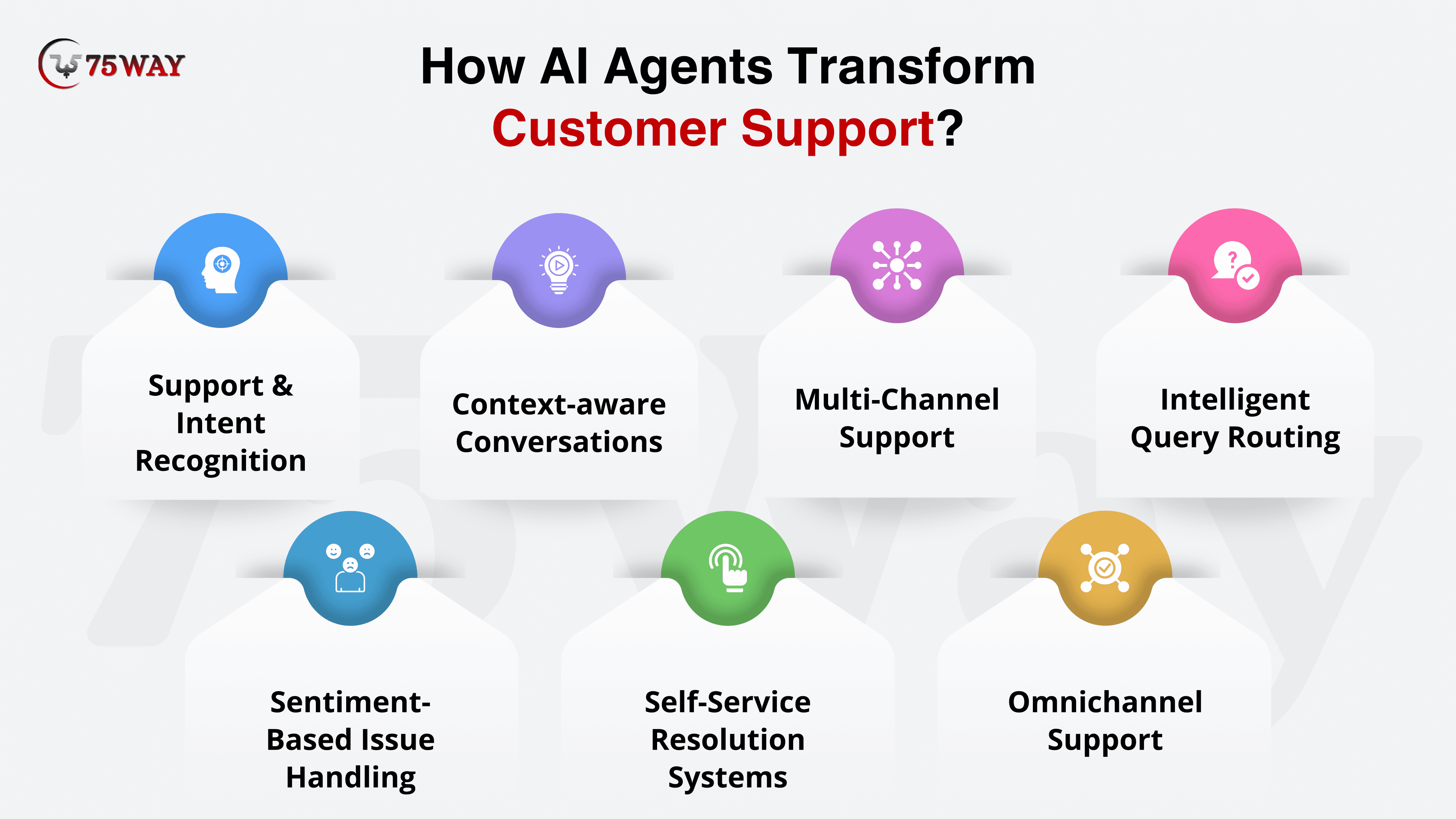
An agent can collect account context, search approved help content, summarize a case, draft a response, and route complex issues to a human. Automatic refunds or account changes should have stronger controls.
Research
Agents can run searches, collect documents, compare sources, and prepare a referenced brief. Humans should verify important conclusions and source quality.
Developer workflows
Coding agents can inspect repositories, propose changes, run tests, and help diagnose errors. Production deployments and security-sensitive changes should remain gated.
Operations
Agents can summarize alerts, gather system information, prepare incident timelines, or perform low-risk remediation under defined permissions.
Sales and administration
Agents can prepare account briefs, organize meeting notes, classify inbound leads, or update structured records after validation.
What Makes Agentic Automation Different
Traditional automation works best when rules are stable: “if invoice status is approved, send it to accounting.” Agentic automation becomes useful when the system must interpret ambiguous information or choose among several possible actions.
For a step-by-step framework, see our guide to AI workflow automation.
The Main Risks of AI Agents
Incorrect actions
A model can misunderstand a request or use a tool with the wrong arguments. Validate structured inputs before execution.
Excessive permissions
An agent should not receive organization-wide administrator access merely for convenience. Separate read tools from write tools and scope credentials.
Prompt injection
Agents may read attacker-controlled web pages, emails, or documents. Untrusted content should be treated as data, not as authority to change system instructions.
Unreliable memory
Stored preferences can become outdated or incorrect. Important decisions should rely on current authoritative records.
Hidden cost and loops
An agent that repeatedly calls models and tools can consume significant resources. Set iteration limits, timeouts, budgets, and stop conditions.
A Safer Business Adoption Framework
- Choose a narrow workflow. Define an outcome that can be measured.
- Start read-only. Let the agent gather and recommend before it changes systems.
- Create a realistic test set. Include errors, ambiguity, and malicious inputs.
- Restrict tools. Expose only the actions required for the task.
- Add approvals. Human review should protect high-impact operations.
- Log actions. Keep enough evidence to investigate failures.
- Measure quality and cost. Compare with the previous process.
The NIST AI Risk Management Framework provides a broader governance structure for organizations deploying AI systems.
AI Agents vs Human Employees
Agents are good at fast digital operations, repeated analysis, and tool coordination. Humans are still responsible for business context, accountability, ethics, relationships, negotiation, ambiguous exceptions, and decisions where consequences extend beyond the data available to the model.
A strong design assigns AI the repetitive digital work while keeping clear human ownership of outcomes.
AI Agent Readiness Checklist
- The workflow has a clear success definition.
- Source data is available and permissioned.
- Tools expose only necessary actions.
- Write actions are validated.
- High-risk steps require approval.
- Prompt injection is considered.
- Tool failures and timeouts are handled.
- Agent actions are logged.
- There is a test set for regression checks.
- Someone owns ongoing monitoring.
If you are comparing development stacks, see our current AI agent platform comparison.
Frequently Asked Questions
Are AI agents fully autonomous?
They can operate with varying levels of autonomy, but production systems should limit autonomy based on risk. Many useful agents work under human approval or within narrow tool boundaries.
Do agents need multiple AI models?
No. A single model can operate an agent. Some architectures use multiple models for cost, specialization, or fallback, but additional complexity should have a clear benefit.
Can an AI agent use normal business software?
Yes, when the software exposes an API, connector, browser workflow, or other controlled tool interface. Permissions and auditability are important.
Conclusion
AI agents extend language models from answering questions to coordinating actions. Their value comes from flexible tool use, but safe deployment depends on structured permissions, validation, observability, testing, and human oversight.
Businesses should begin with narrow read-heavy workflows, prove reliability, and increase autonomy gradually. The most successful agent is not the one that acts with the fewest human checks; it is the one that completes useful work predictably within clear boundaries.