 by
by Managed WordPress Hosting vs VPS: Which Model Fits a Growing Website?
A growing WordPress site eventually reaches a point where “more hosting” is not a useful requirement. The real decision is what kind of hosting responsibility the site owner wants. Managed WordPress hosting and a virtual private server can both provide more capacity than basic shared hosting, but they solve different problems.
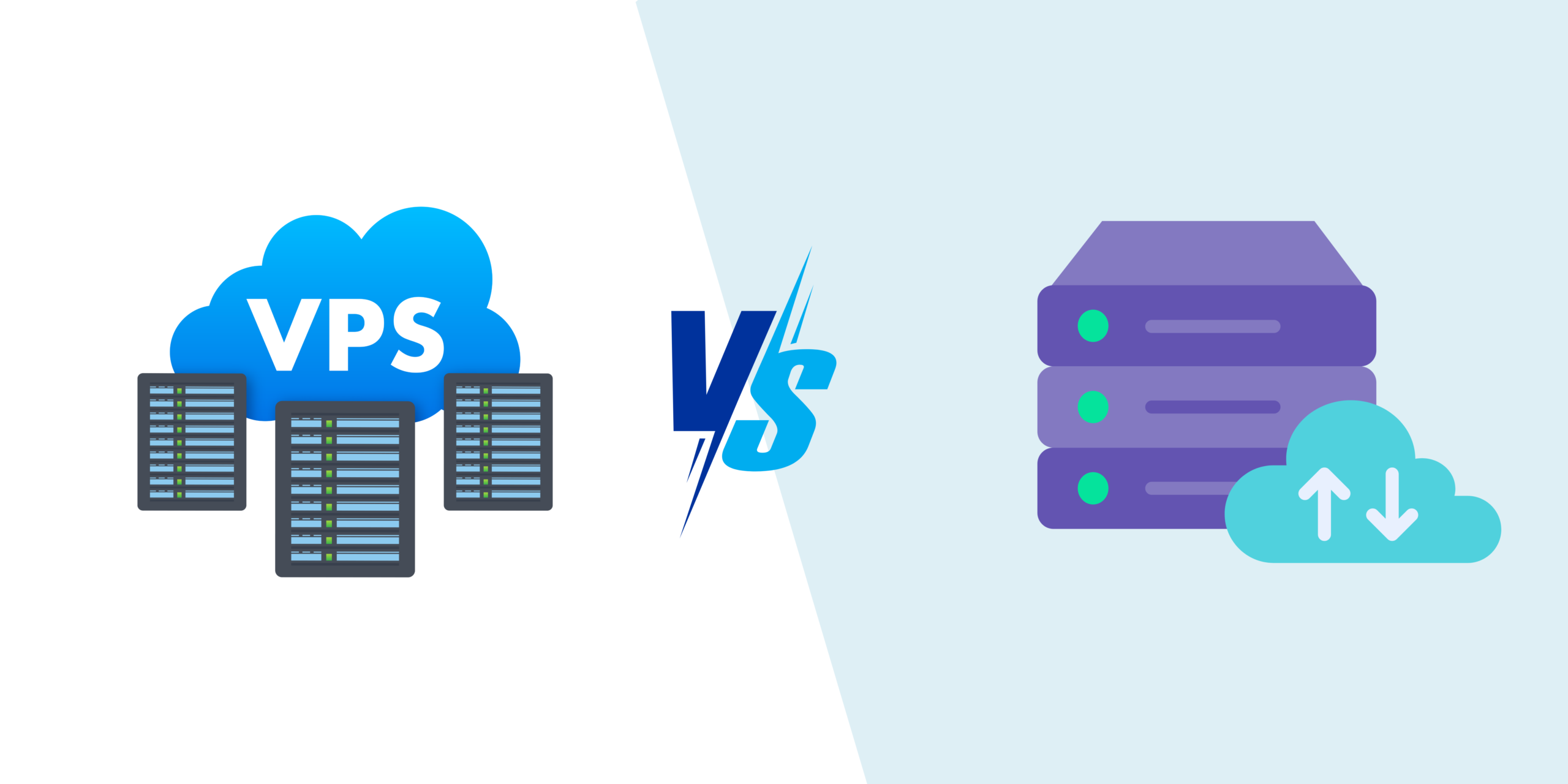
Managed WordPress hosting packages infrastructure and WordPress-specific operations into a service where the provider handles more of the stack. A VPS gives the customer a virtual server with greater control, but that control often comes with more responsibility for configuration, updates, security and troubleshooting. Neither model is automatically faster or better.
This guide compares managed WordPress hosting vs VPS hosting through workload, skills, operational risk and total cost so website owners can choose based on real needs instead of labels.
The Main Difference Is Responsibility
A VPS gives you a virtual machine with allocated resources and an operating environment you can control. Depending on the plan, the provider may manage only the physical infrastructure while you manage the operating system and application stack.
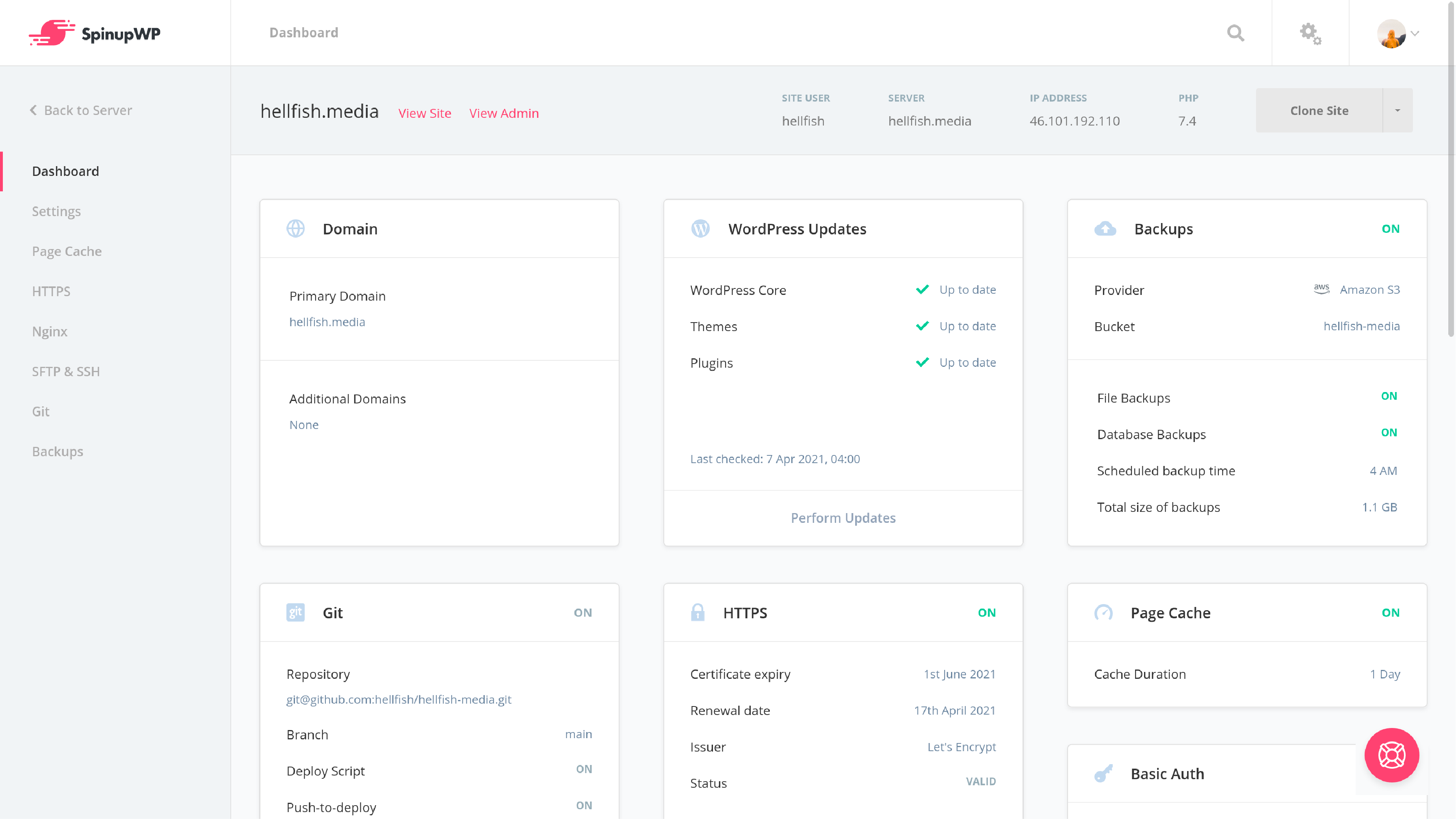
Managed WordPress hosting usually gives you less low-level control but includes more provider-managed tasks. WordPress’s current server-administration documentation notes that managed hosts may handle web-server rules, PHP settings, mail delivery, backups and control-panel features for customers.
See the WordPress Server Configuration handbook for the official distinction between self-managed server work and provider-managed environments.
Typical responsibility split
| Task | Managed WordPress | Self-managed VPS |
|---|---|---|
| Physical hardware | Provider | Provider |
| Virtualization | Provider | Provider |
| Operating system | Usually provider | Usually customer |
| Web server/PHP tuning | Usually provider | Customer |
| WordPress updates | May be assisted/managed | Customer |
| Application plugins/themes | Customer with support limits | Customer |
| Backups | Often included | Customer must configure |
| Server monitoring | Often included | Customer responsibility |
Exact plan definitions vary, so read the provider’s scope instead of assuming “managed” includes everything.
Managed WordPress Hosting Is an Operations Product
The strongest reason to choose managed WordPress hosting is not that the server contains a special type of WordPress. It is that the hosting company has designed the environment and support process specifically for WordPress workloads.
Common managed-hosting benefits
- Preconfigured caching.
- Managed PHP and server versions.
- Automatic or scheduled backups.
- Staging environments.
- WordPress-focused support.
- Security monitoring or platform-level protections.
- CDN integration.
- Easy restore points.
- Less server administration.
The trade-off is that the provider may restrict plugins, server modules, background processes or unusual configurations that conflict with its managed platform.
A VPS Is a Control and Flexibility Product
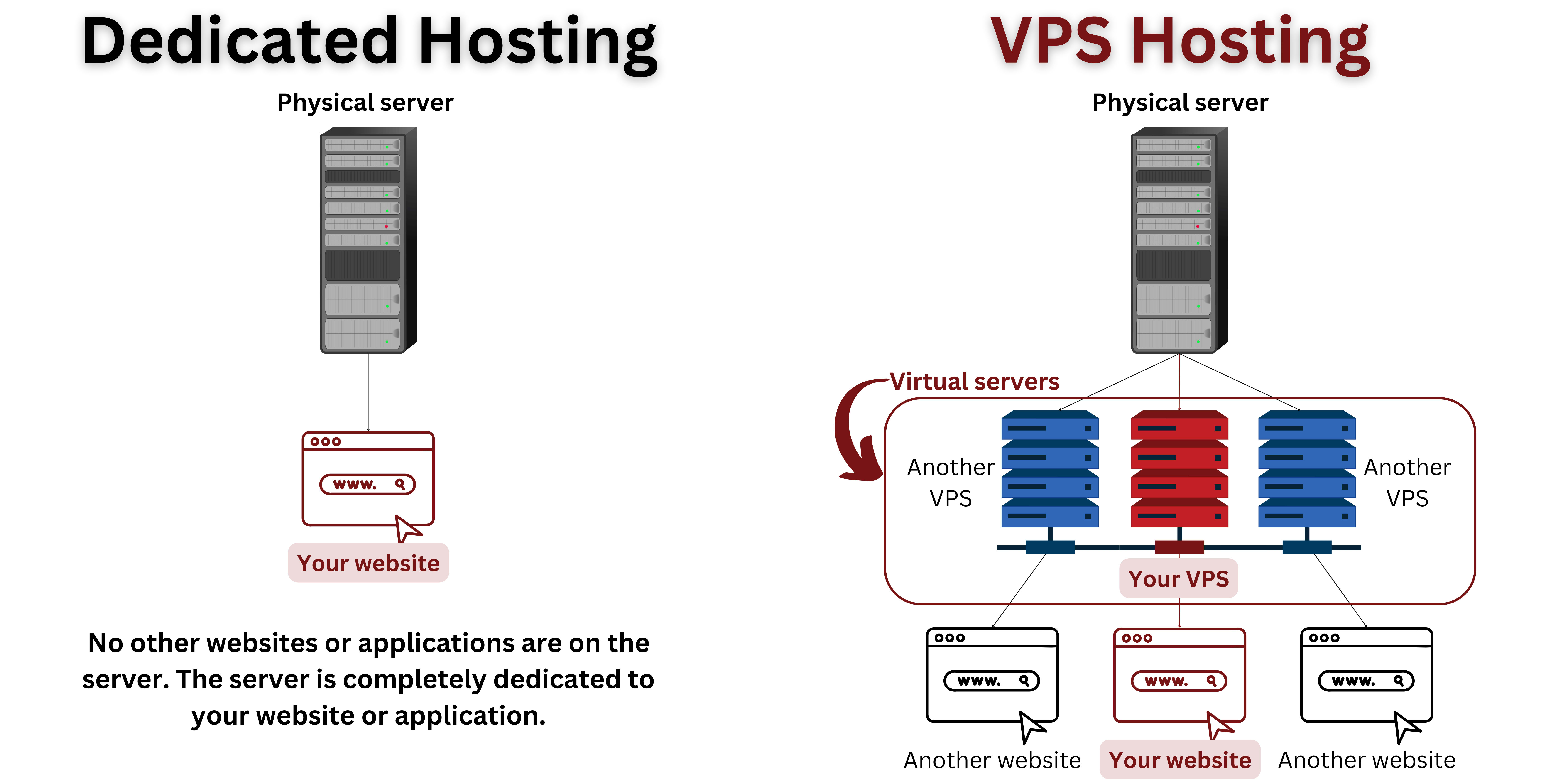
A VPS becomes attractive when the application needs server-level customization or when the owner has the skills to manage the environment efficiently.
VPS advantages can include
- Root or administrative access.
- Choice of operating system and packages.
- Custom web-server configuration.
- Control over PHP workers and limits.
- Ability to run additional services.
- Flexible monitoring and backup tools.
- Potentially efficient cost at predictable workloads.
That flexibility has operational cost. Someone must monitor disk space, patch packages, investigate server errors, configure backups and respond when a service fails.
Our existing guide to VPS hosting and upgrading from shared hosting explains the VPS model in more detail.
Performance Depends on the Stack, Not the Product Name
Managed WordPress hosting can be fast because the provider controls caching, web-server configuration and database tuning. A well-managed VPS can be equally fast or faster when it is correctly configured for the workload.
WordPress’s current performance optimization guidance identifies caching, server load, software versions, themes, plugins, images and hardware resources as important factors. That means moving from one hosting label to another does not automatically solve a slow site.
Measure before migrating
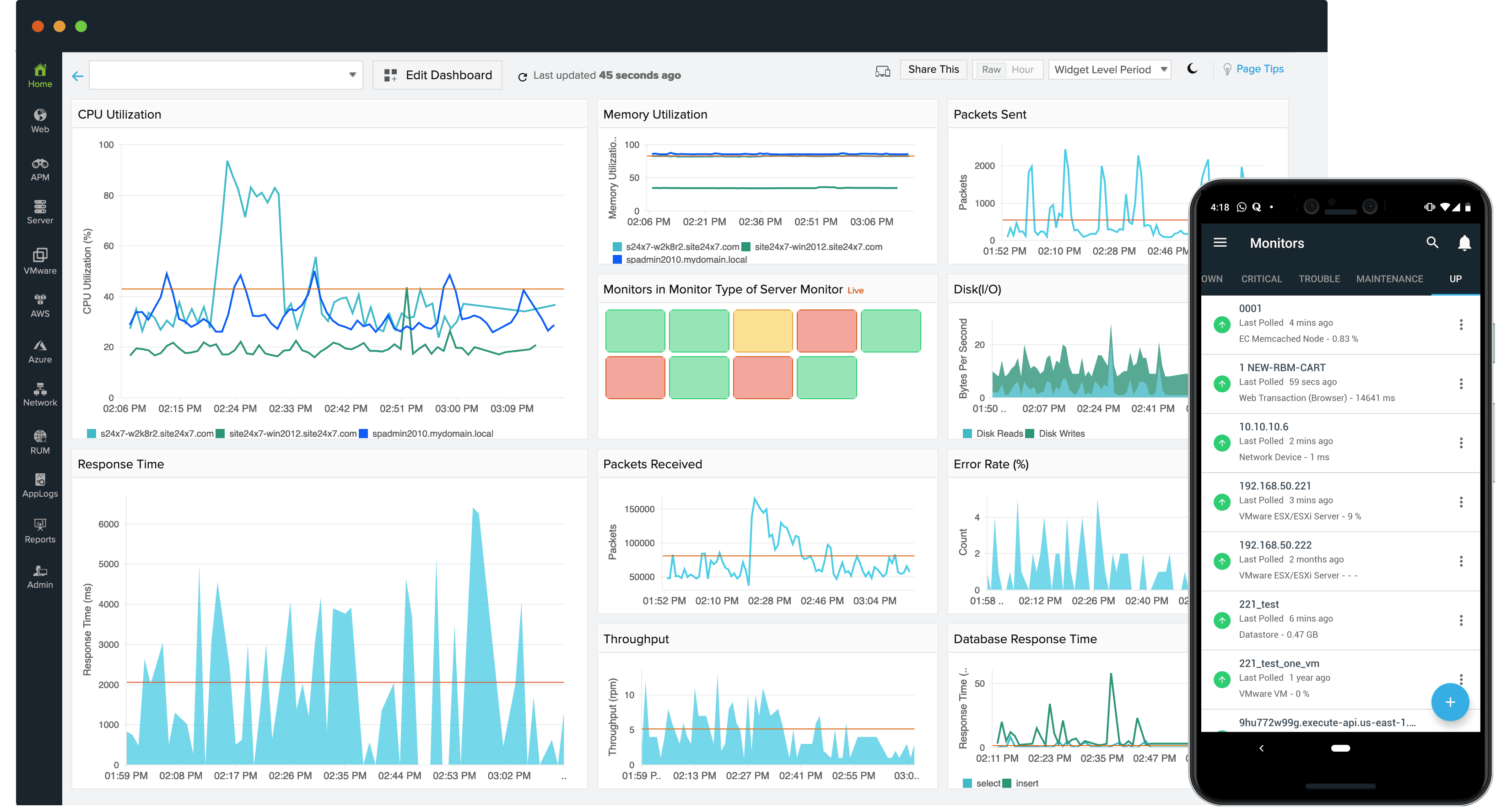
- Time to first byte for cached and uncached requests.
- PHP/application response time.
- Database query performance.
- CPU and memory saturation.
- Disk I/O limits.
- Cache hit rate.
- Error rates during traffic peaks.
If the real problem is a 5 MB hero image or a badly written plugin, a larger VPS will not fix the browser-side bottleneck.
Caching Is Often the Biggest Practical Difference

A content-heavy WordPress site can serve many visitors efficiently when public pages are cached. Managed WordPress hosts often provide a platform cache automatically. On a VPS, the owner must select and configure the caching layer.
Possible cache layers
- Browser cache.
- CDN edge cache.
- Full-page server cache.
- Object cache for repeated database results.
- Opcode cache for PHP.
The right setup depends on whether the site is a blog, membership site, ecommerce store or highly dynamic application. Caching rules must exclude private or personalized pages where appropriate.
Security Is About Who Owns Each Layer
Managed hosting can reduce the number of server-security tasks a site owner must perform, but it does not eliminate application security. WordPress users still need strong administrator authentication, current plugins/themes and careful permissions.
On a self-managed VPS, add server responsibilities
- Operating-system patching.
- SSH hardening.
- Firewall configuration.
- Service exposure review.
- Log monitoring.
- Malware or integrity monitoring.
- Backup security.
- Incident recovery.
If nobody on the team is responsible for these tasks, a low-cost unmanaged VPS may actually create higher business risk.
Backups Need to Be Evaluated Separately
Managed WordPress plans often advertise daily backups, but customers should still understand retention, storage location and restore behavior. A VPS requires the customer to build or purchase the backup system.
Ask both types of providers
- How often are backups created?
- Are database and files captured together?
- How long are copies retained?
- Are backups stored separately from the production server?
- Can the user download a copy?
- How quickly can one restore point be tested?
WordPress’s official backup guidance states that a complete site backup generally needs both database and files. Our upcoming backup-strategy article will cover recovery testing in more detail.
Scaling Looks Different in Each Model
A VPS usually scales vertically first: more CPU, RAM or storage is assigned to the virtual server. Some environments can also be redesigned across multiple servers, but that becomes an infrastructure project.
Managed WordPress hosts may offer predefined plan upgrades, autoscaling features or larger managed clusters depending on provider. The customer gets less infrastructure control but may avoid redesigning the stack personally.
Watch for scaling triggers
- Sustained high CPU rather than brief spikes.
- Memory exhaustion.
- Database saturation.
- Traffic events that exceed current limits.
- Background jobs competing with page requests.
- Storage growth.
Do not upgrade only because traffic increased. Effective caching can allow a content site to serve far more users without proportional server growth.
Support Quality Can Be Worth More Than Server Specifications
A managed host may cost more per unit of CPU or storage because part of the price pays for platform engineering and WordPress-aware support. That can be valuable when downtime costs more than the hosting bill.
Test support before migration
- Ask whether support investigates WordPress errors or only server uptime.
- Ask who handles failed backups.
- Ask whether staging restores are supported.
- Check emergency support channels.
- Review whether plugin-level issues are excluded.
On a VPS, a server provider may correctly tell you the machine is online even though WordPress is returning a fatal error. Know where the support boundary ends.
Total Cost Should Include Human Time
A VPS can have a lower monthly price, but server-management time is not free. Include the cost of whoever handles updates, monitoring, backups, security and troubleshooting.
| Cost | Managed WordPress | VPS |
|---|---|---|
| Hosting subscription | Often higher | Often lower for raw resources |
| Server administration | Lower customer effort | Higher customer effort |
| Backup service | Often bundled | May be additional |
| Monitoring | Often platform-level | Must be configured |
| Staging | Often included | Build/manage yourself |
| Specialized support | Potential advantage | May require freelancer/admin |
Who Should Choose Managed WordPress Hosting?
Managed hosting is often a strong fit when:
- WordPress is business-critical.
- The team does not want server administration.
- Staging and restores are used frequently.
- Predictable support is valuable.
- Standard WordPress architecture is acceptable.
- Time saved matters more than maximum infrastructure control.
Who Should Choose a VPS?
A VPS is often a strong fit when:
- The team has Linux/server skills.
- Custom services or packages are required.
- Server-level tuning matters.
- Multiple applications need to share infrastructure.
- The workload is predictable.
- The organization can monitor and recover the server itself.
Migration Checklist
- Measure current performance and traffic.
- Inventory plugins, cron jobs and integrations.
- Create a full backup.
- Set up staging on the target environment.
- Test PHP/database compatibility.
- Test forms, email, payments and scheduled jobs.
- Compare cached and uncached performance.
- Plan DNS cutover and rollback.
- Monitor errors after migration.
For high-performance ecommerce considerations, see our ecommerce hosting-stack guide.
Frequently Asked Questions
Is managed WordPress hosting faster than a VPS?
Not automatically. Managed hosting can be well optimized by default, while a correctly configured VPS can also be very fast. Measure the actual stack and workload.
Does managed hosting mean I never maintain WordPress?
No. Providers may manage server layers and some updates, but site owners still manage content, plugins, themes, users and application decisions.
Is a VPS cheaper?
Raw server resources can be cheaper, but include administration, backups, monitoring and support time in total cost.
When should I move from managed hosting to a VPS?
Move when you have a specific need for server control or economics that outweigh the additional operational responsibility—not simply because the site is growing.
Conclusion
Managed WordPress hosting and VPS hosting can both support a growing website. The difference is primarily how much infrastructure responsibility the customer wants to own. Managed hosting packages WordPress-focused operations into the service, while a VPS provides greater server control and flexibility.
Choose by measuring workload, support needs, internal skills and total cost. If your team wants to focus on publishing and product work, managed hosting may provide valuable operational leverage. If you have server expertise and need custom infrastructure, a VPS can be the better foundation. The best hosting model is the one your organization can maintain reliably after the migration is complete.