 by
by Passkeys Explained: How Passwordless Sign-In Works and When to Use It
Passwords create a difficult security problem: people need hundreds of unique secrets, websites need to protect password databases and attackers constantly try to steal credentials through phishing. Passkeys are designed to change that model. Instead of sending a reusable password to a website, a passkey uses public-key cryptography and device-based authentication to prove that the user controls a credential created for that specific service.
Passkeys can make sign-in easier while reducing the value of fake login pages. They are not a universal replacement for every authentication system yet, and organizations still need recovery, device-management and fallback plans. Understanding those operational details is more useful than treating “passwordless” as a magic security label.
This guide explains how passkeys work, why they resist common phishing attacks and when individuals and businesses should consider adopting them.
What a Passkey Is
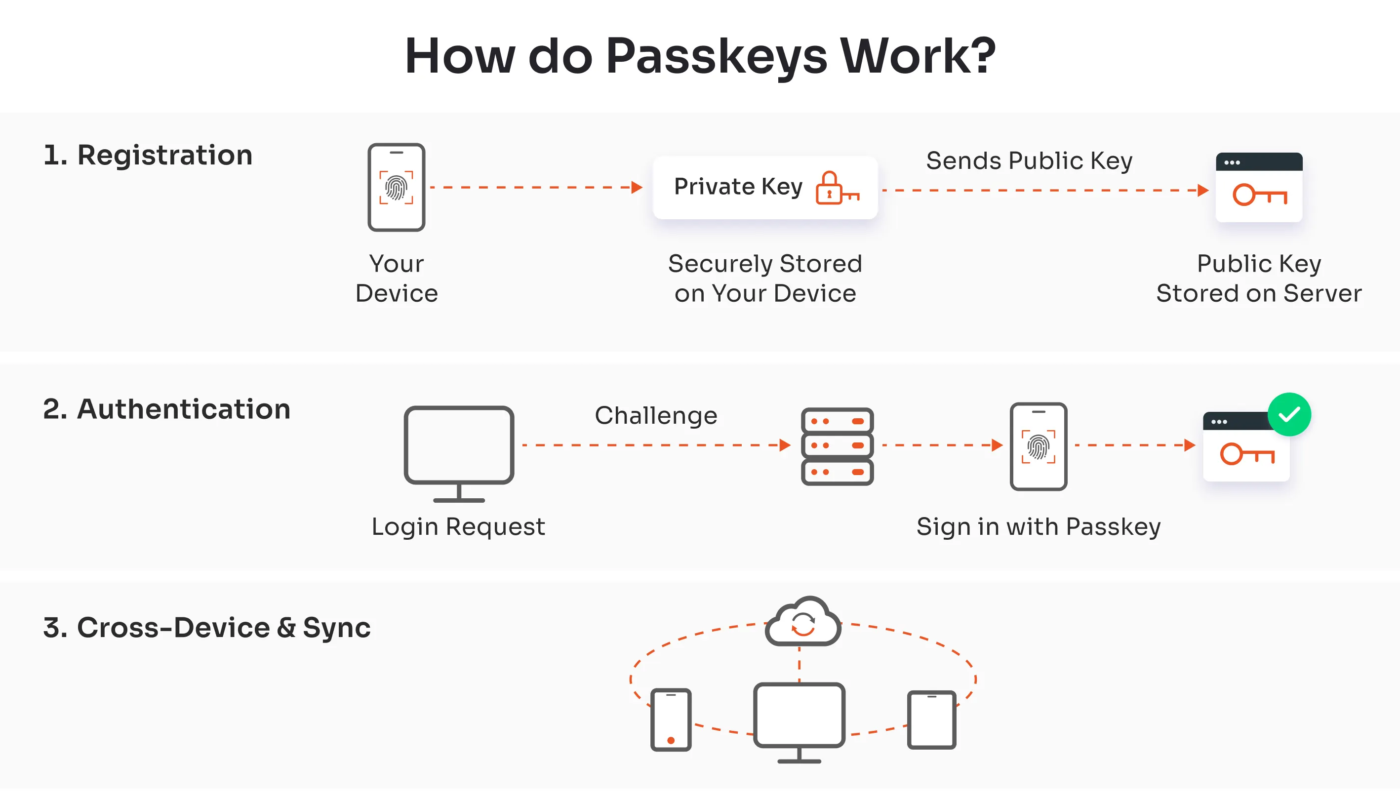
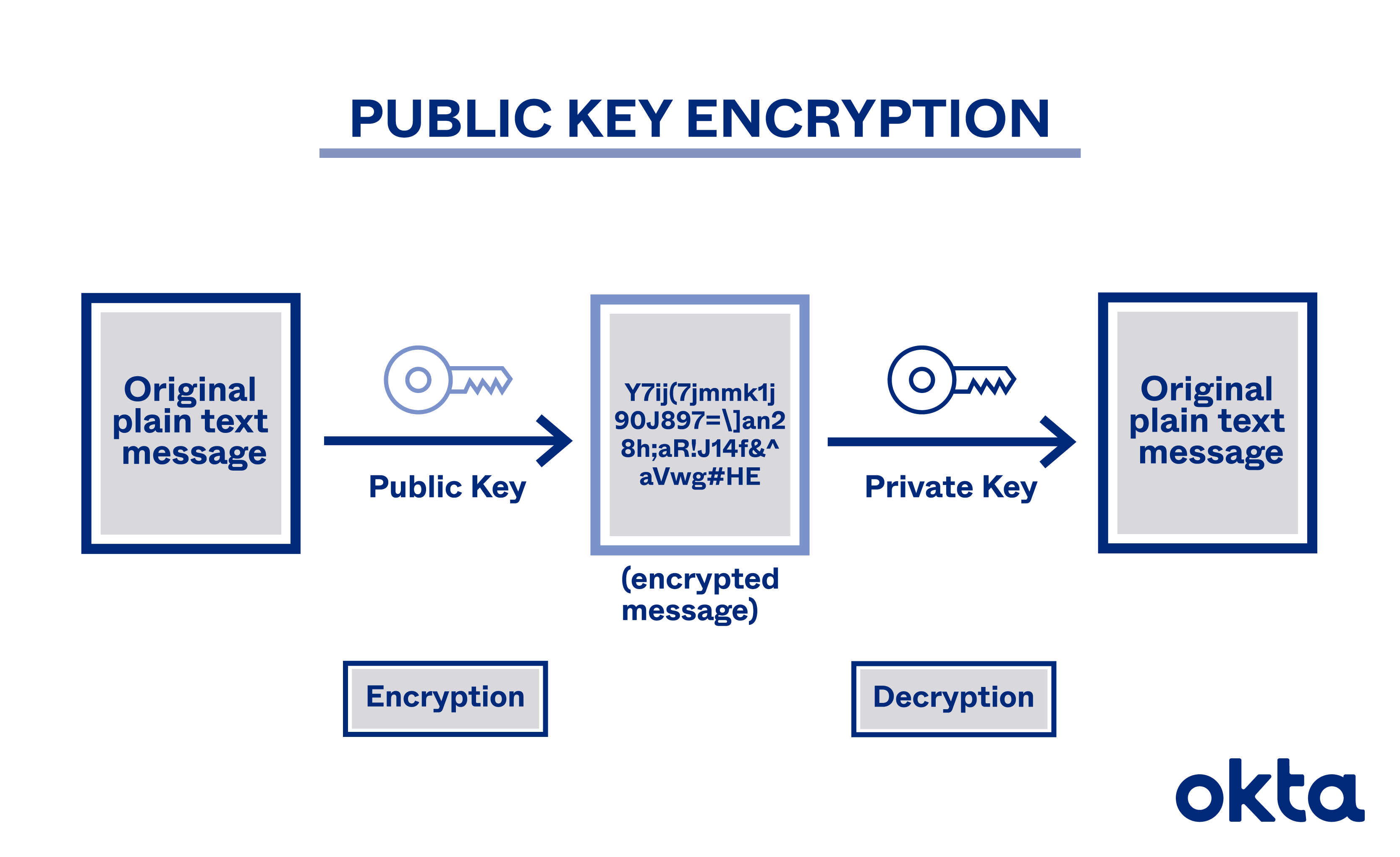
A passkey is a credential based on public-key cryptography. When a user registers a passkey with a website or application, the device creates a cryptographic key pair. The public key can be stored by the service, while the private key remains protected by the user’s authenticator or credential provider.
During sign-in, the service sends a cryptographic challenge. The user authorizes the device—often with a fingerprint, face recognition, device PIN or other local unlock—and the private key signs the challenge. The service verifies the response using the public key.
The FIDO Alliance describes passkeys as credentials built on FIDO standards and WebAuthn, using public-key cryptography to provide phishing-resistant authentication. See FIDO Alliance passkey guidance and FIDO authentication specifications.
Passkeys Do Not Send a Password to the Website
Traditional password authentication depends on a shared secret. The user knows the password and the service stores a protected representation that allows it to check whether the password is correct. An attacker may try to steal that password from the user, reuse a leaked password or trick the user into entering it into a fake website.
Passkeys use a different relationship. The private key is not entered into a form and is not sent to the service. The website receives a cryptographic proof that the device possesses the correct key.
Why that matters
- There is no reusable password for a phishing page to collect.
- A data breach at one website does not reveal a password that can be reused elsewhere.
- Each credential is associated with the service for which it was created.
- Users do not need to memorize long unique strings.
Domain Binding Is the Key to Phishing Resistance
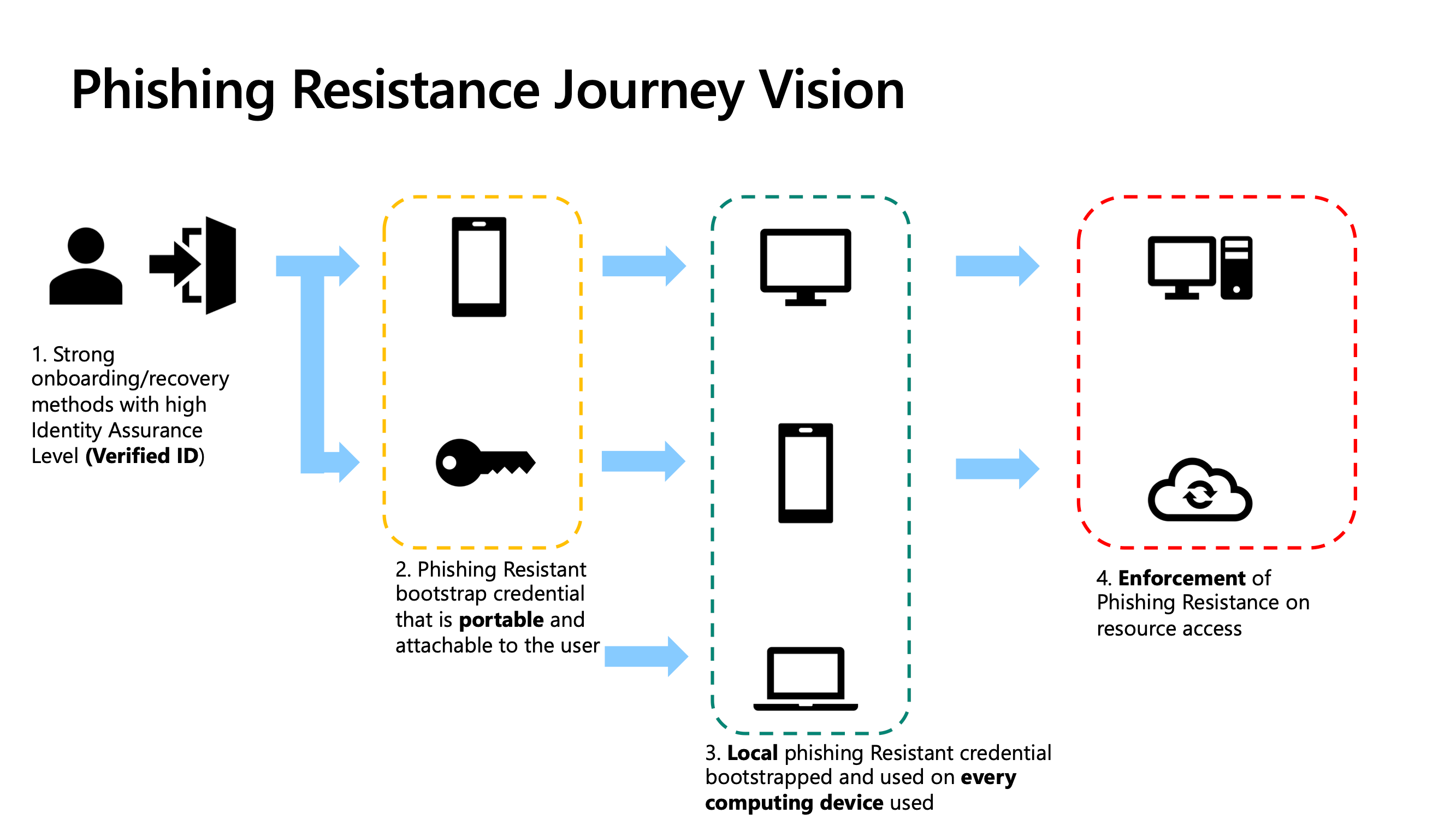
A sophisticated phishing page can copy the logo, colors and layout of a real login page. Passwords do not know which site they are being typed into. A passkey is associated with the legitimate service domain and authentication ceremony.
FIDO states that passkeys are unique and bound to the online service domain. That means a credential created for one legitimate site cannot simply be used by an attacker’s look-alike domain.
What passkeys reduce
- Credential phishing.
- Password reuse.
- Credential stuffing using leaked passwords.
- Some risks from simple password database breaches.
Passkeys do not prevent every form of social engineering. An attacker can still trick a person into transferring money, revealing private information or approving an unrelated action. They specifically strengthen the authentication layer.
Your Fingerprint or Face Is Usually a Local Unlock Method
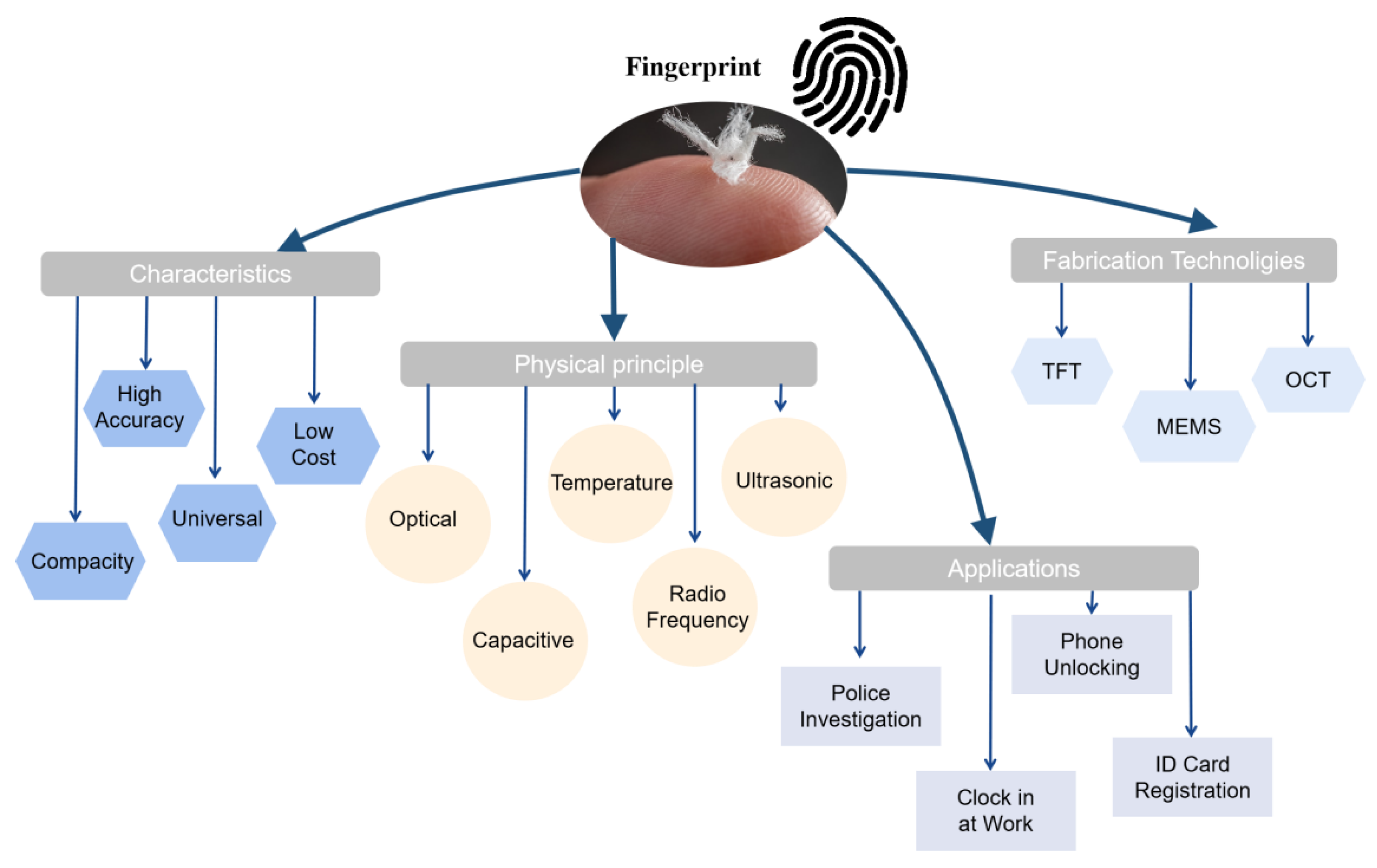
People sometimes assume that using a fingerprint with a passkey means their biometric data is sent to every website. In normal passkey designs, biometrics are used locally by the device to unlock access to the private credential.
FIDO notes that biometric information, when used, does not leave the user’s device as part of the FIDO authentication protocol. The website receives cryptographic authentication evidence, not a copy of the fingerprint or face scan.
Possible local verification methods
- Fingerprint.
- Face recognition.
- Device PIN.
- Security key PIN or touch.
- Another authenticator-specific method.
The exact method depends on device, operating system and credential provider.
Synced Passkeys and Device-Bound Credentials Solve Different Problems
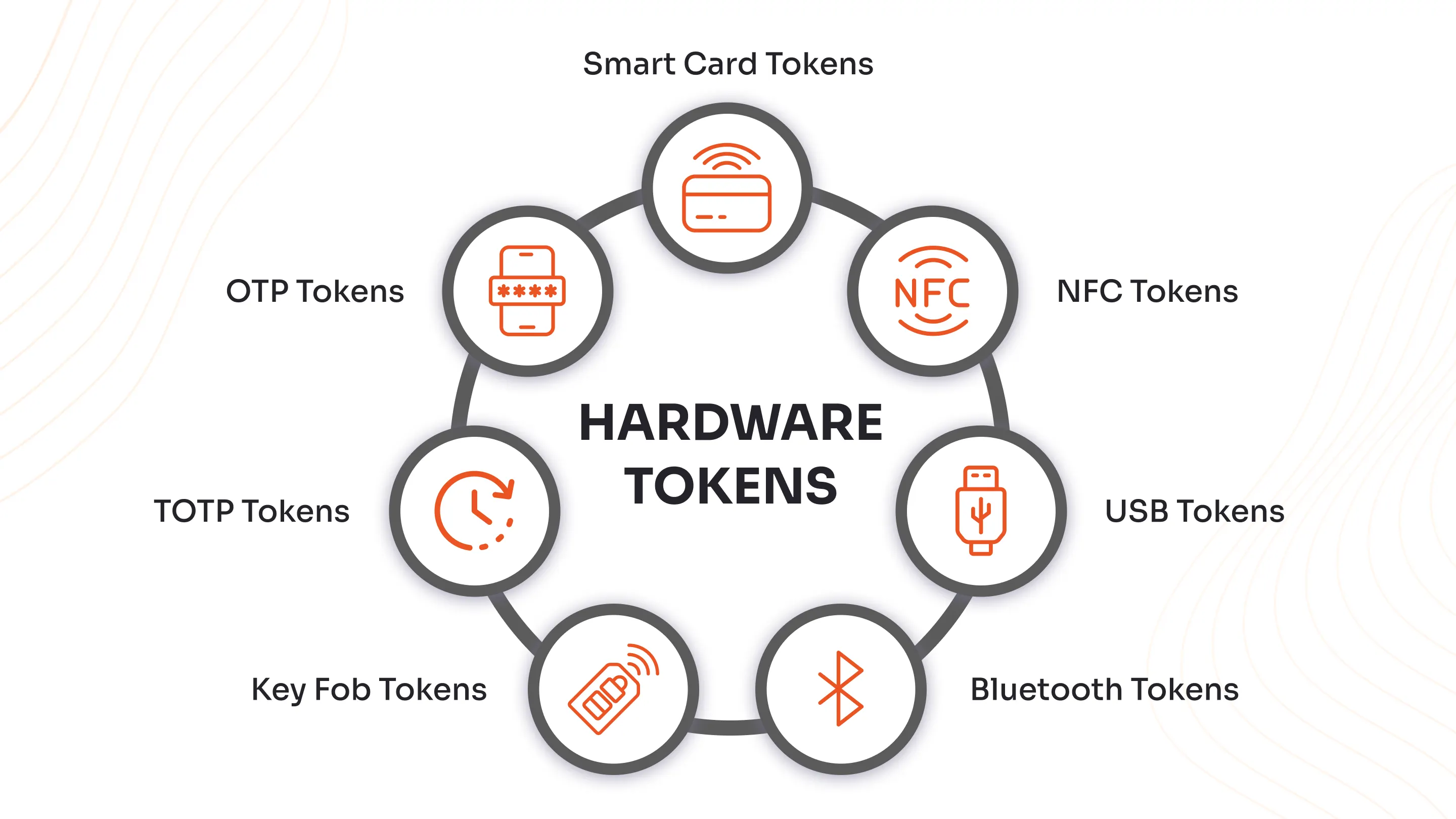
Some passkeys can synchronize through a credential provider so that the user can sign in from multiple trusted devices. Other credentials may remain bound to one hardware authenticator or security key.
Synced passkeys
These prioritize usability. A user who replaces a phone or adds another device may be able to access the passkey through the provider’s protected synchronization system.
Device-bound credentials
These can be useful when an organization wants the credential to remain tied to controlled hardware. Hardware security keys are a common example of a portable but physically controlled authenticator.
The right model depends on user experience and security requirements. A consumer service may prioritize easy multi-device recovery, while an administrator account may require organization-managed hardware.
Passkeys Are Different From One-Time Codes
SMS or authenticator-app codes can strengthen password login by requiring another factor. Passkeys instead can replace the password step entirely.
| Method | Reusable secret? | Phishing resistance | User action |
|---|---|---|---|
| Password | Yes | Low | Type/auto-fill secret |
| Password + SMS code | Password reusable; code temporary | Better than password alone but codes can be phished | Password plus code |
| Password + authenticator OTP | Password reusable; code temporary | Improved but real-time phishing is possible | Password plus code |
| Passkey | No password shared | Designed to be phishing-resistant | Approve on trusted authenticator |
Our existing guide on multi-factor authentication explains why traditional MFA still matters on services that have not adopted passkeys.
Recovery Is the Most Important Operational Question
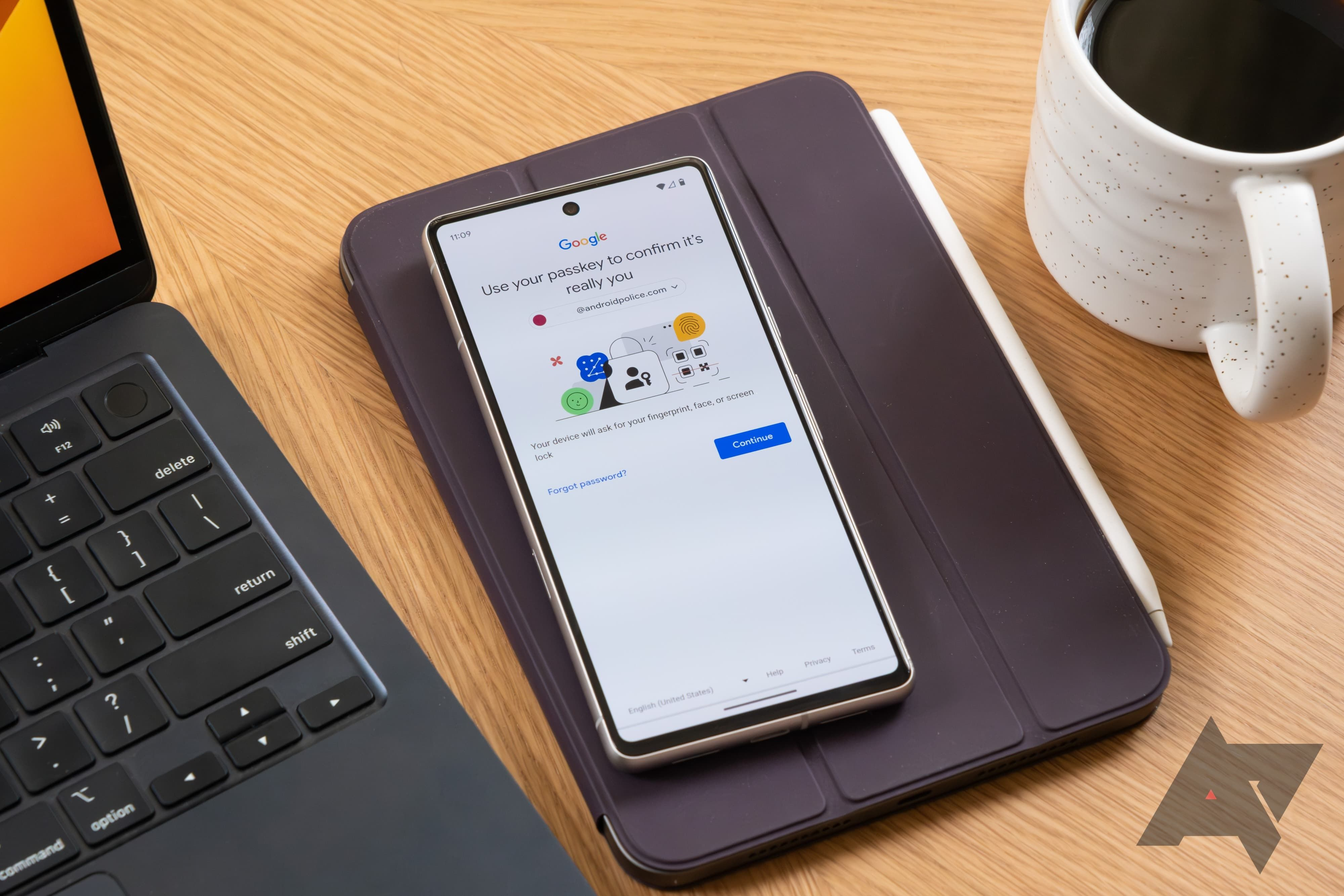
A passkey can be secure and easy until a user loses every device. Services therefore need a recovery design.
Recovery possibilities may include
- A synced credential on another device.
- A second registered passkey.
- A hardware security key.
- Organization administrator recovery.
- Carefully designed identity verification.
- Recovery codes.
A weak recovery path can undermine strong authentication. If an attacker can bypass a passkey by answering easy security questions, the effective security becomes the weaker recovery method.
Good user practice
- Register more than one recovery-capable authenticator when the service allows it.
- Protect the account that syncs passkeys.
- Keep recovery codes in a secure separate location.
- Remove credentials from lost or old devices.
- Review account recovery methods periodically.
Businesses Need a Passkey Lifecycle
For employees, passkeys need to fit onboarding, device replacement and offboarding.
Business questions
- Who issues or controls the authenticator?
- Are personal devices permitted?
- What happens when an employee changes phones?
- Can administrators revoke credentials?
- Are backup authenticators required for privileged users?
- How is emergency access handled?
- What sign-in method works on shared workstations?
Authentication should be designed as a lifecycle, not just a login screen.
Passkeys Work Best When Weak Fallbacks Are Reduced
A service may add passkeys but keep password login permanently enabled for everyone. That improves convenience without eliminating password attacks.
Evaluate the fallback path
- Can password login be disabled after passkey enrollment?
- Does recovery require strong identity verification?
- Are backup codes protected?
- Can old sessions be revoked?
- Does email-account compromise allow full bypass?
Start with passkeys as an additional option if needed, but understand whether the long-term goal is passwordless authentication or simply another sign-in method.
Shared Accounts Still Create Problems
Passkeys do not make shared accounts ideal. If several employees need access to one vendor account, it is often better to create named user accounts when the service supports them.
Named accounts improve attribution and offboarding. Where shared credentials are unavoidable, a business password manager or managed authenticator process may be more appropriate.
Our draft guide to password managers for teams covers shared credential administration and offboarding considerations.
How to Roll Out Passkeys Safely
Step 1: Start with important accounts
Prioritize email, identity providers, password managers, developer systems and administrative accounts when passkeys are supported.
Step 2: Register a backup
Confirm the user can recover after losing the primary device.
Step 3: Test cross-device login
Try the actual computers and phones used by the team.
Step 4: Document recovery
Support staff should know how to help legitimate users without creating an easy bypass for attackers.
Step 5: Review fallback methods
Remove old or unnecessary weak login methods where the service permits.
Passkey Adoption Checklist
- Service supports standards-based passkeys.
- Primary authenticator protected by device lock.
- Second recovery method registered.
- Sync account protected strongly where used.
- Lost-device process documented.
- Former devices can be removed.
- Business offboarding process tested.
- Password fallback reviewed.
- Privileged accounts receive stronger policy.
- Users understand passkey prompts and phishing boundaries.
Frequently Asked Questions
Are passkeys the same as passwords stored in a password manager?
No. A password manager can store a reusable password. A passkey uses a cryptographic key pair and does not send a reusable password to the service.
Can someone steal my passkey from a fake website?
Passkeys are designed to be bound to the legitimate service domain, which makes traditional credential phishing far more difficult. Users still need to be cautious about other scams and malicious actions.
What happens if I lose my phone?
Recovery depends on the passkey provider and service. A synced passkey may be available on another trusted device; otherwise a backup passkey, security key or account-recovery process may be needed.
Should businesses replace MFA with passkeys?
Passkeys can provide strong passwordless authentication, but rollout should consider device management, recovery and service support. Traditional MFA remains important where passkeys are unavailable.
Conclusion
Passkeys change authentication by replacing reusable passwords with public-key credentials tied to the legitimate service. That design reduces phishing and credential-reuse risks while allowing users to sign in with a familiar device unlock.
The security benefit depends on the entire account lifecycle. Register backups, protect credential-sync accounts, test recovery and remove weak fallback methods where appropriate. For businesses, add device and offboarding policy. Passkeys are not the end of account security, but they are a meaningful shift away from the shared-secret model attackers have exploited for decades.