 by
by CDN for Websites Explained: When You Need One and How to Choose
A content delivery network can make a website faster for visitors who are far from the origin server, reduce repeated work on the hosting server and improve resilience during traffic spikes. But a CDN is not a magic speed switch. It helps only when the right content is cached, cache rules are correct and the origin site is healthy enough to serve requests that cannot be cached.
Website owners often enable a CDN because a performance tool recommends one, then assume every page is now being served from the edge. In reality, static files such as images, CSS and JavaScript are easy to cache, while logged-in pages, shopping carts, personalized content and frequently changing HTML need more careful rules.
This guide explains how CDNs work, when a website benefits from one and how to compare providers based on caching behavior, purge controls, observability, security and operational fit.
What a CDN Actually Does
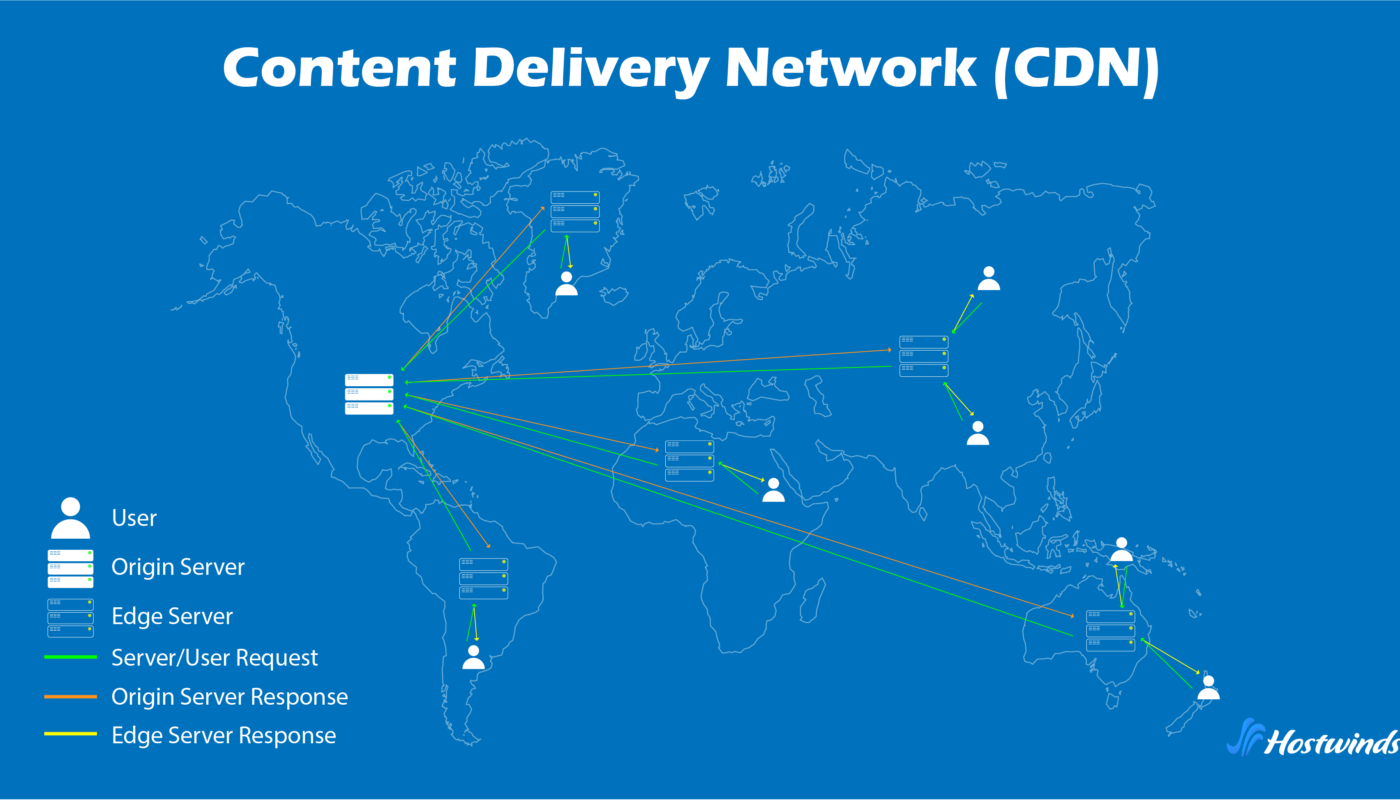
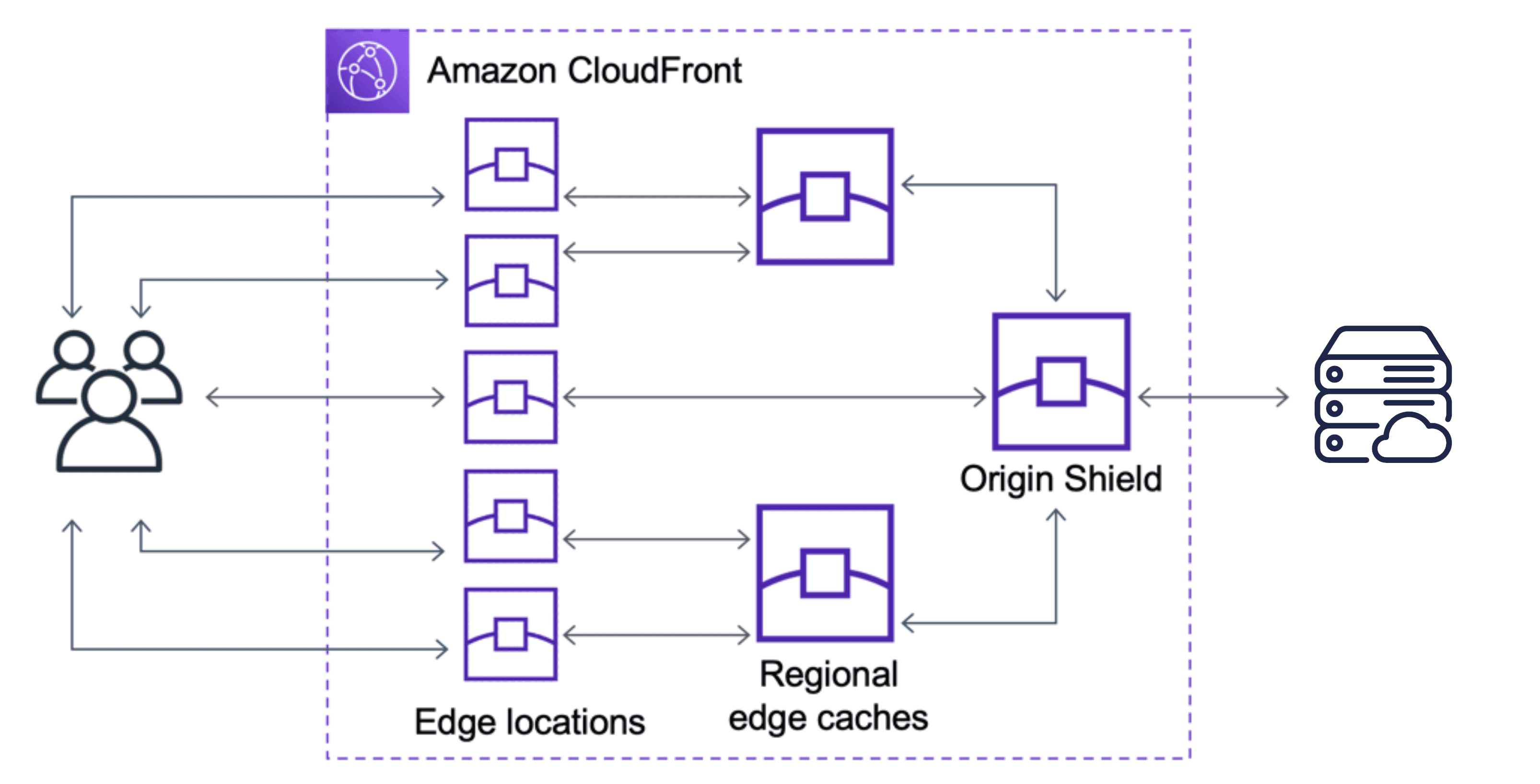
A traditional website has an origin server where the application, files and database live. Without a CDN, each visitor requests content from that origin or from another cache close to it. A CDN adds geographically distributed edge locations that can store copies of cacheable content.
Cloudflare’s current cache documentation explains that it speeds websites by caching content in globally distributed data centers. Static resources such as images, CSS and JavaScript are cacheable by default in common configurations, while dynamic HTML normally requires more deliberate cache rules.
See Cloudflare’s current CDN/cache documentation for an example of modern edge-cache behavior.
Basic request flow
- A user requests a page or asset.
- The request reaches a nearby CDN edge location.
- If a valid cached copy exists, the edge serves it.
- If not, the CDN requests the resource from the origin.
- The response may be stored according to cache rules.
- Later users near that edge can receive the cached copy.
This reduces network distance and can reduce how often the origin must generate or transfer the same content.
Cache Hit and Cache Miss Are Core Concepts
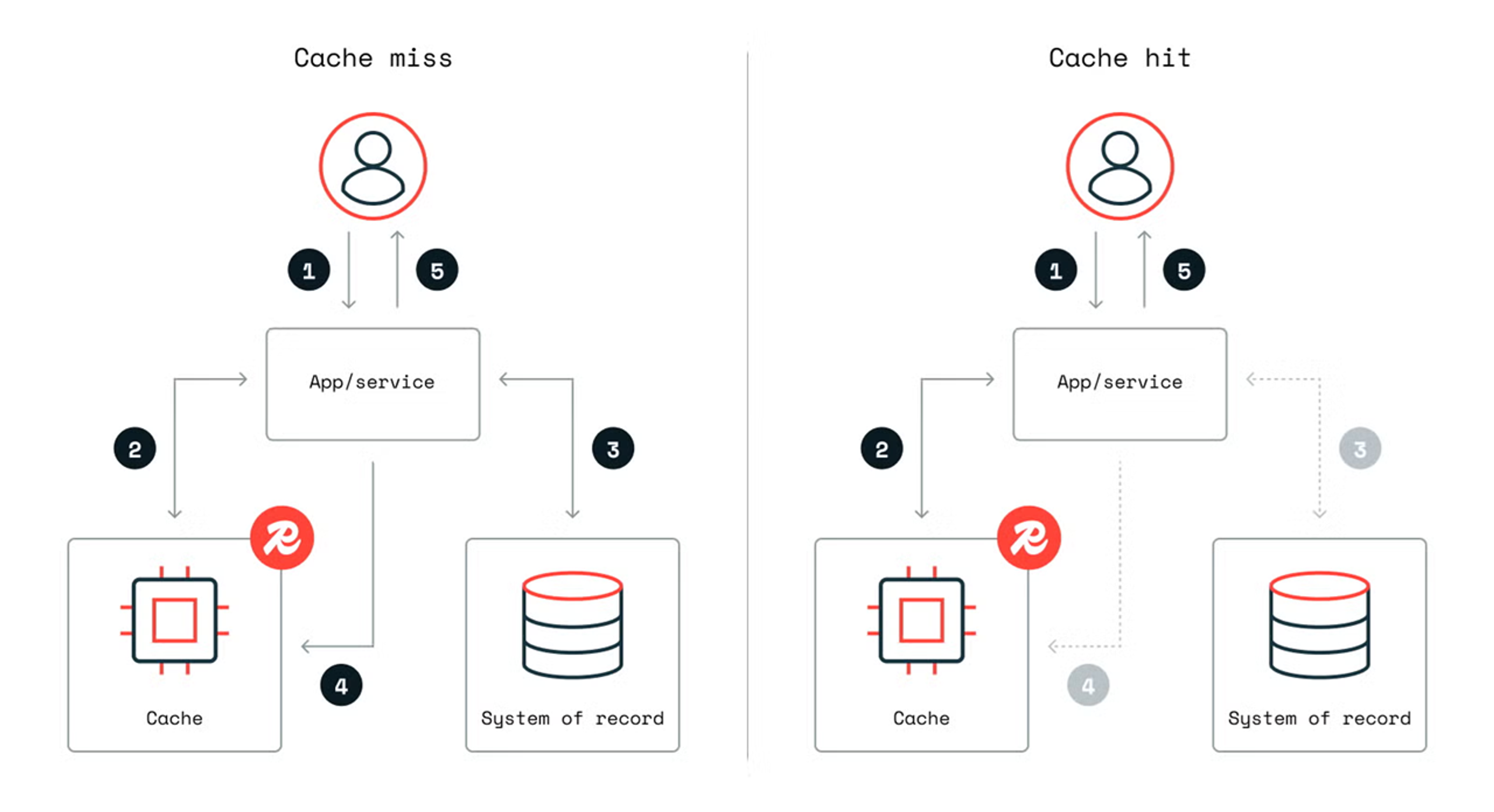
A cache hit occurs when the edge can serve a valid stored copy. A cache miss means the edge must contact the origin.
A CDN with thousands of locations is not useful if nearly every request bypasses the cache. That is why cache hit rate matters.
Reasons for cache misses or bypasses
- The file has never been requested at that edge.
- The cached copy expired.
- Cache-control headers prevent storage.
- A cookie or rule marks the request as personalized.
- The URL contains a unique query string.
- The resource type is not configured for caching.
- A recent purge removed the object.
Use CDN analytics or response headers to confirm what is actually cached instead of assuming.
Global Audiences Benefit Most From Reduced Network Distance
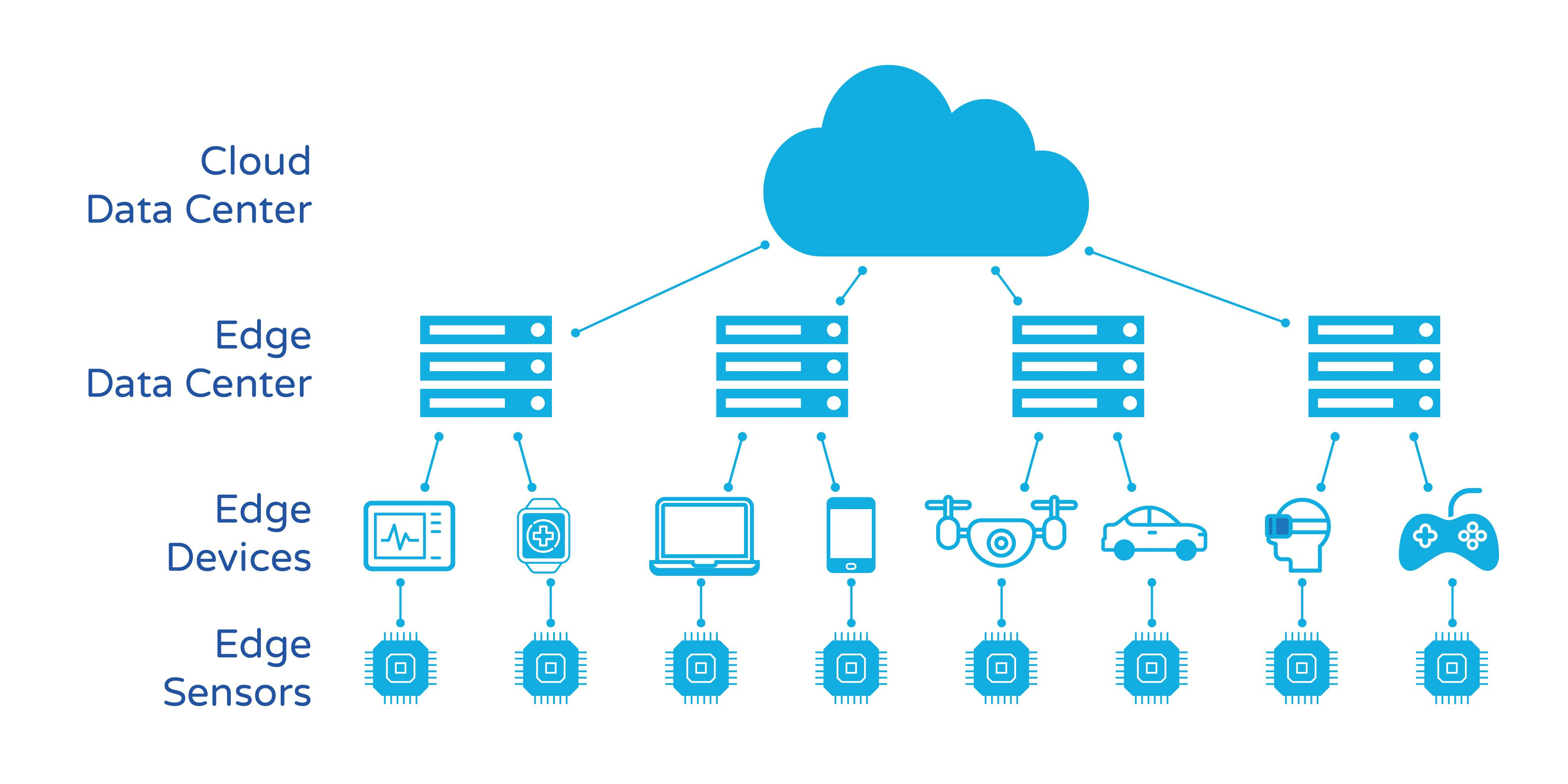
If a website’s origin server is in the United States and most users are nearby, network latency may already be reasonable. If visitors are distributed across North America, Europe, Asia and Australia, the difference becomes more important.
Content that benefits strongly
- Images.
- CSS and JavaScript.
- Fonts.
- Downloadable files.
- Video segments where supported.
- Public HTML that is safe to cache.
Even when HTML cannot be cached, moving large static resources to an edge can reduce origin bandwidth and speed up the page after the initial document arrives.
For a broader look at infrastructure and page experience, see our hosting and Core Web Vitals guide.
A CDN Can Reduce Origin Server Load
Every request that is served at the edge is one less request the origin needs to handle. For a content site with high cacheability, this can dramatically reduce bandwidth and web-server work during traffic spikes.
Example
Imagine an article page receives 100,000 visits after being shared widely. If the HTML and images are cacheable, the origin may serve only a fraction of those requests after edge caches are warm. If every request reaches PHP and the database, the server needs much more capacity.
A CDN therefore can be both a performance tool and a capacity-management tool. It does not remove the need for adequate origin resources, because cache misses, admin requests and dynamic pages still depend on the server.
Dynamic Content Needs Careful Cache Rules
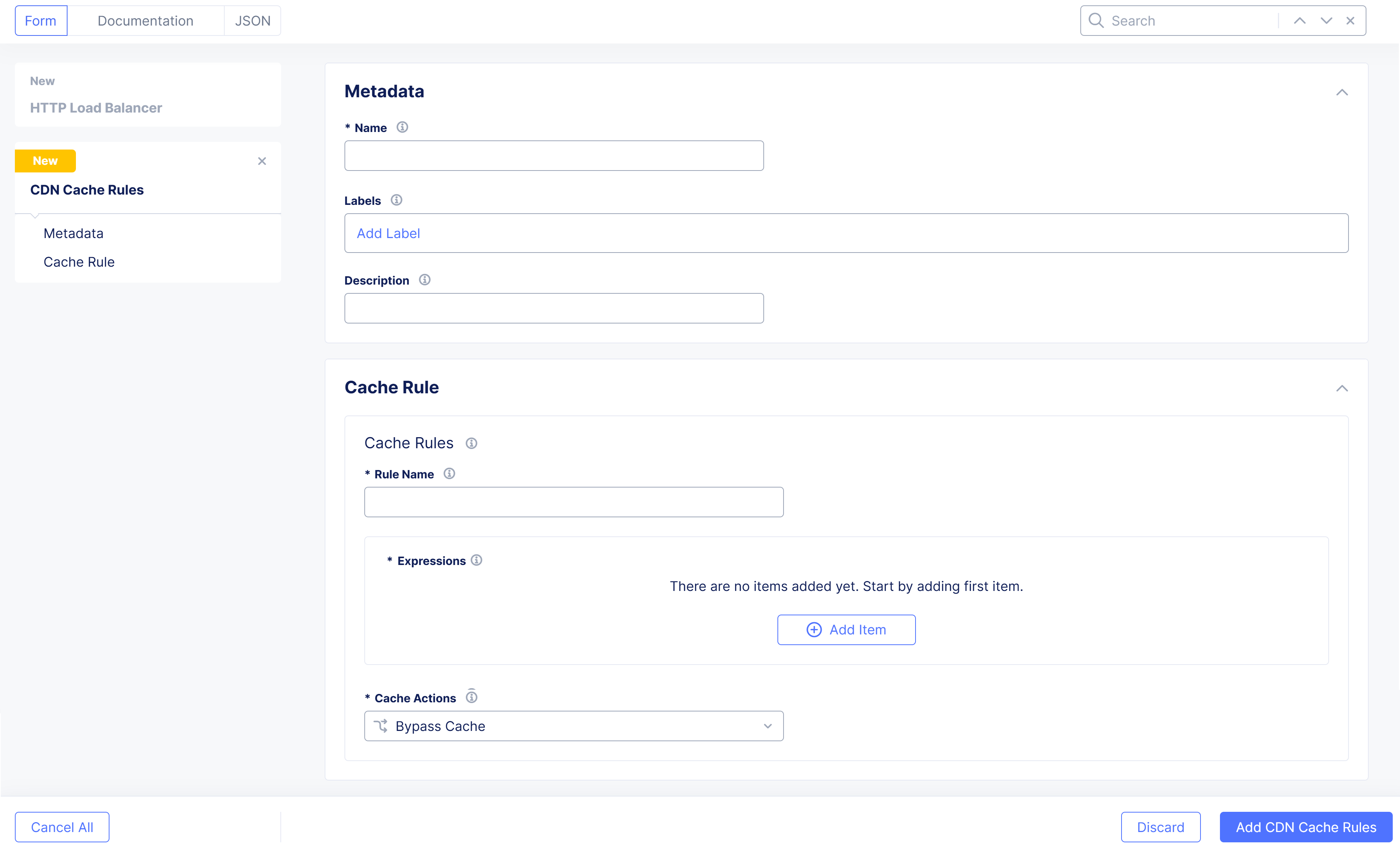
Public blog articles may be safe to cache aggressively. A shopping cart is not. A user account page must not be shared between visitors.
Pages that usually need caution
- Logged-in dashboards.
- Checkout pages.
- Shopping carts.
- Personalized pricing.
- Account pages.
- Private membership content.
- Admin interfaces.
Cache rules can vary by path, cookie, header or application state depending on provider. Test logged-in and logged-out behavior separately.
If you run ecommerce, our high-performance ecommerce hosting guide explains why checkout and cart traffic must be treated differently from public catalog pages.
Cache-Control Headers Tell the CDN How to Behave
Web servers can send HTTP caching headers that indicate how long content may be stored and who may cache it. A CDN may also allow edge-specific rules that override or extend origin behavior.
Important concepts
- TTL: how long an object remains fresh.
- Public vs private: whether shared caches may store the response.
- Revalidation: checking whether an existing cached object is still current.
- Browser cache: storage on the visitor’s device.
- Edge cache: storage at the CDN.
You do not need to memorize every directive to choose a CDN, but you should know whether your application and provider respect your intended cache behavior.
Purge and Invalidation Are Part of Publishing
Caching creates a new operational question: what happens when content changes?
If you update an article title, product price or CSS file, visitors should not continue seeing an old copy indefinitely. CDN platforms provide purge or invalidation tools to remove or expire cached objects.
Useful purge options
- Purge one URL.
- Purge by cache tag or group where supported.
- Purge a path or pattern.
- Purge everything for emergency troubleshooting.
A full purge is easy but inefficient because it makes every edge rebuild its cache. Prefer targeted invalidation for normal publishing workflows.
Image Delivery Can Provide Additional Value
Images often make up a large share of page weight. Some CDN services can resize, compress or convert images at the edge. This can reduce the amount of data sent to phones and smaller screens.
Evaluate image features
- Automatic format selection such as WebP or AVIF.
- Responsive resizing.
- Quality controls.
- Origin image protection.
- Transformation quotas or pricing.
Do not use a CDN as an excuse to upload enormous original images without thought. Source-image optimization still matters.
CDN Security Features Should Be Evaluated Separately From Caching
Many CDN providers bundle DNS, DDoS protection, web application firewalls, bot controls and TLS management. These can be valuable, but they are different products from caching.
Potential security benefits
- Hide the origin IP in some architectures.
- Absorb certain volumetric attacks.
- Block known malicious requests.
- Rate-limit abusive traffic.
- Centralize TLS certificates.
The CDN itself becomes an important part of your site, so protect its administrator account with MFA and restrict API tokens.
For general site protection, our small-business cybersecurity checklist covers identity and access controls.
A CDN Does Not Fix a Slow Database or Bad Plugin
If a request is not cached, the CDN still depends on the origin. A slow database query, overloaded PHP worker or broken third-party API remains slow.
A CDN cannot directly fix
- Slow uncached application code.
- Database lock contention.
- Heavy JavaScript in the browser.
- Layout shifts.
- Poorly optimized themes.
- Slow third-party advertising or analytics scripts.
Measure origin response and browser performance independently so you know which layer needs improvement.
How to Test Whether You Need a CDN
- Identify where your visitors are located.
- Measure static asset load time from distant regions.
- Check origin bandwidth and traffic spikes.
- Calculate how much content is cacheable.
- Enable a CDN in a controlled configuration.
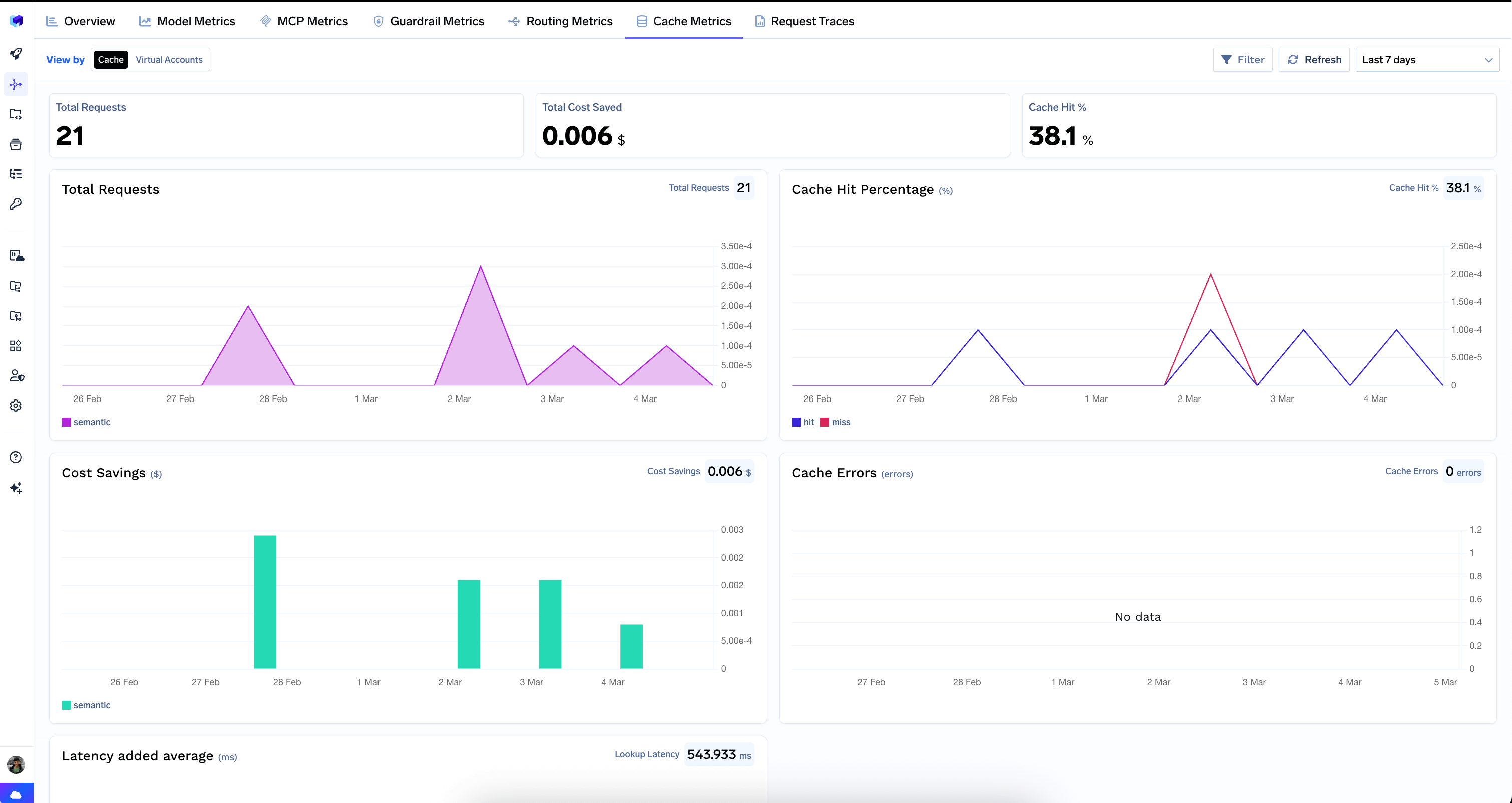
- Measure cache hit rate.
- Compare real-user performance before and after.
- Test publishing and purge behavior.
If your audience is geographically concentrated and your hosting is already close to users, improvements may be modest. If your audience is global and your site serves large static assets, the difference can be substantial.
CDN Provider Comparison Checklist
| Criterion | What to compare |
|---|---|
| Network coverage | Locations relevant to your users |
| Cache controls | Rules, TTL, cookies, query strings |
| Purge | Speed and granularity |
| Analytics | Hit/miss, bandwidth, errors |
| Image optimization | Formats, resizing, pricing |
| Security | DDoS/WAF/rate controls if needed |
| Integration | WordPress, hosting, API |
| Cost | Bandwidth, requests, add-ons |
CDN Setup Checklist
- DNS changes documented.
- TLS/HTTPS tested.
- Static files caching correctly.
- Private pages bypass cache.
- Admin paths protected.
- Cache-control headers reviewed.
- Purge workflow tested.
- Origin IP access restricted where appropriate.
- Analytics enabled.
- Rollback plan documented.
Frequently Asked Questions
Does every website need a CDN?
No. The value depends on audience geography, traffic, asset size, origin capacity and how much content can be cached.
Will a CDN improve Core Web Vitals?
It can reduce network and asset-delivery delays, which may help loading metrics when those are bottlenecks. It will not directly fix heavy JavaScript, layout instability or other browser-side problems.
Can I cache WordPress HTML?
Yes for many public pages when configured correctly, but logged-in, personalized and ecommerce routes need exclusions or more advanced rules.
What metric should I watch first?
Cache hit rate is a useful operational metric, but pair it with real-user performance and origin load so you know whether caching is improving the actual website experience.
Conclusion
A CDN is most valuable when it places reusable content closer to users and keeps unnecessary traffic away from the origin. It can improve global delivery, handle large static assets efficiently and add useful security capabilities, but only when cache rules match the application.
Start with the audience and workload. Confirm what content is cacheable, measure cache hit rate, test private routes and build a targeted purge process. Then compare providers on network coverage, controls, analytics and cost. A well-configured CDN becomes a predictable layer in the hosting architecture; a poorly understood CDN simply adds another place to troubleshoot.