Customer relationships become harder to manage as a business grows. A few spreadsheets may work when you have ten customers, but they quickly become difficult once your sales team expands, marketing campaigns increase, and support requests arrive every day.
That is where Customer Relationship Management (CRM) software makes a real difference. A good CRM keeps customer information in one place, tracks every interaction, automates repetitive work, and helps teams close more deals without losing track of opportunities.
The CRM market continues to expand as businesses invest in automation and artificial intelligence. Industry research estimates the global CRM market will exceed $80 billion in 2026, making it one of the fastest-growing categories of business software. Businesses are also prioritizing AI-powered sales forecasting, workflow automation, and better customer insights.
This guide compares some of the most trusted CRM platforms available today. Instead of repeating marketing claims, the focus is on real business value, practical features, pricing considerations, and which type of company benefits most from each solution.
What Makes a CRM Worth Buying Today?
Several years ago, CRM software mainly stored customer contact information. Modern platforms now combine sales, marketing, customer support, reporting, automation, and AI into one system.
The best CRM is not always the one with the longest feature list. It is the one your team will actually use every day.
When evaluating CRM software, these capabilities matter the most:
- Contact and lead management
- Sales pipeline tracking
- Workflow automation
- Email integration
- Mobile access
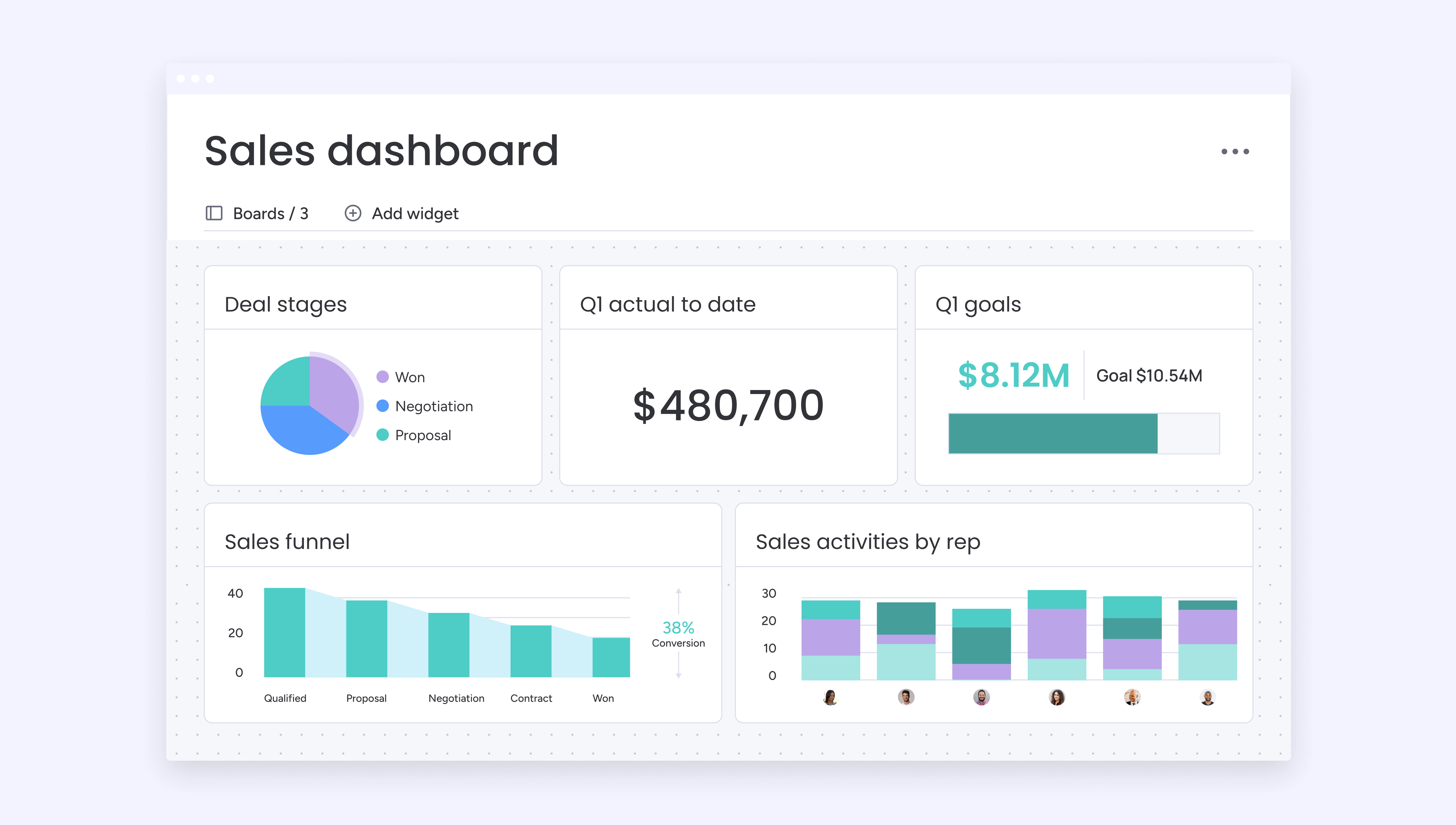
- Reporting dashboards
- AI-powered forecasting and recommendations
- Third-party integrations with accounting, marketing, and support tools
Many growing businesses also look for built-in automation because it reduces manual work. Instead of reminding sales representatives to follow up manually, the CRM creates tasks automatically, sends reminders, and tracks every conversation.
Another major trend in 2026 is AI. Platforms such as Salesforce, Microsoft Dynamics, HubSpot, Freshsales, and Zoho now include AI assistants that summarize meetings, suggest follow-up actions, predict sales outcomes, and generate reports automatically. AI is becoming a practical productivity feature rather than just a marketing term.
From practical experience, one of the biggest reasons CRM projects fail is not because the software is poor. It happens because businesses buy complex enterprise systems that employees never fully adopt. A simpler CRM that everyone uses consistently often produces better results than an advanced platform filled with unused features.
Salesforce Review: Still the Enterprise Benchmark
Salesforce remains the CRM against which nearly every competitor is measured. It has earned that reputation by offering one of the most complete ecosystems available for sales, marketing, customer service, analytics, and automation.
Large organizations with multiple departments often choose Salesforce because almost every workflow can be customized. Thousands of third-party applications are available through its AppExchange marketplace, allowing businesses to connect accounting software, ERP systems, communication tools, and industry-specific applications.
Salesforce has also invested heavily in artificial intelligence through Einstein AI and newer Agentforce capabilities. These tools help sales teams summarize meetings, predict deal outcomes, recommend next actions, and automate routine work. AI is now one of Salesforce’s strongest competitive advantages.
However, Salesforce is not the perfect fit for every business.
Its biggest weakness is complexity. Smaller companies often discover that implementation takes weeks or months, and many eventually hire certified consultants to configure the platform correctly.
For growing businesses with dedicated sales teams, that investment can pay off over time. For startups with only a handful of employees, it may feel unnecessarily complicated.
Best suited for:
- Large companies
- Fast-growing sales organizations
- Businesses needing advanced customization
- Companies with dedicated CRM administrators
HubSpot CRM Review: Easy to Start, Easy to Scale
HubSpot has become one of the most popular CRM platforms because it lowers the barrier to entry. Businesses can begin with a generous free plan and gradually add paid features as they grow.
The interface is clean and intuitive. New users typically need far less training than they would with enterprise-focused systems. That simplicity makes HubSpot especially attractive for startups, agencies, SaaS companies, and small businesses.
One of HubSpot’s biggest strengths is how naturally it connects sales and marketing. Website forms, email campaigns, live chat, customer support, and sales pipelines all work together inside the same ecosystem.
For example, imagine a visitor downloads an eBook from your website. HubSpot automatically creates a contact record, tracks every future email, records website visits, schedules follow-up reminders, and shows the complete customer journey without requiring manual updates.
Industry reviewers consistently rank HubSpot among the best options for companies that want an easy learning curve while still having room to expand into advanced automation later.
The trade-off is pricing.
Many advanced automation tools, custom reports, and enterprise features require higher subscription tiers. Businesses should estimate long-term costs instead of evaluating only the free version.
Overall, HubSpot delivers one of the best balances between usability, scalability, and marketing integration for growing businesses.
Zoho CRM Review: Powerful Features Without the Enterprise Price Tag
Many businesses reach a point where spreadsheets are no longer enough, but enterprise CRM platforms still feel too expensive or complex. This is where Zoho CRM stands out. It offers a wide range of features at a price that remains accessible for startups, small businesses, and growing companies.
Zoho CRM includes lead management, sales automation, workflow rules, email tracking, inventory integration, analytics, and customer journey management in one platform. It also connects easily with other Zoho applications, making it a practical choice for businesses that want accounting, invoicing, help desk, and project management tools within the same ecosystem.
Artificial intelligence is another strength. Zia, Zoho’s AI assistant, helps users by predicting sales trends, suggesting the best time to contact leads, detecting unusual sales activity, and answering questions about CRM data. While it is not as advanced as some enterprise AI solutions, it offers meaningful productivity improvements for smaller teams.
A practical example is a local digital marketing agency managing hundreds of clients. Instead of manually tracking follow-ups, Zoho CRM can automatically assign leads, remind account managers about upcoming meetings, and generate weekly sales reports. This reduces repetitive work and helps ensure that no potential customer is overlooked.
Zoho CRM also deserves credit for its flexibility. Businesses can customize modules, workflows, dashboards, and reports without needing extensive technical expertise. As a result, companies can adapt the CRM to match their sales process rather than changing their workflow to fit the software.
The main downside is that the interface can feel crowded at first, especially because of the large number of available options. New users may need a few days to become comfortable with navigation.
However, once configured properly, Zoho offers one of the strongest combinations of functionality and affordability available today. Independent software reviewers frequently rank it among the best CRM solutions for small and medium-sized businesses because of this balance between features and cost.
Microsoft Dynamics 365: Built for Businesses Already Using Microsoft
Companies that already rely on Microsoft products often find that Dynamics 365 fits naturally into their daily workflow. It integrates closely with Microsoft 365, Outlook, Excel, Teams, Power BI, and Azure, reducing the need for third-party connectors.
Instead of switching between multiple applications, sales representatives can view customer information directly inside Outlook, schedule meetings through Teams, update records after video calls, and create detailed reports in Power BI. This connected experience improves efficiency for organizations where Microsoft software is already part of everyday operations.
Microsoft has also expanded its AI capabilities through Copilot, which assists users by summarizing customer conversations, drafting emails, generating sales insights, and highlighting opportunities that require attention. According to Microsoft, these AI features are designed to reduce administrative work so sales teams can spend more time engaging with customers.
Dynamics 365 excels in industries with complex sales processes, including manufacturing, healthcare, financial services, and large business-to-business organizations. It supports advanced forecasting, detailed customer segmentation, compliance requirements, and enterprise-grade security.
The platform does require more planning than many small-business CRMs. Initial setup, licensing decisions, and customization often involve IT teams or implementation partners. For organizations with only a few employees, the learning curve may outweigh the benefits.
For businesses already invested in the Microsoft ecosystem, however, Dynamics 365 can provide excellent long-term value by bringing sales, customer service, operations, and analytics together in one connected platform.
Pipedrive Review: A CRM Designed Around Closing Deals
Not every business needs dozens of advanced modules. Many sales teams simply want a CRM that helps them move deals through the pipeline quickly and clearly. That is exactly where Pipedrive performs well.
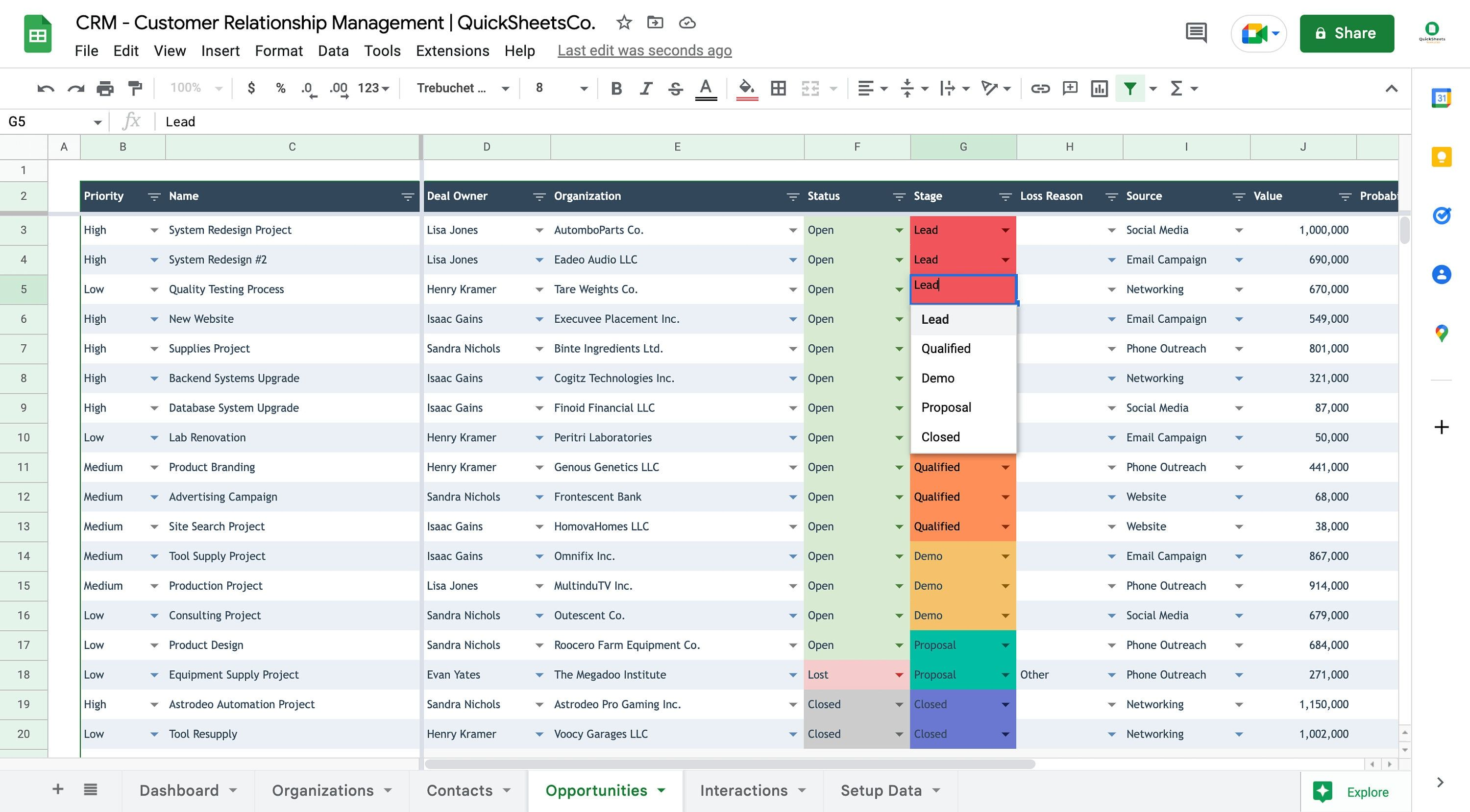
The platform focuses on visual sales management. Instead of navigating complicated menus, users can drag and drop opportunities between different sales stages, making it easy to understand the status of every deal at a glance.
One of Pipedrive’s biggest advantages is speed. Most small businesses can begin using it within a day because the interface is simple and requires very little training. Sales representatives spend less time learning the software and more time communicating with prospects.
Some standout features include:
- Visual drag-and-drop sales pipelines
- Automated follow-up reminders
- Email synchronization and tracking
- Activity scheduling
- Revenue forecasting
- Hundreds of third-party integrations
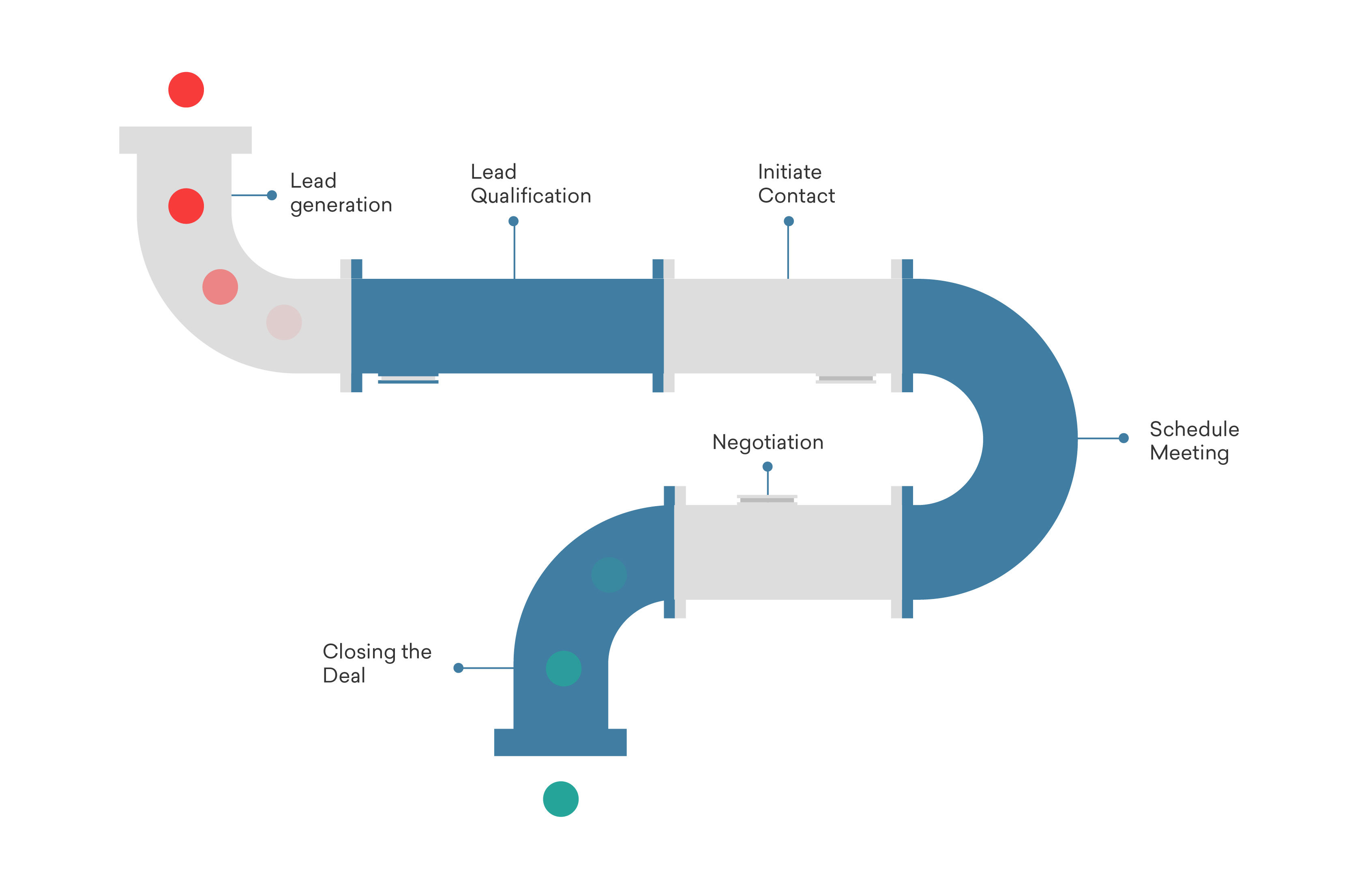
Consider a real estate agency handling dozens of buyers every month. Each property inquiry can move through stages such as New Lead, Property Visit Scheduled, Negotiation, Documentation, and Closed Sale. Pipedrive makes these transitions easy to track, helping managers identify deals that need attention before opportunities are lost.
The platform is intentionally sales-focused. Businesses looking for advanced marketing automation, customer support tools, or comprehensive project management may eventually require additional software or integrations. Even so, for companies whose primary goal is improving sales performance, Pipedrive remains one of the easiest CRM platforms to recommend.
Freshsales Review: AI Features for Modern Sales Teams
Freshsales, part of the Freshworks platform, has gained attention by combining ease of use with practical artificial intelligence. It is designed for businesses that want modern automation without the complexity often associated with enterprise CRM systems.
Its built-in AI assistant, Freddy AI, analyzes customer interactions, scores leads, recommends follow-up actions, and provides insights that help sales representatives prioritize opportunities. Rather than replacing human decision-making, the AI helps teams focus on prospects that are most likely to convert.
Freshsales also includes integrated phone capabilities, email management, workflow automation, appointment scheduling, and customizable sales pipelines. Having these tools within one application reduces the need to switch between multiple platforms throughout the workday.
A growing software company, for example, can automatically assign incoming leads to different sales representatives based on location or product interest. Freddy AI then highlights which leads have shown the strongest buying intent, allowing the team to respond faster to high-value opportunities.
Another advantage is the clean interface. Even employees with little CRM experience can usually become productive after a short introduction. At the same time, the platform offers enough customization to support growing businesses as their sales processes become more sophisticated.
Freshsales may not match Salesforce in terms of enterprise-level customization, but it offers impressive value for companies that want automation, AI assistance, and an intuitive user experience without the higher implementation costs often associated with larger CRM platforms.
Comparing Features, Pricing, and Overall Value
Choosing a CRM is less about finding the platform with the most features and more about selecting one that matches your business size, budget, and future plans. A startup with three salespeople has very different needs than a company managing hundreds of employees across multiple regions.
The table below highlights how the major CRM platforms compare.
| CRM | Best For | Strengths | Potential Drawback | Overall Value |
|---|---|---|---|---|
| Salesforce | Large enterprises | Deep customization, AI, huge app ecosystem | Higher cost and steeper learning curve | Excellent for enterprise growth |
| HubSpot CRM | Startups & SMBs | Easy to use, generous free plan, strong marketing tools | Advanced features require paid upgrades | Excellent for beginners |
| Zoho CRM | Small & medium businesses | Affordable, customizable, AI assistant, large business suite | Interface can feel busy | Outstanding value for money |
| Microsoft Dynamics 365 | Microsoft-based organizations | Tight Microsoft integration, enterprise features, Copilot AI | Complex implementation | Excellent for existing Microsoft users |
| Pipedrive | Sales-focused teams | Simple pipeline management, quick setup | Limited marketing capabilities | Great for sales productivity |
| Freshsales | Growing businesses | Built-in AI, intuitive interface, automation | Smaller ecosystem than some competitors | Strong all-around choice |
When evaluating value, avoid looking only at the monthly subscription price. Consider implementation costs, employee training, integration expenses, and the amount of time your team will save every week. A CRM that costs slightly more but eliminates hours of manual work can provide a much better return on investment.
According to research from Nucleus Research, CRM implementations deliver an average return of $8.71 for every $1 invested, making CRM one of the highest-ROI software categories when implemented effectively.
How to Choose the Right CRM for Your Business
There is no universal “best CRM.” The right choice depends on your business goals, sales process, team size, and budget.
Before making a decision, ask yourself a few practical questions:
- How many people will use the CRM every day?
- Do you mainly need sales tracking, or also marketing and customer support?
- Will your business double in size over the next few years?
- Do you already use Microsoft, Google Workspace, or another business ecosystem?
- How much time can your team spend learning a new platform?
If possible, start with a free trial rather than relying only on feature lists. Let your sales team test common tasks such as adding leads, scheduling follow-ups, generating reports, and updating customer records. Their feedback often reveals usability issues that product comparison pages cannot.
One practical lesson from many CRM implementations is to keep the initial rollout simple. Instead of enabling every available feature, begin with contact management and pipeline tracking. Once employees become comfortable, gradually introduce automation, AI tools, dashboards, and advanced reporting. This approach improves user adoption and reduces frustration.
Finally, think long term. Switching CRM systems later can involve migrating years of customer data, rebuilding workflows, and retraining staff. Choosing a platform that can grow with your business often saves significant time and expense in the future.
Conclusion
A CRM is more than a digital address book. It becomes the central system that helps sales, marketing, and customer support teams work together while building stronger relationships with customers.
For businesses seeking maximum flexibility and enterprise capabilities, Salesforce remains the industry leader. HubSpot CRM continues to be one of the easiest platforms for startups and growing companies, while Zoho CRM offers exceptional value for organizations that need advanced features without enterprise pricing.
Businesses already committed to Microsoft’s ecosystem will benefit from Microsoft Dynamics 365, whereas Pipedrive excels for sales-focused teams that want simplicity. Freshsales strikes an excellent balance between AI-powered automation and ease of use.
The best CRM is ultimately the one that your team uses consistently. A platform with clear workflows, practical automation, and room to grow will deliver far greater value than a feature-rich system that employees avoid.
Take advantage of free trials, involve your team in the evaluation process, and focus on solving your real business challenges rather than chasing the longest feature list. With the right CRM in place, growing your business becomes more organized, more predictable, and far easier to manage.