Choosing the Right Business Communication Platform for Remote and Hybrid Teams

Remote and hybrid work have changed how businesses communicate. Instead of walking over to a colleague’s desk, employees now rely on messaging apps, video meetings, shared documents, and digital workspaces to stay connected.

The challenge is no longer finding a communication tool—it’s choosing one that helps people work together without creating unnecessary complexity.

Today’s communication platforms do far more than support chats and video calls. Many now include AI-powered meeting summaries, shared workspaces, project collaboration, workflow automation, and integrations with hundreds of business applications.

Choosing the wrong platform can lead to scattered conversations, duplicated work, and lower productivity, while the right one creates a single place where teams can communicate and collaborate efficiently.

Industry analysts also expect continued investment in collaboration technology. The global remote working software market is projected to reach nearly $100 billion by 2032, reflecting the growing demand for cloud-based communication and collaboration tools.

This guide compares the leading business communication platforms to help you understand which solution offers the best value for your team, whether you have ten employees or several thousand.

Why Businesses Need More Than Just Video Meetings

Many organizations initially adopted video conferencing to support remote work. Over time, however, businesses realized that meetings alone could not solve everyday communication challenges.

Employees also need instant messaging, document collaboration, file sharing, searchable conversations, task coordination, and quick ways to find information without scheduling another meeting.

Modern communication platforms bring these activities together in one workspace. Instead of searching through long email chains, employees can access project discussions, meeting recordings, shared documents, and chat history from a single application.

Research also shows there is still room for improvement. A global study highlighted that 75% of employees believe their organization’s remote or hybrid tools need improvement, while 72% say businesses should invest in better technology to support flexible work.

From practical experience, one common problem in growing companies is “tool overload.” Teams often use separate applications for chat, meetings, file storage, task management, and approvals. Employees spend valuable time switching between apps instead of focusing on meaningful work. Businesses usually achieve better results when they reduce the number of disconnected tools rather than continually adding new ones.

Key Features Every Business Communication Platform Should Have

The best communication platform is not necessarily the one with the most features. It is the one that supports your team’s daily workflow while remaining easy to use.

When evaluating platforms, look for capabilities such as:

  • Instant messaging with organized channels or teams
  • High-quality video meetings and screen sharing
  • File sharing with version control
  • AI-generated meeting summaries and transcripts
  • Integration with productivity tools such as CRM and project management software
  • Mobile apps for remote employees
  • Strong security, encryption, and user management
  • Reliable search to quickly locate conversations and files

Artificial intelligence has become one of the biggest changes in business communication software. Many leading platforms now generate meeting notes automatically, summarize discussions, identify action items, and even suggest follow-up tasks. AI is increasingly reducing administrative work while helping teams stay organized.

Another important consideration is integration. A communication platform should work naturally with the applications your business already uses. For example, companies using Microsoft 365 often benefit from Microsoft Teams, while organizations built around Google Workspace may find Google’s collaboration tools a more natural fit.

Microsoft Teams Review: The Best Choice for Microsoft 365 Users

Microsoft Teams has evolved into one of the most complete business communication platforms available today. Rather than focusing only on messaging or meetings, it combines chat, video conferencing, file sharing, collaboration, and productivity tools into a single workspace.

Its biggest advantage is integration with Microsoft 365. Employees can collaborate on Word, Excel, and PowerPoint files directly inside Teams, schedule meetings through Outlook, share files with OneDrive, and collaborate without switching between multiple applications.

Microsoft has also expanded Teams with Copilot, its AI assistant that can summarize meetings, generate notes, answer questions about conversations, and help employees catch up after missing a meeting. These features reduce manual note-taking and improve productivity for distributed teams.

Teams works especially well for medium-sized and enterprise organizations where Microsoft products are already widely used. IT departments also appreciate its enterprise-grade security, compliance features, and centralized administration.

The main drawback is that Teams can feel overwhelming for smaller businesses that only need simple messaging and occasional video calls. The large number of features requires some initial training, although most users become comfortable after regular use.

For organizations already paying for Microsoft 365, Teams often provides excellent value because many collaboration features are included within existing subscriptions. It remains one of the strongest choices for businesses that want communication, meetings, document collaboration, and security in one platform.

Slack Review: The Best Platform for Fast, Organized Team Collaboration

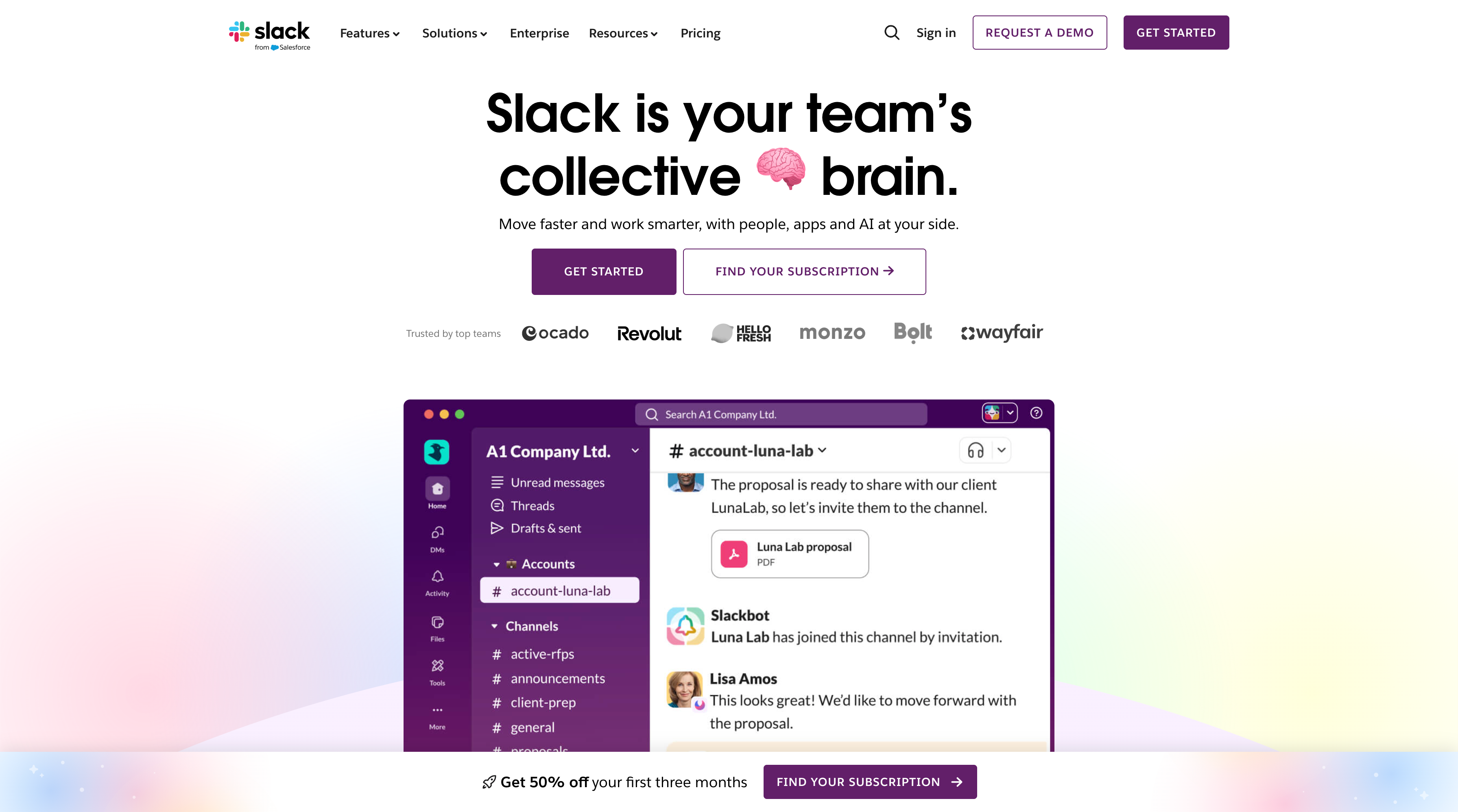
Slack has earned its reputation by making workplace communication feel less like email and more like an organized conversation. Instead of long email threads that are difficult to follow, discussions are grouped into channels for departments, projects, clients, or specific topics. Employees can quickly find past conversations, shared files, and decisions without asking colleagues to resend information.

This structure works particularly well for businesses where teams collaborate throughout the day. Marketing teams can have campaign-specific channels, software developers can organize discussions by product, while customer support teams can keep client conversations separate from internal planning.

One of Slack’s biggest strengths is its integration ecosystem. It connects with thousands of business applications, including GitHub, Jira, Asana, Trello, Google Drive, Notion, Salesforce, and many others. Instead of switching between multiple tabs, notifications and updates appear directly inside Slack, reducing unnecessary context switching.

Artificial intelligence is also becoming a larger part of the platform. Slack AI can summarize lengthy conversations, answer questions from previous discussions, and help employees locate important information much faster.

As AI continues to evolve, businesses are increasingly using workplace communication data to improve productivity and decision-making. Even Salesforce CEO Marc Benioff has discussed using AI within Slack to surface business insights from internal communications, highlighting how collaboration platforms are evolving beyond simple messaging.

Imagine a software company with employees spread across five countries. Rather than scheduling meetings for every update, developers post progress in project channels, designers upload prototypes for review, and managers receive automatic notifications when milestones are completed. The result is fewer interruptions and more time for focused work.

Slack does have limitations. Video conferencing and document collaboration have improved over the years, but organizations already invested in Microsoft 365 or Google Workspace may find tighter integration in those ecosystems.

Businesses should also consider long-term subscription costs, as advanced search, AI capabilities, and message history are available on paid plans.

For companies that prioritize fast communication, extensive integrations, and flexible collaboration, Slack remains one of the strongest choices available today. Gartner continues to rank Slack among the leading workstream collaboration platforms for organizations of all sizes.

Zoom Workplace Review: More Than a Video Meeting Platform

For many people, Zoom became synonymous with video meetings during the pandemic. Today, however, Zoom Workplace has expanded into a broader collaboration platform that includes team chat, phone services, scheduling, whiteboards, shared documents, and AI-powered productivity tools.

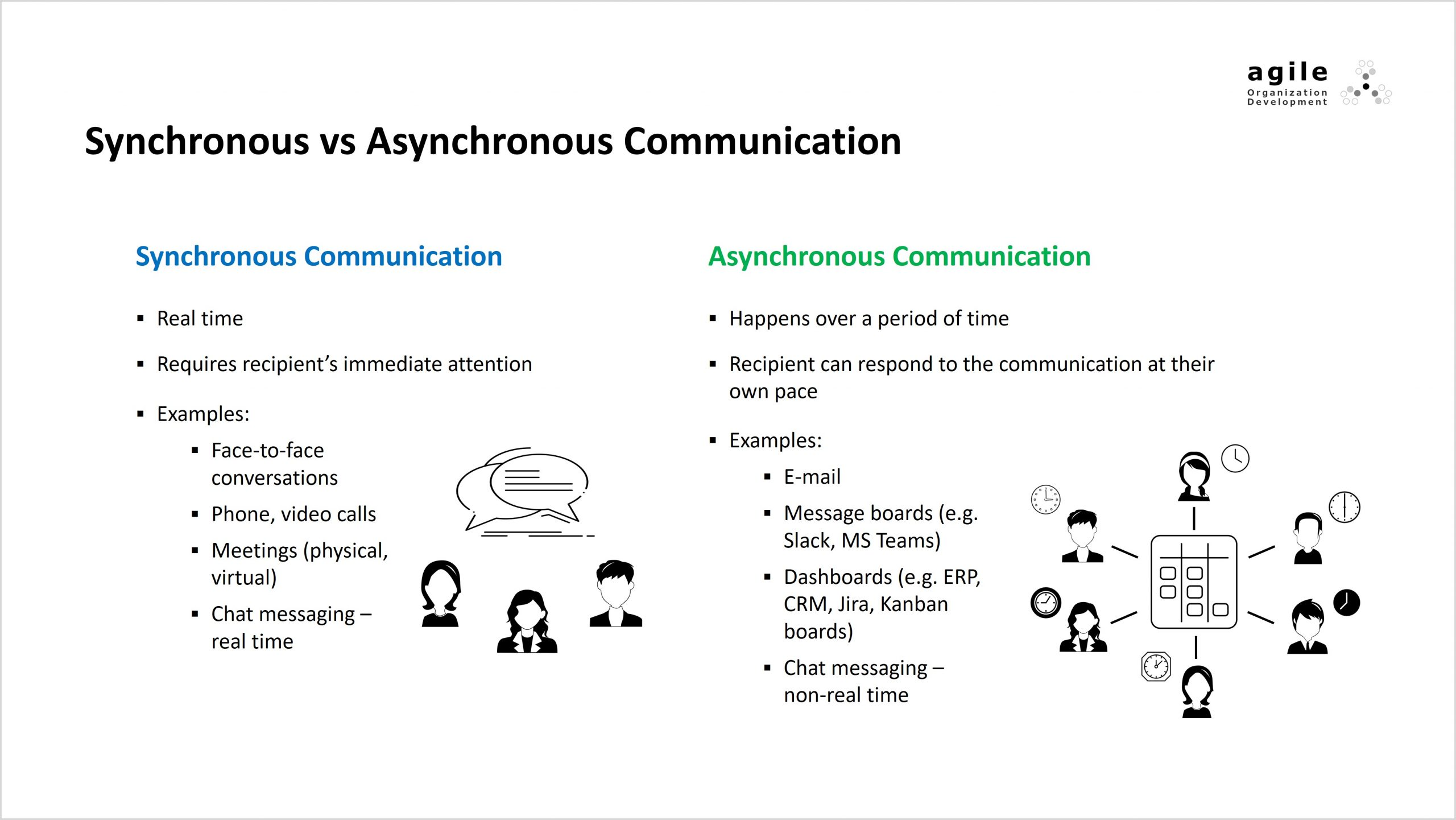
This shift reflects how businesses now expect a single platform to support more than meetings. Instead of ending a call and moving to another application, employees can continue discussions through chat, share files, create documents, and track follow-up tasks within the same workspace.

Zoom’s AI Companion is one of its most valuable additions. It automatically generates meeting summaries, identifies action items, drafts follow-up messages, and allows employees who missed a meeting to quickly understand what happened.

According to industry analyst Rebecca Wettemann, integrated AI assistants help organizations move beyond experimentation by delivering measurable productivity benefits through everyday workflows.

A practical example is a consulting firm conducting daily client meetings. Instead of assigning someone to take notes, AI Companion produces a structured summary, highlights decisions, and distributes action items immediately after the meeting. Consultants can spend more time engaging with clients instead of documenting every discussion.

Recent workplace research also highlights why these improvements matter. A 2026 survey by Jabra found that 75% of hybrid meetings experienced at least one technical issue, while many remote employees reported feeling overlooked during discussions. Better collaboration tools, improved meeting technology, and AI-generated summaries help reduce these common problems.

Zoom Workplace is particularly well suited for organizations that frequently communicate with clients, remote employees, or distributed partners. While Microsoft Teams may offer stronger integration for Microsoft-centric businesses, Zoom continues to excel in meeting quality, ease of use, and its growing suite of AI-powered collaboration features.

Google Workspace and Google Chat Review: The Best Option for Cloud-First Businesses

Businesses that already rely on Gmail, Google Drive, Google Docs, Sheets, and Meet often find that Google Workspace provides the simplest communication experience. Everything works through a web browser, updates appear instantly, and employees can collaborate on documents simultaneously without worrying about version conflicts.

One of Google’s biggest advantages is real-time collaboration. Multiple employees can edit the same proposal, spreadsheet, or presentation while discussing changes in Google Chat or Meet. This eliminates the common problem of emailing multiple document versions back and forth.

Google has also expanded its AI capabilities through Gemini, which assists with drafting emails, summarizing documents, organizing meeting notes, and answering questions across Workspace applications. These AI tools are designed to reduce repetitive work rather than replace human collaboration.

Consider a marketing agency preparing a product launch. The copywriter edits content in Google Docs while the designer reviews comments, the project manager updates deadlines in shared spreadsheets, and the client joins a Google Meet call to approve revisions. Everyone works from the same files in real time, reducing delays caused by outdated versions or disconnected communication.

Google Workspace is especially attractive for startups, educational institutions, agencies, and businesses that prefer browser-based software with minimal IT management. However, organizations requiring advanced enterprise compliance, complex workflow management, or deep desktop application integration may find Microsoft Teams a stronger fit.

One practical advantage is ease of onboarding. New employees familiar with Gmail often become productive almost immediately because the interface feels familiar, reducing training time and support requests.

How to Compare Cost, Security, and Productivity Before You Decide

Many businesses choose a communication platform because it is popular or because a competitor uses it. That approach often leads to unnecessary costs or employee frustration. A better strategy is to compare platforms against your own business requirements.

Start by calculating the total cost of ownership, not just the monthly subscription. A platform may appear inexpensive at first but require paid add-ons for storage, AI features, advanced security, webinars, or phone services. Likewise, a slightly more expensive platform may replace several other tools, reducing your overall software budget.

Security deserves equal attention. Communication platforms contain conversations, customer information, contracts, financial documents, and intellectual property. Look for features such as end-to-end encryption where appropriate, multi-factor authentication, single sign-on (SSO), role-based permissions, compliance certifications, and detailed administrator controls.

Another factor that is often overlooked is productivity. According to research from McKinsey & Company, employees spend nearly 20% of their workweek searching for internal information or trying to locate colleagues who can help with specific tasks. Modern collaboration platforms reduce this wasted time by making conversations, files, and knowledge searchable in one place.

Instead of asking, “Which platform has the most features?”, ask questions such as:

  • Can new employees learn it within a few days?
  • Does it integrate with the software we already use?
  • Will it reduce internal emails and unnecessary meetings?
  • Does it support both office-based and remote employees equally well?
  • Can it scale if our workforce doubles over the next three years?

For example, a 30-person accounting firm already using Microsoft 365 will usually gain more value from Microsoft Teams than by introducing another standalone messaging platform. In contrast, a digital agency that relies heavily on Google Docs, client collaboration, and third-party creative tools may achieve better efficiency with Google Workspace or Slack.

The goal is not to buy the most advanced software. The goal is to choose the platform that removes friction from your team’s daily work.

Which Platform Is Right for Your Business?

Every business communicates differently. A software company working across multiple time zones has different requirements from a law firm handling confidential client documents or a retail business coordinating several local branches. That is why there is no single communication platform that fits everyone.

If your organization already depends on Microsoft applications, Microsoft Teams provides the most seamless experience through its integration with Outlook, SharePoint, OneDrive, and Microsoft 365. Businesses that value organized conversations, extensive third-party integrations, and fast collaboration often prefer Slack.

Companies conducting frequent client meetings usually appreciate Zoom Workplace, particularly because of its AI-powered meeting summaries and high-quality video experience. Organizations built around browser-based collaboration and Google services often benefit most from Google Workspace.

A practical way to make the final decision is to run a pilot program. Instead of deploying the platform across the entire organization immediately, allow one department to use it for four to six weeks.

Monitor measurable outcomes such as meeting duration, response times, employee satisfaction, and adoption rates. This approach identifies potential issues before a company-wide rollout and reduces implementation risks.

Industry analysts at Gartner consistently advise organizations to evaluate collaboration platforms based on business workflows, security requirements, and employee experience rather than individual features alone. Businesses that involve employees during the selection process generally achieve higher adoption because staff members feel the platform supports the way they already work instead of forcing entirely new habits.

The rise of artificial intelligence also changes the evaluation process. AI-generated meeting summaries, intelligent search, automatic task creation, and workflow recommendations are becoming practical productivity tools rather than optional extras.

Recent enterprise research from Microsoft analyzing millions of workplace AI interactions found that employees increasingly use AI assistants for writing, information retrieval, analysis, decision-making, and communication tasks throughout the workday.

Conclusion

Choosing a business communication platform is no longer just an IT decision. It directly affects how employees collaborate, how quickly projects move forward, how effectively customers are supported, and how productive remote and hybrid teams become.

Microsoft Teams, Slack, Zoom Workplace, and Google Workspace all deliver excellent communication capabilities, but each platform solves different business challenges. Teams is an excellent fit for organizations invested in Microsoft 365.

Slack remains one of the strongest choices for fast-moving, collaborative teams that depend on integrations. Zoom Workplace has evolved into a complete AI-powered collaboration platform that extends far beyond video meetings.

Google Workspace continues to be one of the easiest solutions for businesses that prioritize cloud-first collaboration and real-time document editing.

The most successful implementations rarely happen because a company selected the platform with the longest feature list. They succeed because leaders first identified communication problems, involved employees in testing, introduced the software gradually, and measured real business outcomes.

As AI continues transforming workplace collaboration, communication platforms will become even more intelligent by summarizing meetings, organizing knowledge, recommending actions, and reducing repetitive administrative work. Businesses that choose flexible, secure, and well-integrated platforms today will be better prepared for the future of remote and hybrid work.