 by
by Choosing a Hosting Data Center Region: Latency, Resilience and Data Location
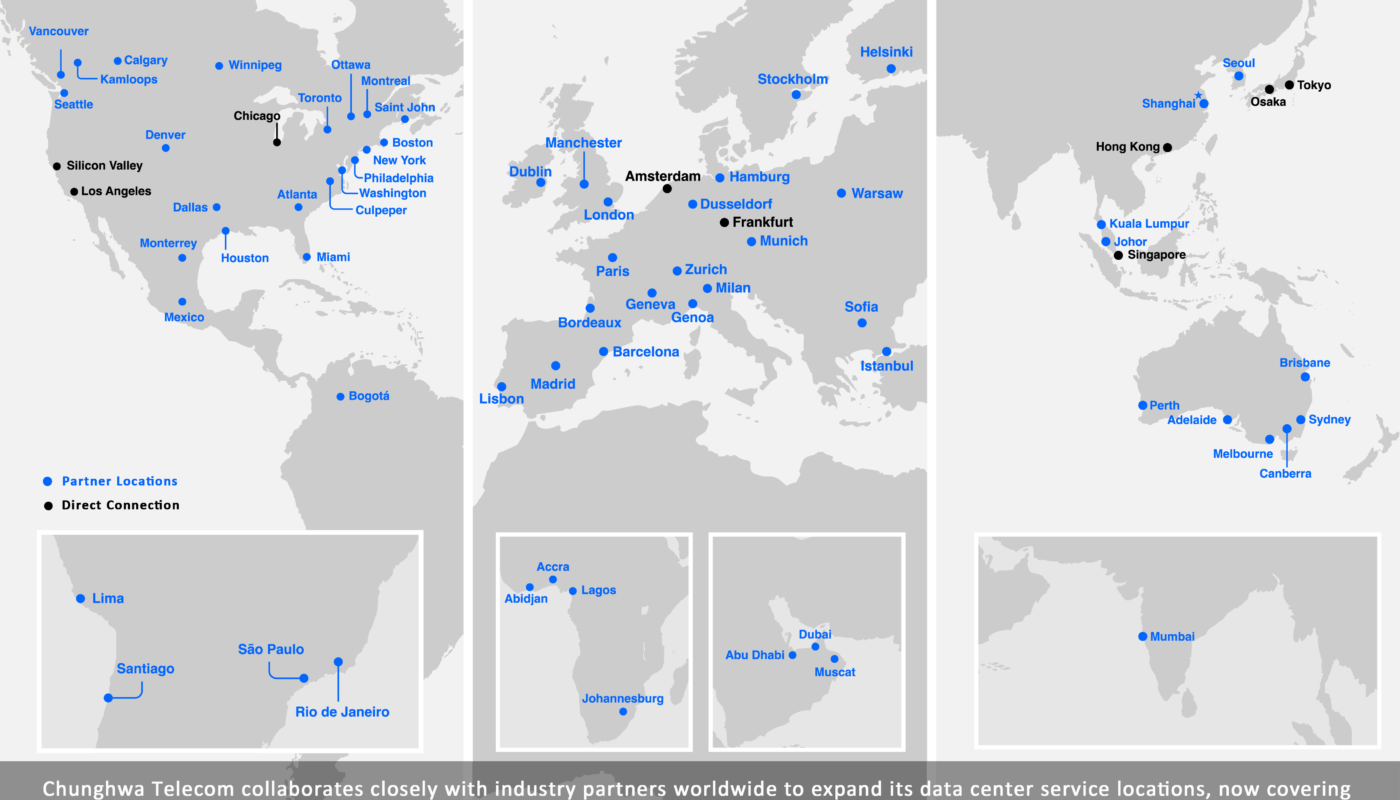
Choosing a hosting region looks simple on a provider dashboard: pick a city or region from a list and deploy. In reality, the location of your application can affect response time, resilience options, service availability, data location, recovery design and cost. The nearest region to the website owner is not necessarily the nearest region to the website’s users.
A content site serving mostly U.S. readers, a SaaS platform with customers across Europe and a regional ecommerce store may all make different region choices. The right decision starts with where users and dependent systems are located, then adds operational and legal constraints.
This guide explains how to choose a hosting data center region without treating geography as a single-factor decision.
What a Cloud or Hosting Region Represents
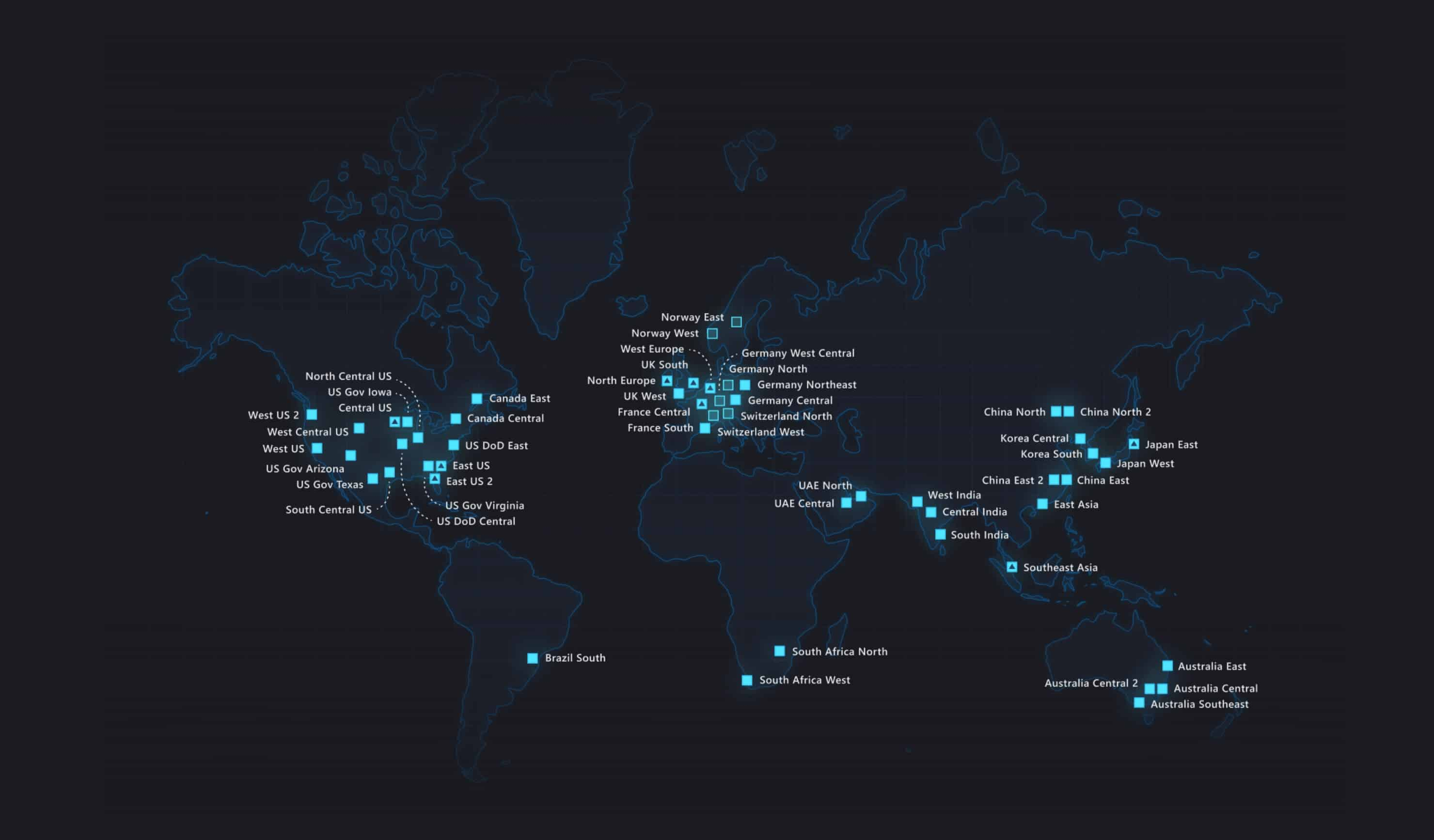
Large cloud providers divide infrastructure into geographic regions. A region is normally a distinct geographic area containing one or more data centers or availability zones. Hosting companies may use similar terms even when their architecture is simpler.
AWS documents each Region as a separate geographic area and advises customers to select regions based on required services, user proximity and legal or operational needs. Azure similarly describes regions as physical facilities within geographies that can act as data-residency boundaries.
See the official AWS Regions documentation and Microsoft Azure regions overview.
Start With the Geographic Distribution of Real Users
Physical network distance is not the only source of latency, but it matters. If most users are on the U.S. East Coast, a nearby U.S. region will often provide lower network latency than a server on another continent. AWS and Azure both include user proximity and latency among region-selection considerations.
Map user locations using real data
- Web analytics by country and region.
- Customer billing or account geography.
- Sales pipeline geography for expected growth.
- API-client locations.
- Office and employee locations for internal systems.
Do not choose a region only from the company’s registered address. A U.K. company with 80% U.S. traffic may make a different performance choice from a U.K. company serving local customers.
Measure Latency Instead of Guessing From a Map
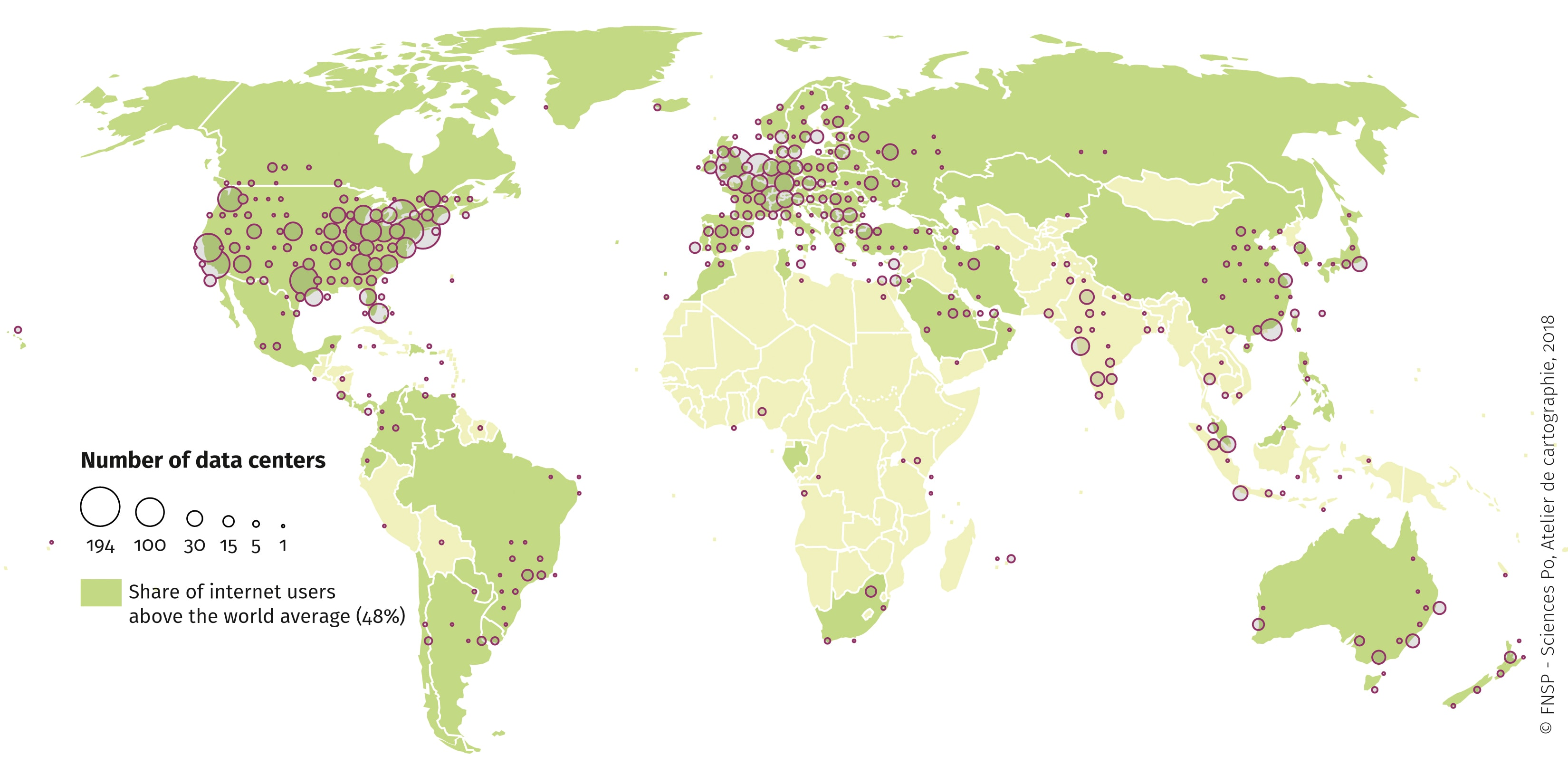
Two regions that look equally distant can have different network paths. Peering, carrier routing and provider backbone design influence real round-trip time.
Useful tests
- Provider latency-testing tools.
- Ping or TCP tests from representative user locations.
- Real-user monitoring after a pilot deployment.
- Application response time including database calls.
- Latency between the app region and external APIs.
Microsoft publishes current Azure inter-region round-trip latency statistics to help architecture planning. Other providers offer similar tools or community measurements.
Network latency is especially important when the application makes many sequential requests. A 50 ms difference repeated across several backend calls can become noticeable.
The Database and Application Should Usually Be Close
A common architecture mistake is to place the web server in one region and the primary database far away. Every uncached page request may then wait for multiple cross-region database round trips.
Keep tightly coupled systems near each other
- Web/application servers and primary database.
- Application and object storage used frequently.
- Workers and job queues.
- Cache clusters and the application.
Global delivery should usually be handled with CDNs, edge caches, read replicas or carefully designed multi-region systems rather than separating core components accidentally.
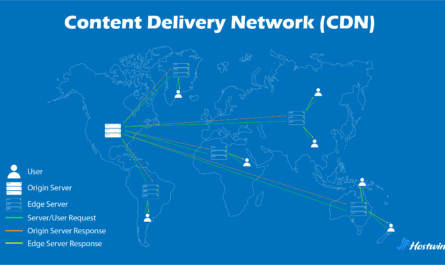
Our CDN guide explains how edge caching can serve global users while keeping the origin architecture coherent.
Service Availability Can Eliminate a Region Immediately
Cloud providers do not always offer every service, hardware type or feature in every region. A region that is ideal geographically may not provide the database version, GPU, managed service or availability-zone support the application requires.
Create a dependency checklist
- Compute instance types.
- Managed database engine.
- Object storage.
- Serverless runtime.
- AI or GPU services.
- Backup destination.
- Availability zones.
- Monitoring and security services.
AWS explicitly recommends verifying that a selected Region provides the required services and features. Azure’s current region-selection guidance makes the same point for services and pricing.
Availability Zones Improve Fault Isolation Within a Region
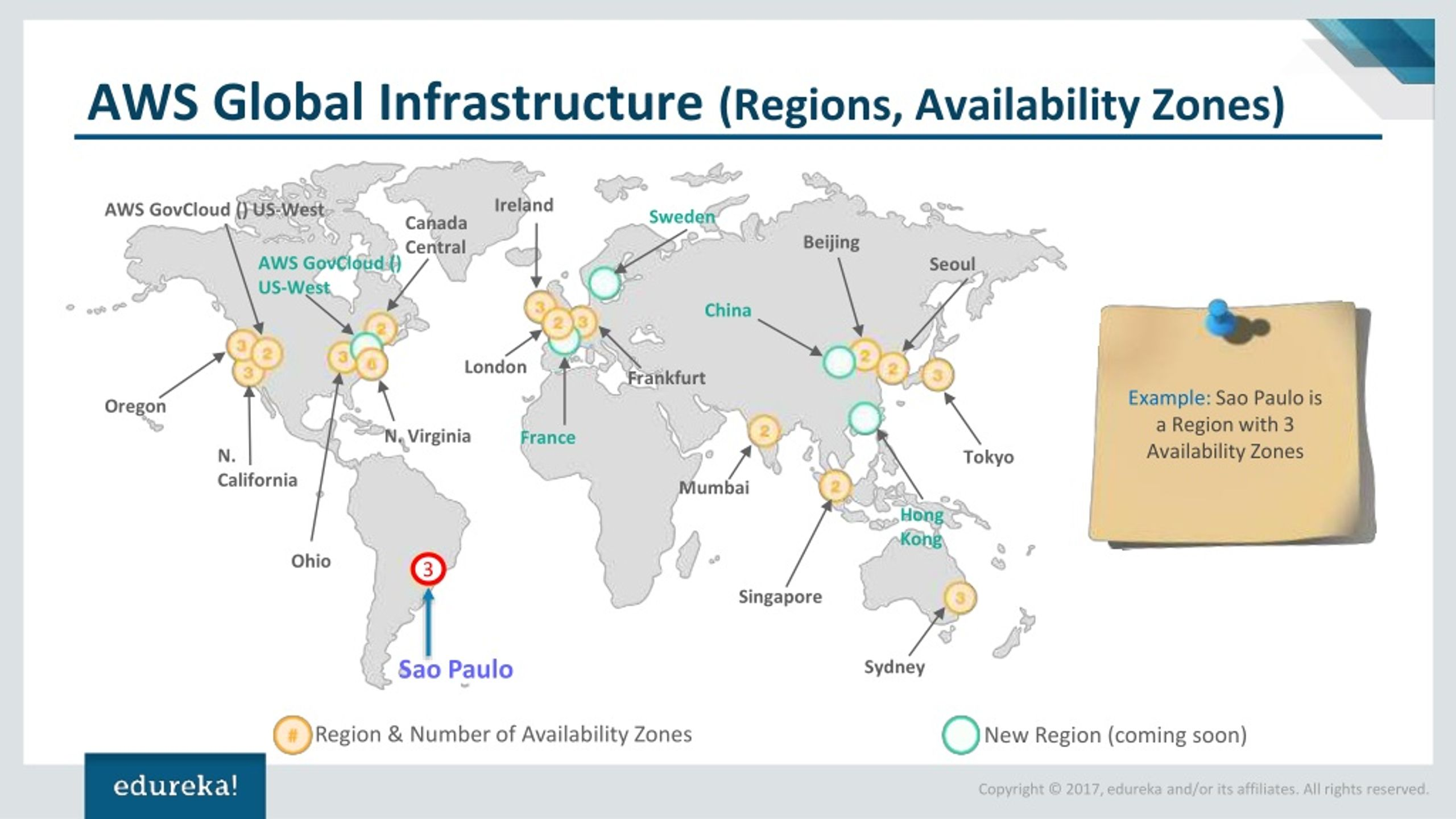
Many major cloud regions contain multiple availability zones. These are physically separated facilities designed so that a localized failure does not necessarily affect every zone.
AWS documents Availability Zones as isolated locations connected by low-latency, high-bandwidth networking and recommends multi-zone architecture for applications that need stronger availability. Azure describes zones as independently powered and networked data-center groups within supported regions.
For higher availability, ask
- Does the chosen region have multiple zones?
- Does the exact service support zone redundancy?
- Is the database deployed redundantly?
- Can traffic move to another healthy zone?
- Are backups dependent on the same zone?
Simply selecting a region with zones does not make an application highly available. Resources must actually be designed to use them.
Multi-Region Architecture Solves Different Problems
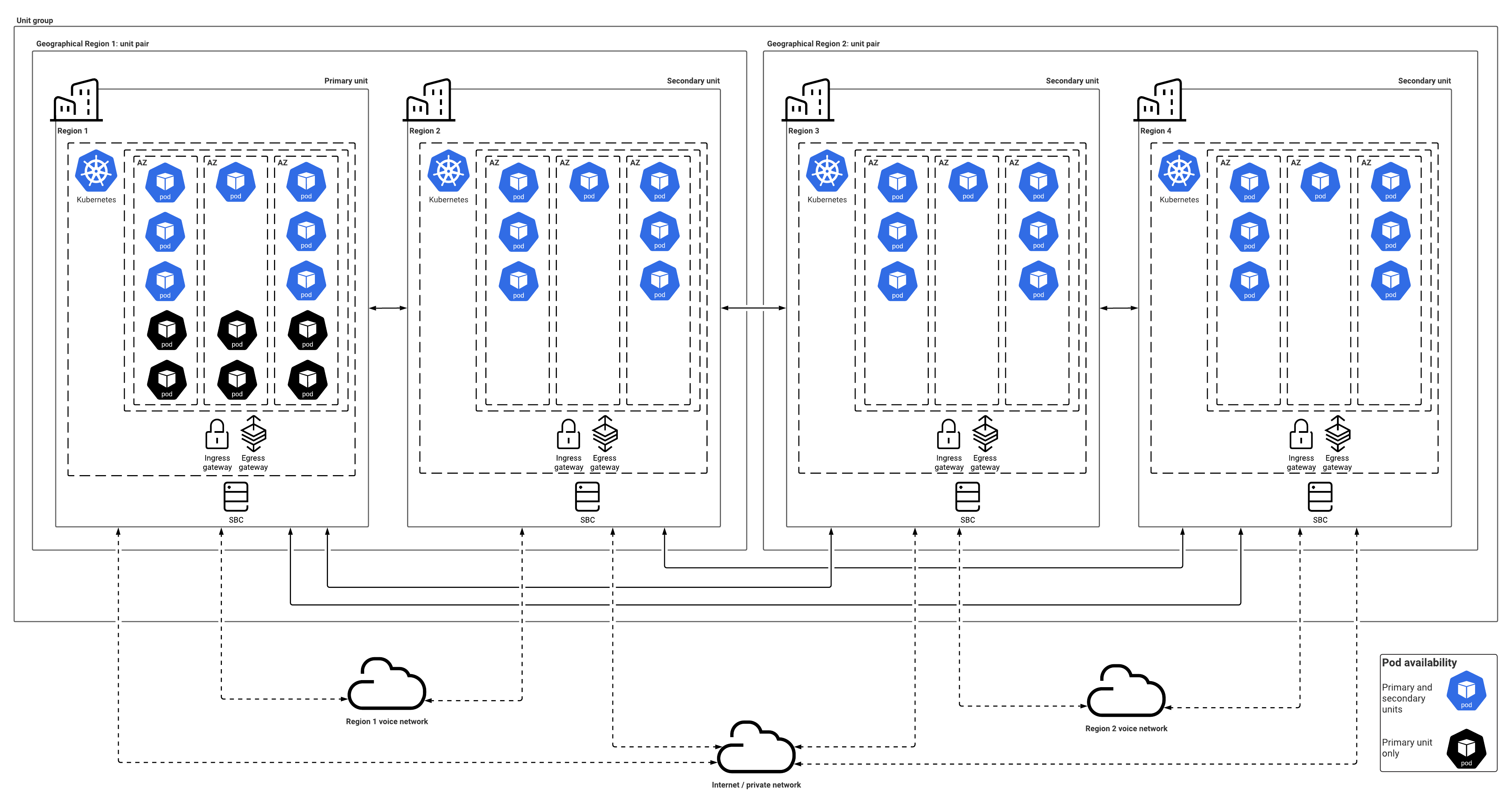
Availability zones protect against some local facility failures. Multiple geographic regions can protect against a wider regional outage and reduce latency for global users, but they add complexity.
Multi-region designs may be useful for
- Business-critical applications with strict recovery requirements.
- Very global user bases.
- Applications that can operate active-active in multiple locations.
- Regulated workloads that need specific geographic placement.
Complexities include
- Database replication.
- Conflict resolution.
- Traffic routing.
- Higher cost.
- Deployment coordination.
- Observability across regions.
Do not build multi-region infrastructure only because the cloud provider offers it. Define the outage or performance problem it is meant to solve.
Data Residency Is Not the Same as Low Latency

Some organizations have contractual, legal or policy requirements concerning where certain data is stored or processed. That can override the purely fastest region.
Azure’s current documentation notes that cloud geographies can represent data-residency boundaries and recommends selecting regions consistent with organizational requirements. AWS similarly notes that geographic location can help customers meet regulatory, compliance and operational needs.
Before deployment
- Classify sensitive data.
- Identify applicable contractual or regulatory requirements.
- Check where the provider stores primary data.
- Check where backups and replicas are stored.
- Review support and logging services that may process data elsewhere.
- Obtain legal/compliance guidance where necessary.
Do not assume that choosing a region automatically guarantees every connected service stores all data there.
External Services Can Change the Best Location
A website may depend on a payment API, ERP system, search service or private corporate network. If the application calls that system on every request, proximity to the dependency can be as important as proximity to the user.
Map latency-sensitive dependencies
- Primary database.
- Payment or fraud systems.
- Internal APIs.
- Identity providers.
- Search clusters.
- Third-party data services.
If an external API takes 500 ms regardless of region, moving the web server 20 ms closer to users may not materially improve the full response.
CDNs Let You Separate Origin Location From Asset Delivery
A site can host its origin in one carefully selected region while using a CDN to deliver images, scripts and cacheable pages from edges close to users.
This is often simpler than running the whole application in every geography. The origin region can be chosen for database, compliance and operational reasons while edge delivery reduces latency for public content.
For WordPress, this can be particularly effective on content-heavy sites with strong caching. Our hosting and Core Web Vitals guide discusses how origin response and front-end delivery interact.
Region Pricing Can Differ
Compute, storage and network prices may vary by region. A slightly more expensive region may still be the right choice if it provides lower latency, required services or better resilience.
Compare total cost
- Compute pricing.
- Database pricing.
- Storage.
- Outbound data transfer.
- Cross-region traffic.
- Backup replication.
- Reserved/committed-use discounts.
Do not save a small percentage on server cost while creating poor user performance or expensive cross-region database traffic.
How to Run a Region Selection Test
- Map users. Identify primary and secondary audience regions.
- List required services.
- Remove regions that fail residency or service requirements.
- Deploy a small test instance in two or three candidates.
- Measure latency from real user locations.
- Test application-to-database and external API latency.
- Compare resilience options.
- Compare full monthly cost.
- Document why the final region was chosen.
Hosting Region Selection Checklist
| Factor | Question |
|---|---|
| User proximity | Where are most users? |
| Measured latency | Which candidate performs best? |
| Services | Are required products available? |
| Resilience | Are availability zones supported? |
| Data location | Do policy/residency needs apply? |
| Dependencies | Where are databases and APIs? |
| CDN | Can global delivery be offloaded? |
| Cost | What is total compute + transfer cost? |
| Recovery | Is a second region required? |
Frequently Asked Questions
Should I always choose the region closest to my users?
It is an important factor, but service availability, data residency, database location, resiliency and cost may change the decision.
Does a CDN make region choice irrelevant?
No. A CDN can cache public content closer to users, but uncached application requests, databases and administrative traffic still depend on the origin region.
Do I need more than one region?
Not every site does. Multi-region architecture adds cost and complexity. Use it when recovery, availability, global latency or data-location requirements justify it.
Are availability zones the same as regions?
No. Zones are isolated locations within a geographic region. Multiple regions are farther apart and serve broader resilience or geographic needs.
Conclusion
Choosing a hosting data center region is an architecture decision, not a dropdown preference. Start with user locations, then measure real latency and verify that the region supports the services and resilience options your application needs.
Keep tightly coupled components close, use a CDN for globally reusable content and treat data-residency requirements separately from performance. If multi-region deployment is necessary, design database replication and failure handling deliberately. The best region is the one that balances user experience, operational reliability and data requirements with the least unnecessary complexity.