 by
by Electronic Signature Software for Small Businesses: Security, Audit Trails and Workflow
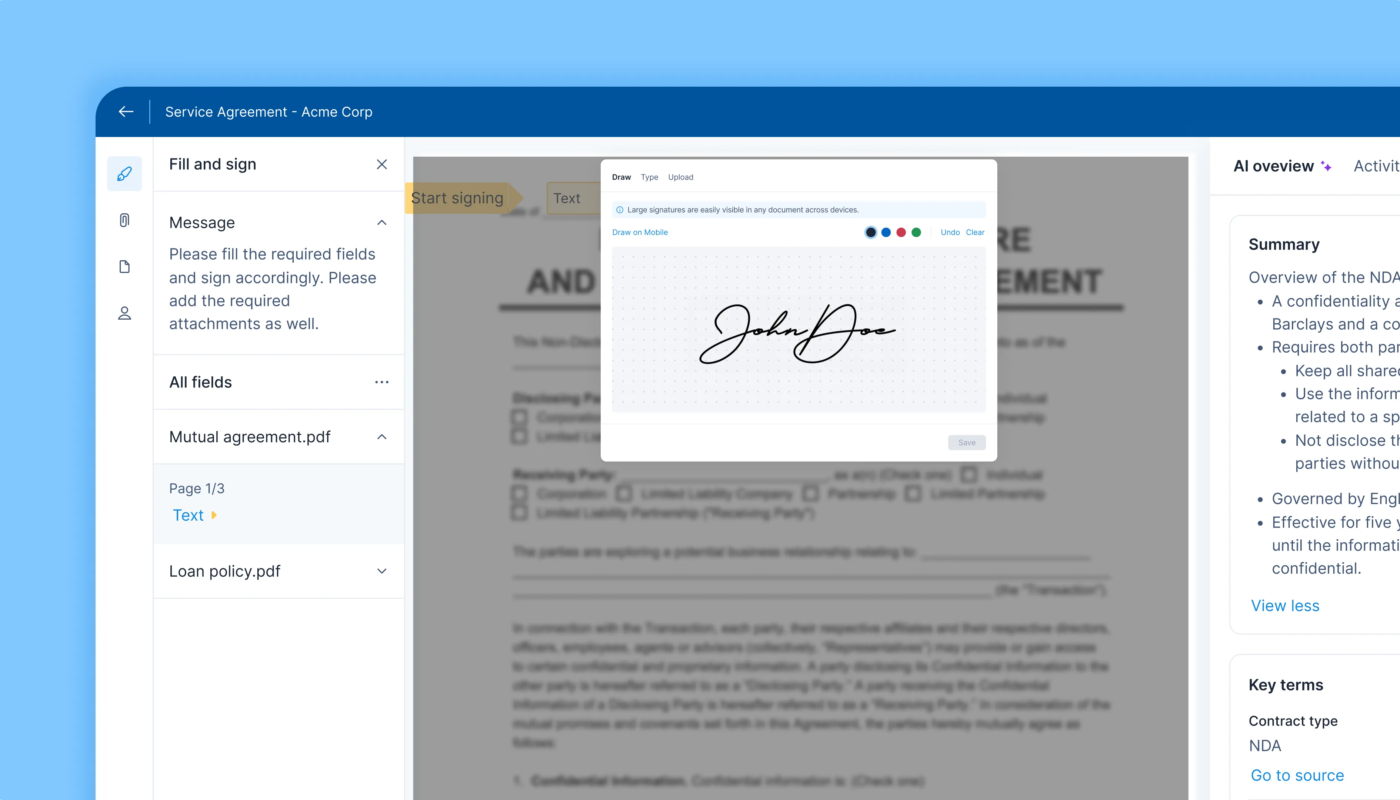
Electronic signature software can shorten the time between “please sign this” and a completed agreement. It can remove printing, scanning and manual reminder emails from common business workflows such as proposals, onboarding forms, approvals and supplier agreements. But speed is only one part of the decision. A business also needs to know who signed, what version they signed, whether the document changed afterward and how the completed record can be retrieved later.

That makes e-signature software a document-workflow system, not just a drawing box for a signature. The right platform should match the risk of the agreement, provide an appropriate level of signer authentication, create useful evidence about the signing process and make completed documents easy to retain and export.
This guide explains how small businesses can compare electronic signature software without assuming that every signature method is legally identical in every country or use case. Electronic-signature laws and regulated document requirements vary, so businesses should obtain appropriate legal guidance for agreements where enforceability or compliance is important.
Electronic Signatures and Digital Signatures Are Related but Different
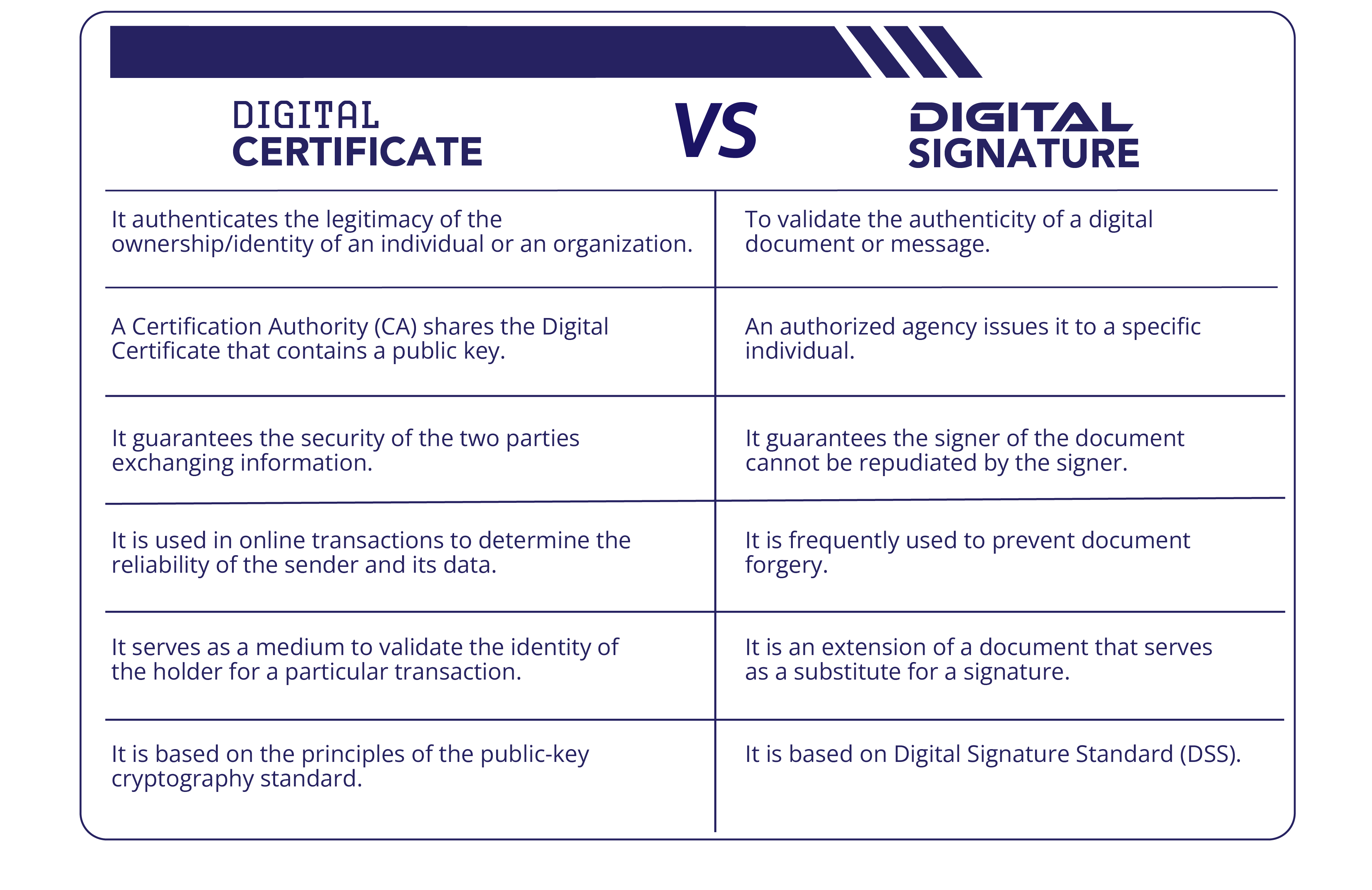
An electronic signature is a broad term for an electronic process used to indicate agreement or intent to sign. A digital signature is a more specific type of electronic signature that uses certificate-based cryptography to associate a signer with a document and help detect later changes.
Adobe’s current documentation explains that certificate-based digital signatures use a digital ID and cryptographic information that can be verified. Adobe also distinguishes simple electronic signatures, e-signatures with stronger identification and certificate-based digital signatures. See Adobe’s overview of signature types and digital-signature documentation.
Why the distinction matters
- A low-risk internal approval may need only a simple electronic acknowledgement.
- A customer contract may need stronger signer authentication and a detailed audit record.
- A regulated document may require a particular type of signature or identity assurance.
- A certificate-based digital signature can provide additional document-integrity evidence.
Do not pay for the strongest possible signature on every document if the workflow does not require it. At the same time, do not use the weakest workflow for a high-impact agreement simply because it is easier.
Start by Classifying the Documents You Send
Before comparing vendors, list the documents your business actually needs signed and group them by risk. This prevents a common buying mistake: choosing a platform around a flashy feature that affects only a small percentage of agreements.
| Document type | Typical risk questions | Possible controls to evaluate |
|---|---|---|
| Internal approval | Who approved and when? | Login identity, timestamp, audit event |
| Sales agreement | Can signer identity and final terms be demonstrated? | Email/OTP authentication, audit trail, final PDF |
| Vendor contract | Are all required parties included? | Signing order, reminders, document version control |
| Employment document | Are access and retention appropriate? | Restricted folders, identity checks, retention controls |
| Regulated agreement | Does a specific signature standard apply? | Legal review, digital identity/certificate support |
The product should support the workflows you use most often and provide higher-assurance options where your business needs them.
Signer Authentication Should Match the Risk
A signature image alone does not necessarily establish who controlled the signing session. Electronic signature platforms may offer different ways to authenticate a recipient before they can sign.
Common methods include
- Email-link access.
- Password or shared-secret access.
- One-time passcodes.
- SMS or phone verification.
- Government-ID verification in supported workflows.
- Enterprise identity providers.
- Certificate-based digital identities.
More authentication adds friction and may add cost. The useful question is not “which platform has the most methods?” but “which method is appropriate for each document class?”
Adobe’s 2026 documentation describes simple e-signatures, stronger identification methods and digital signatures backed by certificates. For sensitive workflows, verify exactly what evidence the chosen authentication method records.
Audit Trails Are Core Business Records
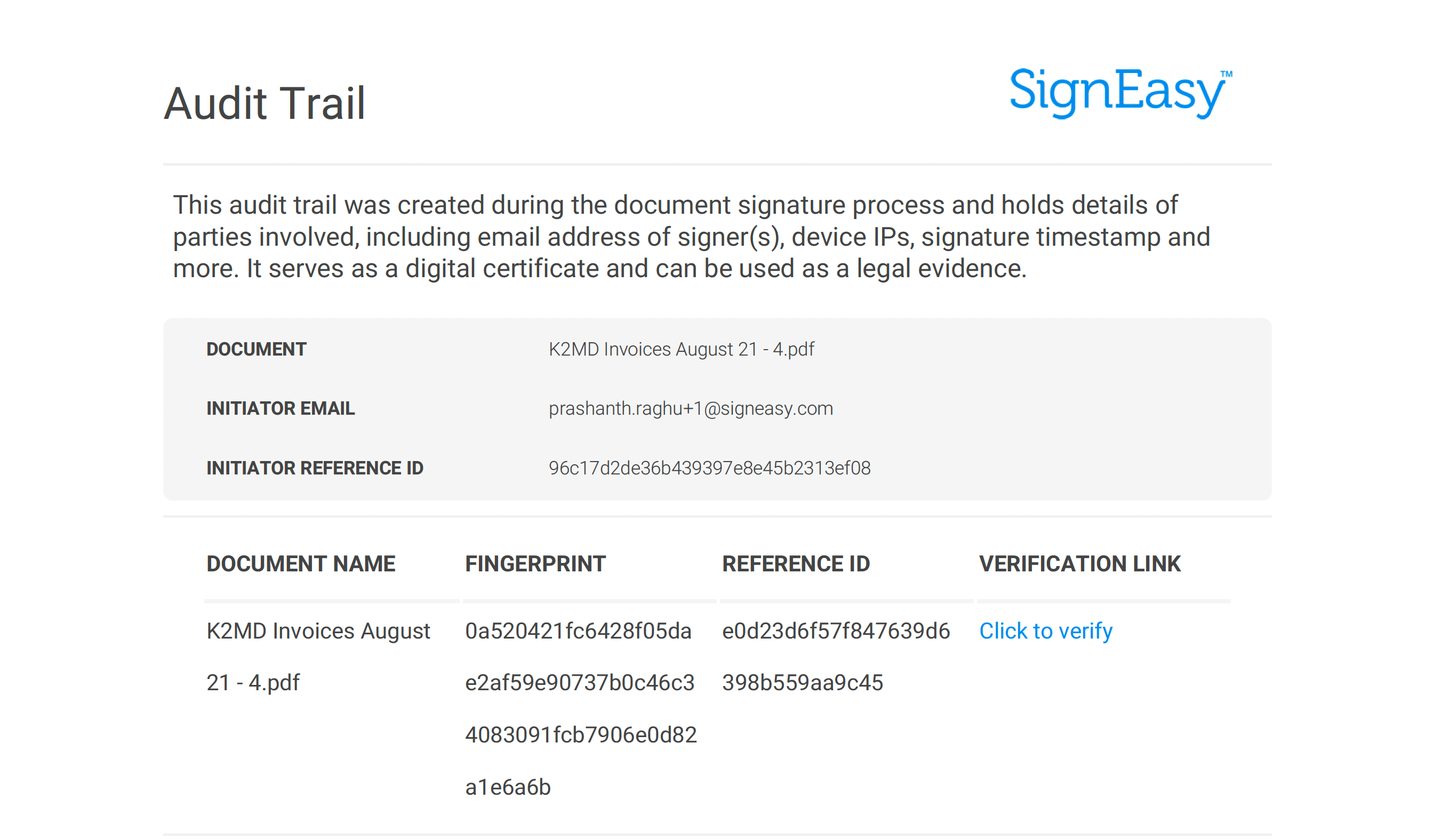
A good e-signature audit trail records important events in the agreement lifecycle. This can help explain what happened when a document is later questioned or reviewed.
Adobe’s current Acrobat Sign documentation describes audit reports that can record milestones such as document creation, emails sent, agreement views, delegation, signatures, approvals and final status. See the Acrobat Sign audit report documentation.
What to look for in an audit report
- Agreement or transaction identifier.
- Document creation time.
- Recipient identities or addresses.
- Authentication events where supported.
- Document viewing events.
- Signature or approval events.
- Delegation or reassignment.
- Completion, decline or cancellation.
- Time and sequence of key events.
During a trial, download an actual audit report. Do not assume that a vendor’s “audit trail” contains the fields your business expects.
Document Integrity Matters After Signing
The value of a signed agreement depends on preserving the version that was accepted. The platform should make it clear when the signing workflow is complete and help protect the completed document from unnoticed changes.
Certificate-based digital signatures can provide stronger cryptographic evidence about document integrity. Adobe explains that digital signatures can indicate whether the document was modified after signing. Even when a simple electronic signature is appropriate, the platform should preserve a final completed copy and associated audit record.
Test the completed-document workflow
- Send a sample agreement.
- Complete all signatures.
- Download the final PDF.
- Download its audit record.
- Confirm the document clearly shows completion.
- Check how the platform handles later edits or corrections.
- Export the files to your normal business storage system.
Templates Can Save Time Without Creating Contract Chaos
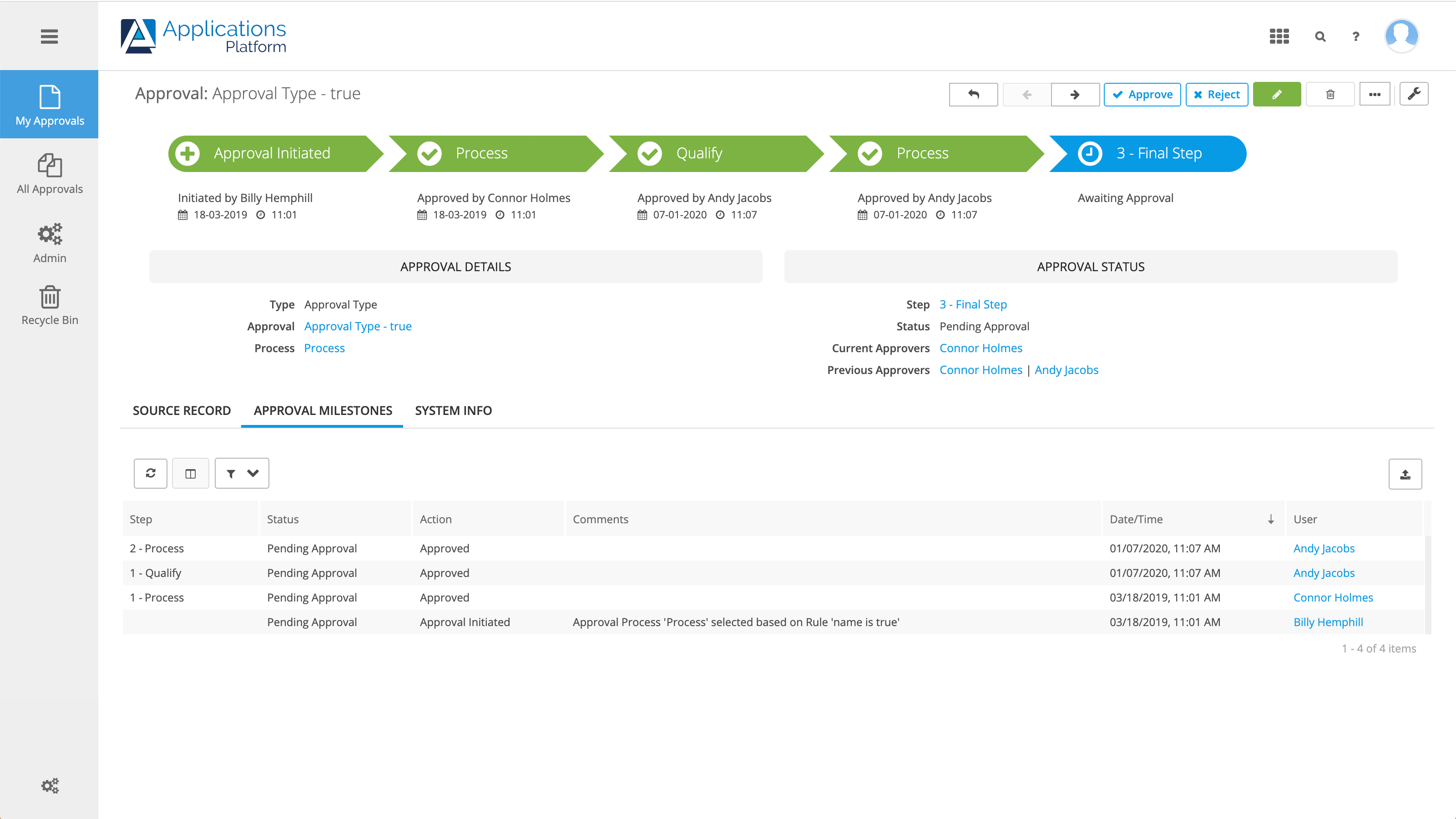
Templates are valuable for recurring agreements, but they need ownership. If every employee creates their own version of a proposal or onboarding agreement, the organization can end up with outdated clauses and inconsistent fields.
Good template governance
- Assign an owner to each important template.
- Use clear names and version dates.
- Limit editing rights for approved legal language.
- Separate editable business fields from fixed terms.
- Archive old templates rather than leaving them selectable.
- Review templates after policy or legal changes.
A smaller approved template library is usually safer than hundreds of nearly identical files.
Signing Order and Routing Should Match the Process
Some documents need one person to sign first, another to approve second and a customer to sign last. Others can be signed by all parties in parallel. E-signature software should make that routing obvious.
Useful routing features
- Sequential or parallel signing.
- Conditional recipients.
- Internal approval before external sending.
- Delegation rules.
- Automatic reminders.
- Expiration dates.
- CC recipients who receive a copy but do not sign.
Test a real multi-person workflow before buying. A product that works beautifully for one signer may become confusing with five departments and an external customer.
Reminders Should Reduce Follow-Up, Not Spam Customers
Automatic reminders are one of the simplest productivity gains in e-signature software. They can reduce manual “just checking whether you saw this” emails. But aggressive reminders can create a poor customer experience.
Set reminder rules by document type
- Urgent approvals may need frequent reminders.
- Long-term commercial agreements may need more spacing.
- Internal forms can use different timing from customer contracts.
- Completed or canceled agreements should stop reminders immediately.
Allow staff to see when the last reminder was sent so they do not manually duplicate it.
Retention and Search Become More Important Over Time
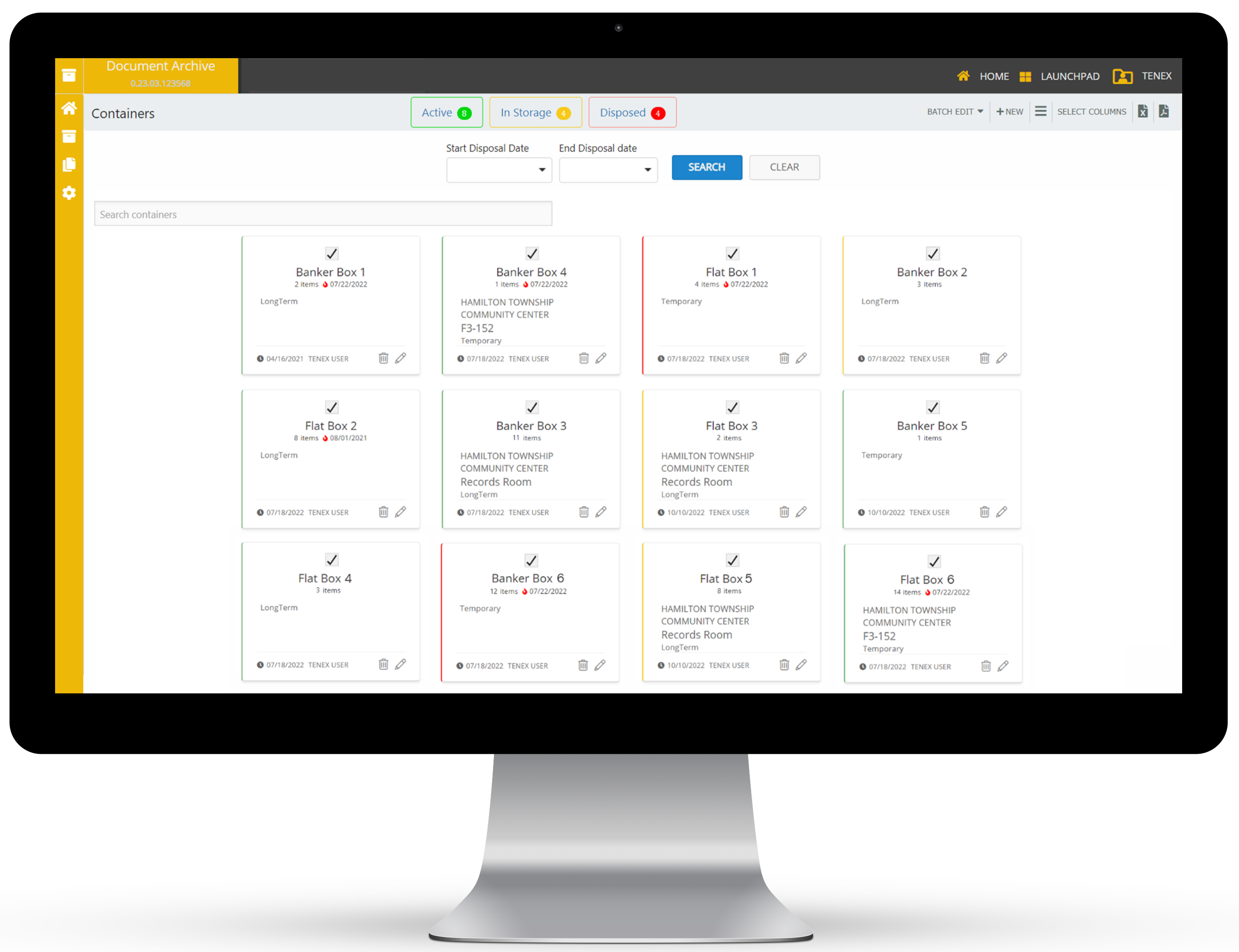
Signing is the visible part of the process; retrieval is the long-term part. Months later, someone may need to find the final agreement, audit trail or renewal date.
Evaluate record management
- Search by agreement name, recipient or date.
- Folder or tag organization.
- Retention settings.
- Deletion controls.
- Bulk export.
- API access for larger workflows.
- Storage integrations.
- Access controls for sensitive documents.
If the e-sign platform is not your long-term document system, decide where completed agreements will be copied and who owns that process.
Integrations Should Remove Duplicate Data Entry
Electronic signatures become more valuable when the platform can receive data from the system where work begins and return the signed record afterward.
Common integration targets
- CRM systems.
- Cloud storage.
- HR platforms.
- Project or workflow tools.
- Accounting systems.
- Custom internal applications through APIs.
Do not connect every available integration during rollout. Start with one workflow where staff currently copy names, dates or documents manually. Measure whether the integration genuinely reduces work.
For broader automation planning, our guide to business workflow automation explains how to automate handoffs without losing ownership.
Security Should Cover Accounts as Well as Documents
An attacker who takes over an e-signature admin account may be able to view confidential agreements or send fraudulent documents. Protect the platform itself with normal identity controls.
Minimum security checks
- MFA for administrators and users where available.
- Role-based permissions.
- Immediate offboarding for former employees.
- Restricted template and admin settings.
- Audit visibility for important account changes.
- Careful API-key and integration permissions.
Read our MFA guide for additional account-protection practices.
How to Compare E-Signature Software
| Criterion | Suggested weight | What to test |
|---|---|---|
| Signing workflow | 20% | Fields, routing, reminders, mobile experience |
| Audit evidence | 20% | Event history, completion record, export |
| Authentication | 15% | Methods appropriate to risk |
| Document management | 15% | Search, retention, access, export |
| Templates | 10% | Governance and ease of reuse |
| Integrations | 10% | Fit with CRM/storage/workflow |
| Total cost | 10% | Seats, signature volume, identity add-ons |
A Practical Two-Week Pilot
Days 1–3: Define document classes
Choose three common document types with different risk levels.
Days 4–7: Test real signing
Send sample agreements to internal and external test users. Include desktop and mobile signing.
Days 8–10: Inspect evidence
Download final PDFs, audit reports and identity evidence where used.
Days 11–14: Test administration
Create templates, revoke a user, export agreements and test an integration. Document friction before rollout.
Electronic Signature Software Checklist
- Appropriate signer-authentication options.
- Clear audit trail.
- Final document integrity controls.
- Reusable templates with ownership.
- Sequential and parallel routing.
- Configurable reminders.
- Search and retention controls.
- Bulk export or API availability.
- MFA and role-based administration.
- Pricing that reflects real signing volume.
Frequently Asked Questions
Are all electronic signatures legally valid?
No single answer applies to every jurisdiction, document and signature method. Electronic signatures are recognized in many places, but requirements can vary. Obtain legal guidance for high-impact or regulated agreements.
What is the difference between an e-signature and a digital signature?
Electronic signature is the broader category. A digital signature uses a certificate-based digital identity and cryptography to provide stronger verification and document-integrity evidence.
Do small businesses need advanced identity verification?
Not for every document. Match authentication strength to the risk and applicable requirements of the agreement.
What should I test before buying?
Test a full real-world workflow: template creation, recipient authentication, multi-person routing, mobile signing, reminders, final PDF, audit report, export and user offboarding.
Conclusion
Electronic signature software is most useful when it improves the full agreement lifecycle, not only the signature moment. A good platform should help a business send the correct document, authenticate the right person at an appropriate level, preserve evidence of what happened and make the final agreement easy to retrieve later.
Classify your document types first, then compare audit trails, signer authentication, routing, template governance and export. Protect the platform itself with strong account security and test the completed-document workflow before committing. The result should be a faster process that also leaves clearer records—not a faster process that becomes harder to explain when a document matters most.