 by
by AI Voice Tools for Professionals: Transcription, Speech Generation and Responsible Use
AI voice technology has moved into everyday professional work. Teams use speech-to-text to transcribe interviews and meetings, creators turn scripts into narration, support systems convert voice calls into searchable text, and accessibility tools make spoken information easier to capture or reproduce. The technology can save time, but the right workflow depends on much more than whether a demo sounds impressive.

A professional AI voice tool needs to be evaluated for accuracy, latency, language support, speaker separation, editing workflow, data handling and the consequences of mistakes. Text-to-speech adds another layer: a generated voice can improve accessibility and production speed, but it should never be used to mislead people about who is speaking or to imitate someone without appropriate rights and consent.
This guide explains how to evaluate AI voice tools in 2026 for practical business and creative use while keeping quality, privacy and responsible use at the center of the decision.
AI Voice Tools Usually Fall Into Two Main Categories
The first category is speech-to-text, sometimes called automatic speech recognition. It converts spoken audio into written text. The second is text-to-speech, which converts written text into synthetic audio.
Google Cloud documents Speech-to-Text as a service for sending audio and receiving a text transcription, with support for short, long and streaming audio workflows. Microsoft’s Azure Speech documentation similarly describes real-time and batch transcription. For speech generation, Google Cloud Text-to-Speech converts text or Speech Synthesis Markup Language into audio, while Microsoft provides text-to-speech capabilities through Azure Speech.
Current official references include Google Cloud Speech-to-Text documentation, Google Cloud Text-to-Speech documentation and Microsoft Azure Speech-to-Text documentation.
Typical speech-to-text use cases
- Meeting and interview transcription.
- Call-center search and quality review.
- Voice notes converted into written drafts.
- Captioning and accessibility.
- Podcast or video transcript generation.
- Voice-controlled application interfaces.
Typical text-to-speech use cases
- Training narration.
- Accessibility and read-aloud experiences.
- Prototype voice interfaces.
- Multilingual content drafts.
- Product demonstrations.
- Audio versions of written information.
Transcription Accuracy Must Be Tested on Your Real Audio
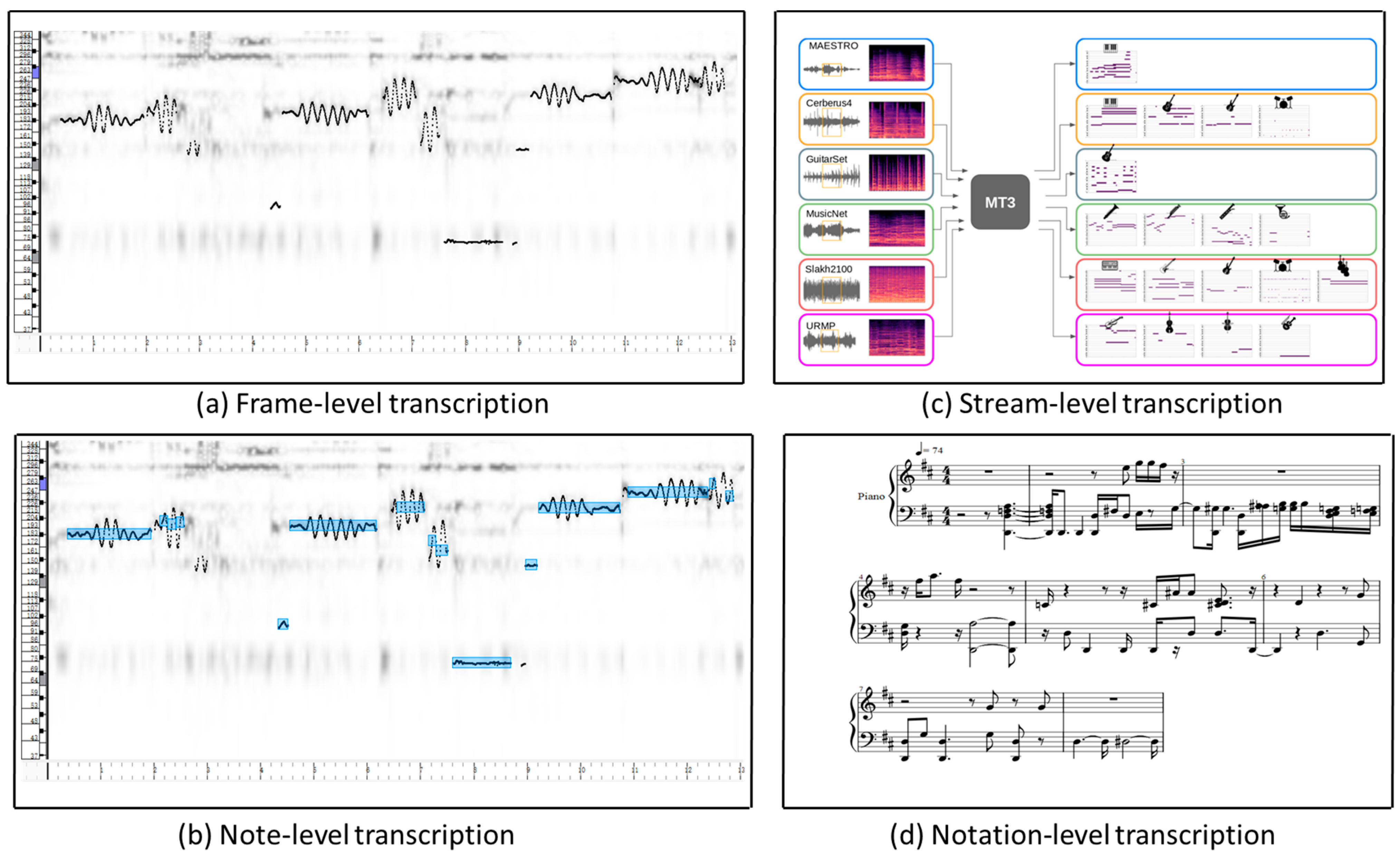
There is no single speech-recognition accuracy score that applies to every organization. A system that performs well on clean studio speech may struggle in a noisy warehouse, a conference room, a phone call or a discussion full of medical, legal or technical vocabulary.
Factors that affect transcription quality
- Background noise.
- Microphone quality and distance.
- Overlapping speakers.
- Accent and language variation.
- Industry-specific terminology.
- Audio compression.
- Fast or quiet speech.
- Names, acronyms and product codes.
Build a small evaluation set from real recordings that represent your normal environment. Correct the transcripts manually, then compare different tools on the same files. The goal is not necessarily perfect word-for-word accuracy. For a meeting archive, names, decisions and numbers may matter most. For captions, punctuation and timing may matter more. For call analytics, topic and intent classification may be the key outcome.
Speaker Identification and Diarization Can Change the Value
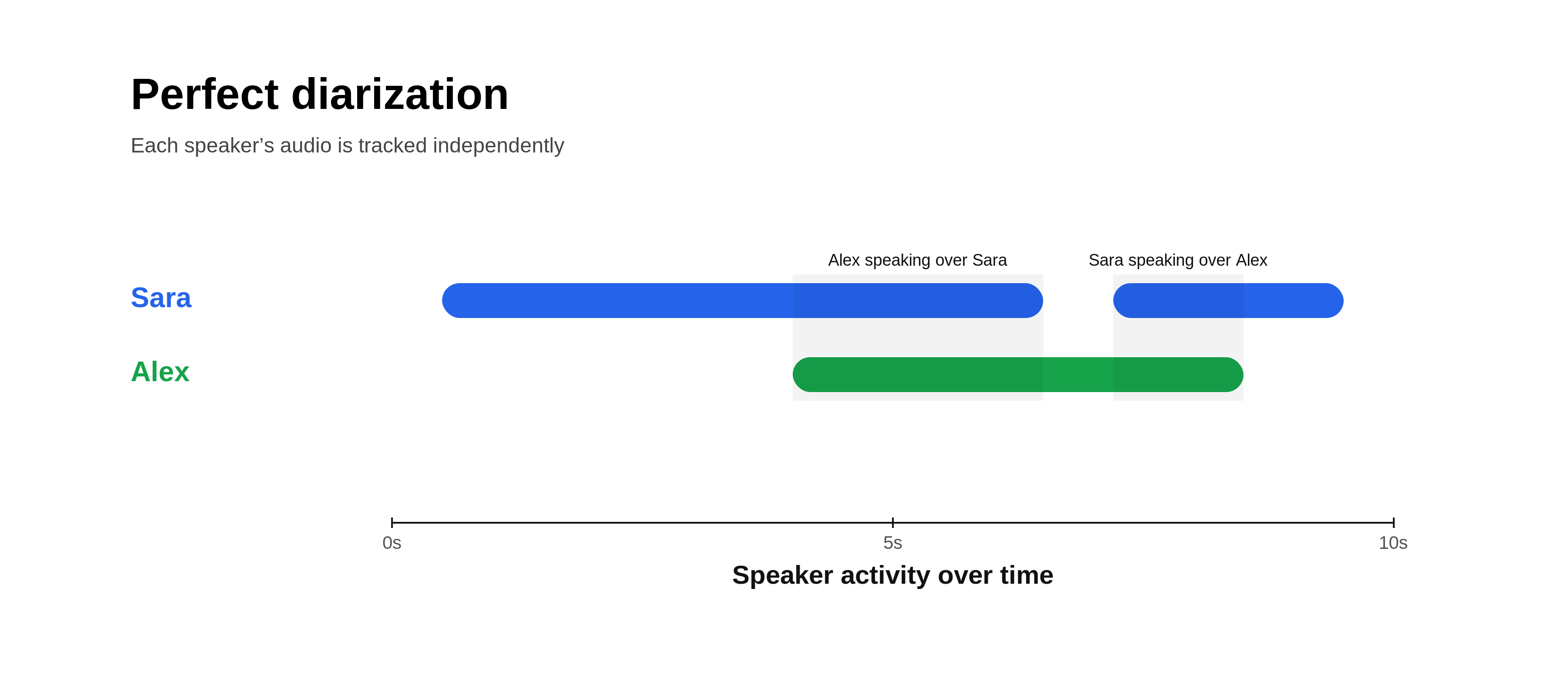
A transcript is much easier to use when it identifies who spoke. Speaker diarization separates audio into speaker segments, while speaker identification may attempt to associate those segments with known identities. The two should not be confused.
If a tool labels speakers only as “Speaker 1” and “Speaker 2,” a reviewer may still need to correct the names. That is often acceptable for internal analysis. In customer-facing or compliance-sensitive records, incorrect attribution can be more serious than a misspelled word.
Test speaker handling with difficult cases
- Two people with similar voices.
- People interrupting each other.
- One participant on speakerphone.
- More than five speakers.
- A participant who joins late.
- Short responses such as “yes” or “agreed.”
Do not assume a polished transcript means speaker attribution is dependable. Verify both separately.
Real-Time and Batch Transcription Solve Different Problems
Real-time transcription processes audio while someone is speaking. It is useful for live captions, meeting assistance, voice commands and interactive applications. Batch transcription processes recorded audio after it has been captured. It is better suited to archives, media libraries, call-review pipelines and large backlogs.
| Requirement | Real-time transcription | Batch transcription |
|---|---|---|
| Immediate captions | Strong fit | Not appropriate |
| Large recording archive | Possible but inefficient | Strong fit |
| Interactive voice app | Required | Not appropriate |
| Post-call analysis | Useful if needed live | Often simpler |
| Cost optimization | Depends on continuous usage | Can process on demand |
Microsoft’s current Speech-to-Text documentation explicitly distinguishes real-time, fast and batch transcription modes. Choose the architecture based on the user experience rather than defaulting to live processing.
Text-to-Speech Quality Is More Than “Natural Sounding”
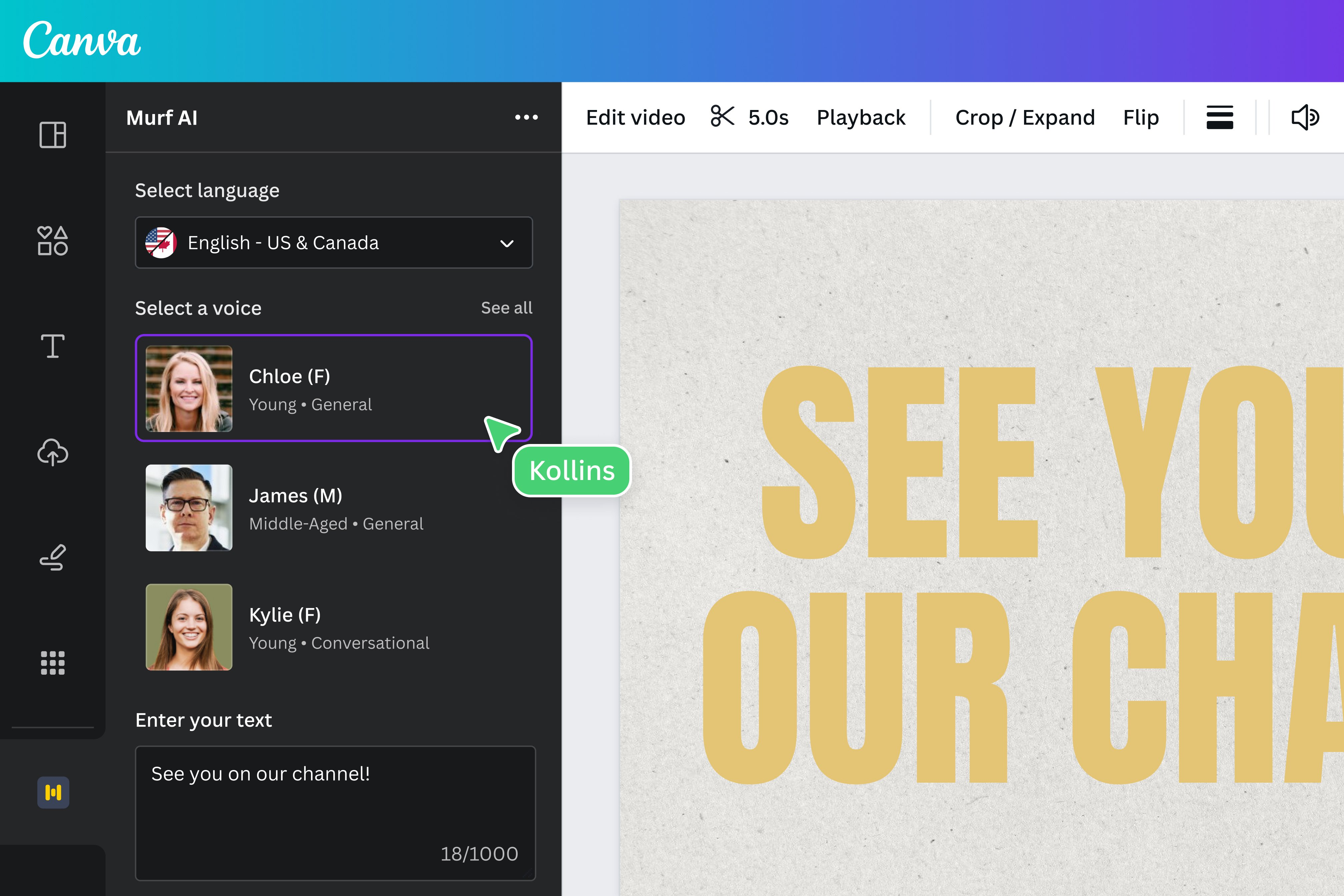
Synthetic speech is often evaluated by asking whether it sounds human. That is important, but professional use needs a broader checklist.
Evaluate these dimensions
- Pronunciation: names, abbreviations and technical terms.
- Pacing: whether long sentences remain understandable.
- Prosody: pauses and emphasis that match meaning.
- Consistency: stable output across many clips.
- Language quality: natural pronunciation in the required language or locale.
- Editing control: ability to adjust pauses, rate or pronunciation.
- Export format: compatibility with the production workflow.
Google Cloud’s Text-to-Speech documentation describes controls such as voice selection and Speech Synthesis Markup Language. Those controls are useful because a production workflow often needs more than a single “generate audio” button.
Voice Cloning and Synthetic Identity Require Strong Boundaries
A synthetic voice can be useful when a company has clear rights and a legitimate purpose, such as an authorized brand voice or accessibility use. The same technology can also be used to impersonate a real person, fabricate statements or trick customers and employees.
For professional use, create a written rule that answers:
- Whose voice may be replicated?
- What consent is required?
- What documentation proves authorization?
- How will synthetic audio be disclosed when appropriate?
- Who can access voice models or samples?
- How will credentials be protected?
- What uses are prohibited?
The NIST AI Risk Management Framework provides a useful governance structure for considering validity, safety, transparency, privacy and accountability in AI systems.
Privacy Starts Before the Audio Is Uploaded

Audio may contain more sensitive information than a written form because people speak naturally and may reveal information that was never intended for a database. A call could contain addresses, payment information, employee issues, health details, account numbers or confidential product plans.
Use a data-minimization approach
- Record only when there is a clear purpose.
- Tell participants when audio is being captured or processed.
- Remove unnecessary sections before uploading when practical.
- Limit who can access transcripts.
- Set retention periods for recordings and generated text.
- Protect storage with normal identity and security controls.
- Delete test files that are no longer needed.
The NIST Privacy Framework can help organizations think about privacy risk as part of a wider data-management process.
Latency Matters for Interactive Voice Experiences
A transcription service used for a podcast can take several minutes without hurting the user experience. A voice assistant cannot. If a conversational system takes too long to detect the end of speech, transcribe it, generate an answer and synthesize a response, the interaction feels unnatural.
Measure the full latency chain
- Audio capture delay.
- Network upload time.
- Speech-recognition delay.
- Language-model processing.
- Text-to-speech generation.
- Audio playback buffering.
Do not optimize only one component. A fast speech model cannot compensate for slow application logic or a distant server region.
Accessibility Is One of the Strongest Voice AI Use Cases
Speech technology can make content available in additional formats. Captions help people who are deaf or hard of hearing, while text-to-speech can help users who prefer or need audio. Transcripts can also make video and audio content searchable.
However, accessibility quality still requires human attention. Important names, captions and technical terms should be reviewed. A generated voice should have understandable pacing and pronunciation. The goal is not simply to produce another format; it is to make information genuinely usable.
A Practical AI Voice Evaluation Workflow
- Define the use case. Live captions, transcription archive, narration or interactive assistant.
- Create a representative test set. Include difficult real-world audio.
- Measure accuracy. Track errors that matter to the business.
- Test language and speaker handling.
- Measure latency if the experience is interactive.
- Review data handling. Storage, retention, access and deletion.
- Test editing effort. A slightly less accurate tool may still win if correction is faster.
- Calculate total cost. Include processing, storage and human review.
- Document approved uses.
If your main use case is meetings, our article on AI productivity platforms for teams explains how meeting follow-up fits into a broader productivity system.
AI Voice Tool Comparison Checklist
- Accurate on your actual audio.
- Supports required languages and accents.
- Handles multiple speakers appropriately.
- Offers real-time or batch processing as needed.
- Provides editing or correction tools.
- Explains retention and data handling.
- Supports organization-level permissions.
- Has predictable pricing.
- Fits existing media or support workflows.
- Includes controls for responsible synthetic voice use.
Frequently Asked Questions
Are AI transcripts accurate enough to publish automatically?
For important public or customer-facing content, human review is still advisable. Names, numbers and technical terms are common failure points.
Is text-to-speech only for content creators?
No. It is also useful for accessibility, training, product interfaces, notifications and prototypes.
Can AI voice tools identify every speaker correctly?
No. Speaker separation and speaker identity are difficult in overlapping or noisy conversations. Test the exact meeting or call conditions you expect.
Should companies allow voice cloning?
Only with a clear legitimate purpose, documented authorization, access controls and rules that prevent impersonation or deceptive use.
Conclusion
AI voice tools can turn spoken information into searchable text and written information into useful audio, making them valuable for productivity, accessibility, support and content production. The best choice depends on the specific workflow rather than the most impressive voice demo.
Test transcription on real audio, separate speaker accuracy from word accuracy, measure full application latency and review privacy before uploading sensitive recordings. For speech generation, evaluate pronunciation, consistency and editing control as carefully as naturalness. Most importantly, set clear boundaries around synthetic identity. Used responsibly, AI voice technology can save substantial time while keeping people in control of what is recorded, generated and trusted.