 by
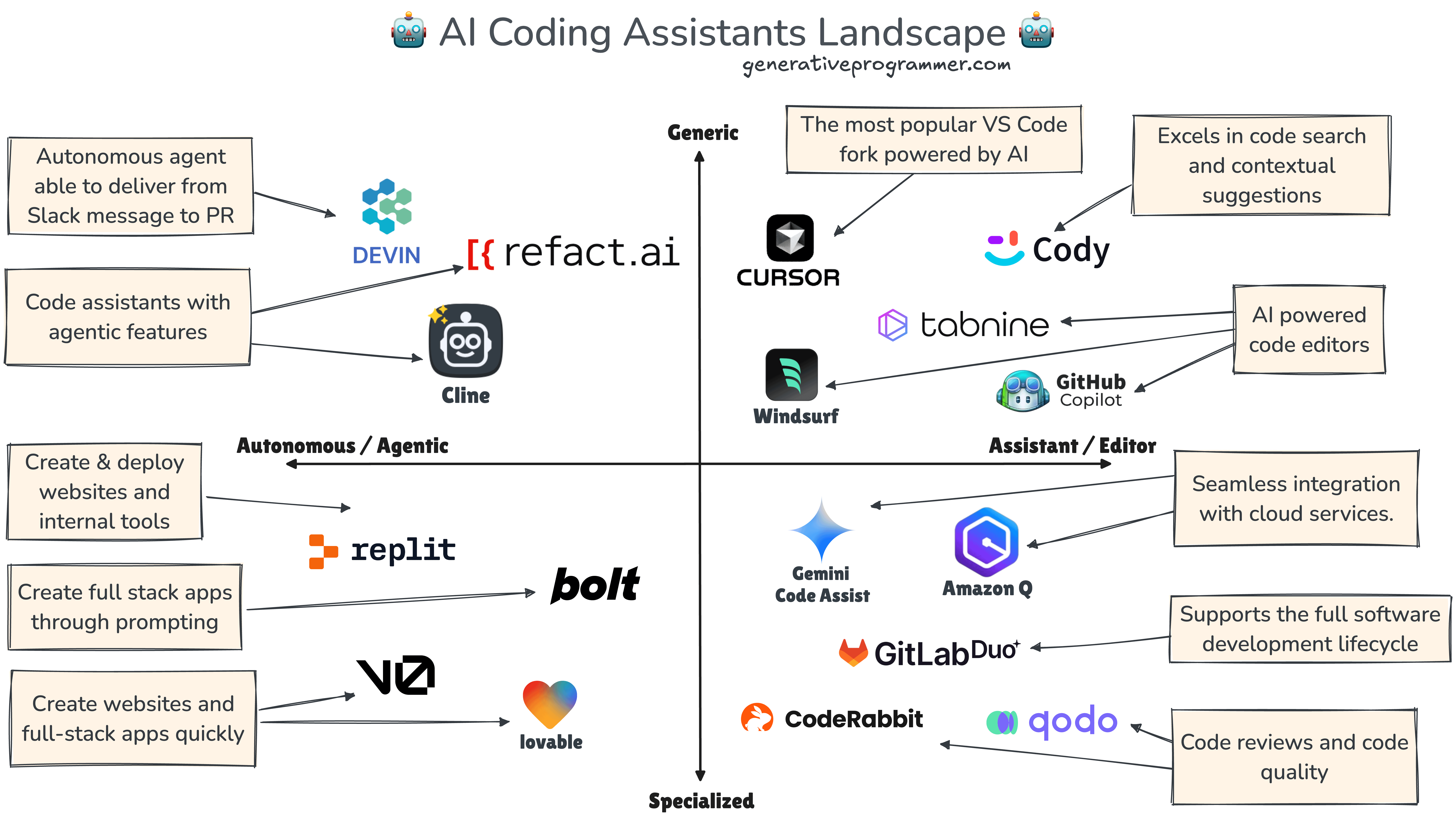
by AI coding tools have moved beyond autocomplete. In 2026, Cursor, GitHub Copilot, and Windsurf all support workflows where an assistant can inspect a repository, edit multiple files, use terminal or tool actions, and iterate on a task. The important differences are increasingly about where the agent lives, how it receives project context, how teams control its behavior, and how easily developers can review what it changed.

This comparison does not assume one tool is best for every developer. Cursor is built around an AI-first editor experience, GitHub Copilot is deeply integrated with GitHub and supported IDEs, and Windsurf centers its editor workflow around Cascade. The right choice depends on your repositories, IDE habits, security policies, team conventions, and whether you want local interactive work or delegated cloud tasks.
Cursor: AI-First Editor With Agent Workflows

Cursor’s current Agent documentation describes an assistant that can complete complex coding tasks, run terminal commands, and edit code while working inside the editor. Cursor also supports project rules and repository-aware context to help the agent follow local conventions.
Best fit
- Developers who want AI to be central to the editor experience.
- Teams comfortable adopting a VS Code–style dedicated editor.
- Repository work that benefits from multi-file edits and conversational iteration.
- Users who want project-specific rules for coding style and behavior.
The main evaluation question is not whether Cursor can generate code; it is how well its agent understands your repository and how predictable its edits remain on your real tasks.
GitHub Copilot: Strong GitHub and IDE Integration
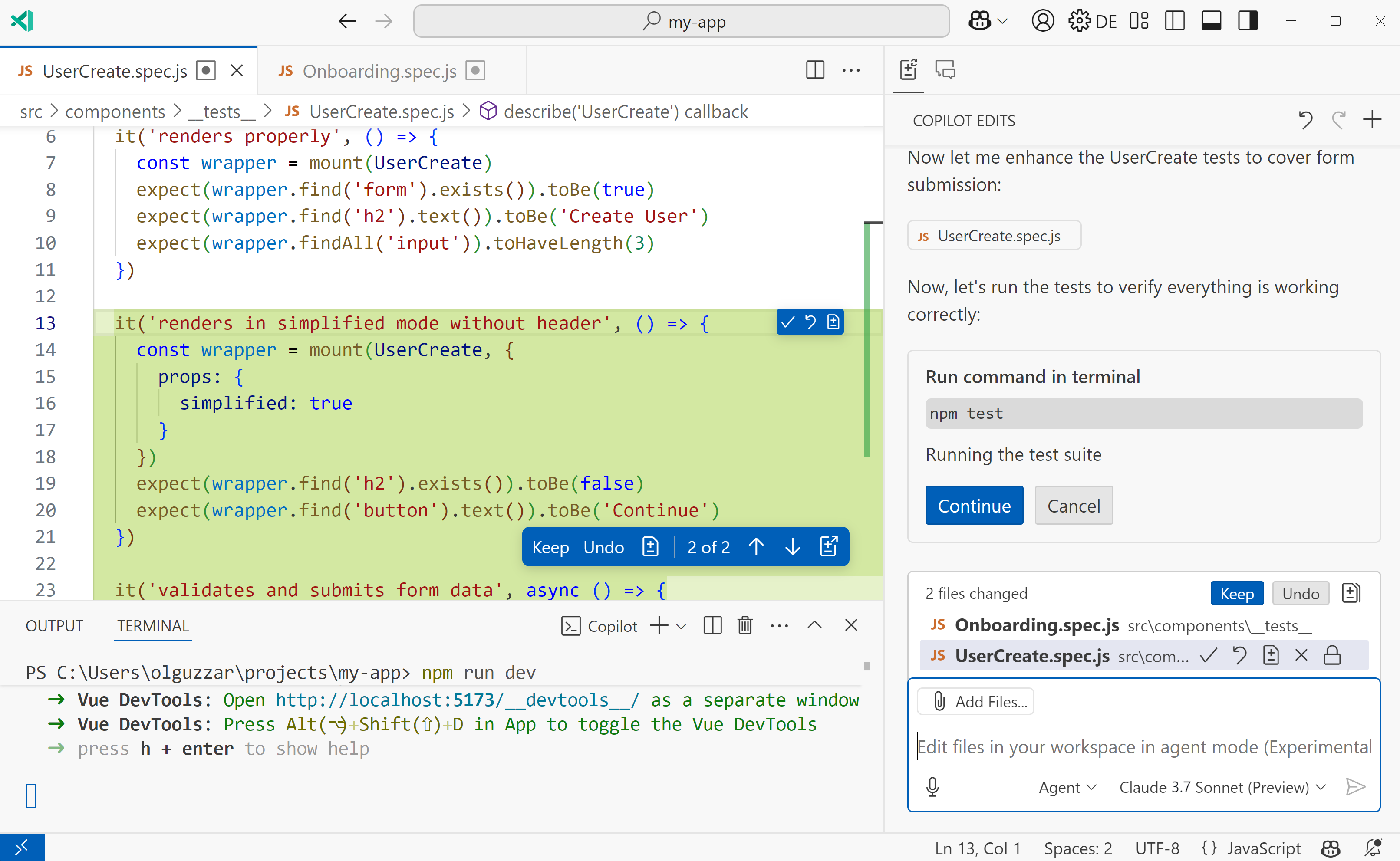
GitHub Copilot now spans IDE assistance, agent mode, code review, a Copilot app, and cloud agent workflows. GitHub’s current IDE documentation explains agent mode, where Copilot can determine steps, edit files, suggest terminal commands, and iterate on a task. GitHub also supports delegating work to a cloud agent that can create a pull request for review.
Best fit
- Teams already centered on GitHub pull requests and repository permissions.
- Developers who want AI inside supported IDEs instead of changing editors.
- Organizations that want issue-to-pull-request delegation.
- Teams that value built-in code review and GitHub workflow integration.
GitHub’s own guidance says Copilot-generated pull requests deserve the same thorough review as other contributions. That is a useful principle for every coding agent.
Windsurf: Cascade With Rules, Memories and Reusable Workflows
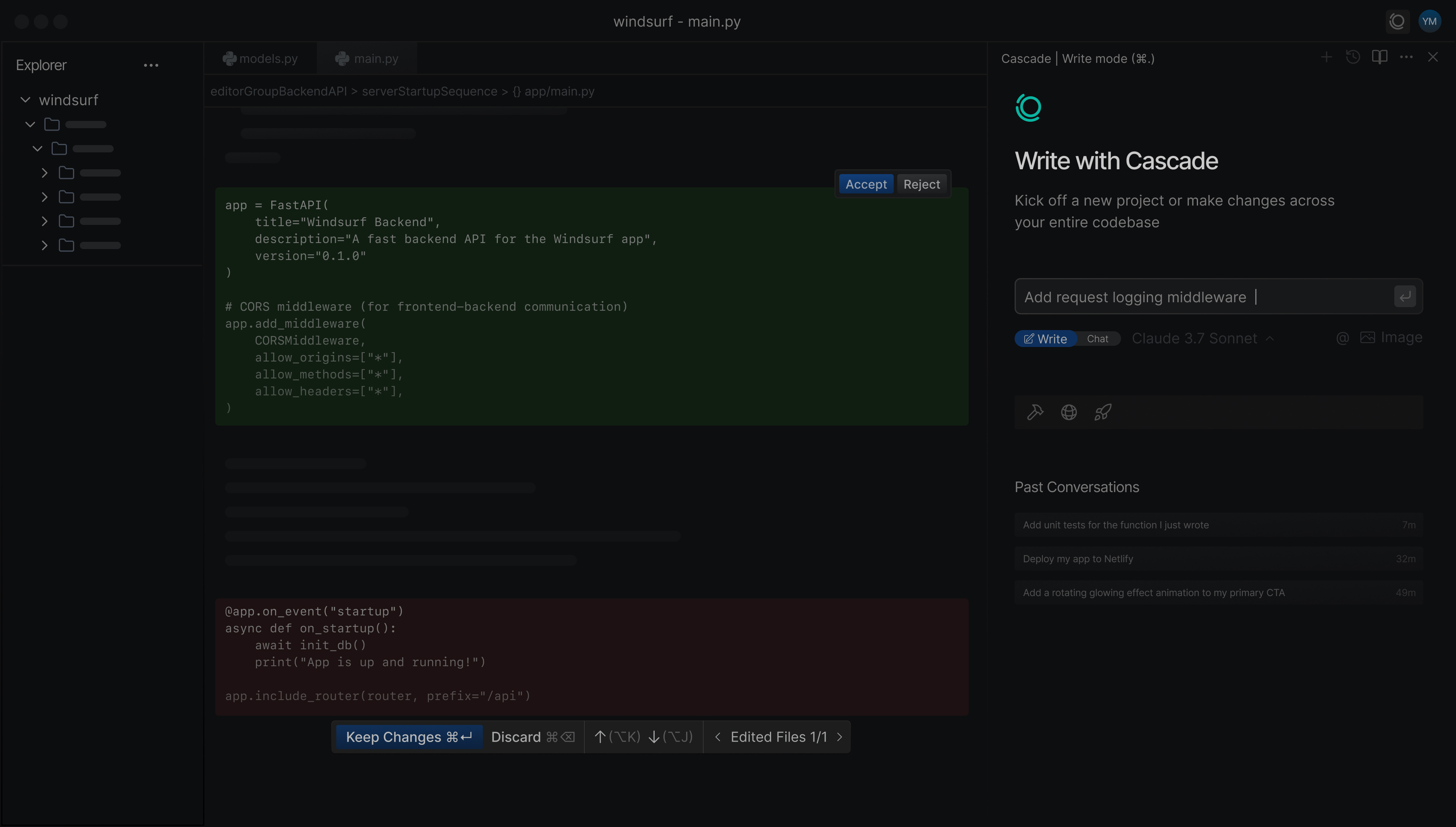
Windsurf’s Cascade system combines interactive coding with persistent project context and customization. Its current Memories and Rules documentation distinguishes automatically generated memories from version-controlled Rules or AGENTS.md instructions, and also supports workflows and skills for repeated tasks.
Best fit
- Developers who want an AI-centered editor with strong workflow customization.
- Teams that want repository-controlled instructions through rules or AGENTS.md.
- Projects where repeated development procedures can be encoded as workflows or skills.
- Users who value conversational context across a workspace.
For durable team conventions, Windsurf itself recommends explicit Rules or AGENTS.md over relying only on automatically generated memories.
Cursor vs Copilot vs Windsurf: Practical Comparison
| Area | Cursor | GitHub Copilot | Windsurf |
|---|---|---|---|
| Primary experience | AI-first editor | IDE + GitHub ecosystem | AI-first editor with Cascade |
| Agentic multi-file work | Yes | Yes | Yes |
| Cloud task delegation | Product capabilities vary by workflow | Strong GitHub cloud-agent path | Primarily Cascade/editor-centered workflows |
| Project instructions | Rules/project context | Custom instructions, skills and repository context | Rules, AGENTS.md, workflows and skills |
| Best ecosystem fit | Cursor editor users | GitHub-centered teams | Windsurf editor users |
Feature names and packaging change quickly, so teams should test current documentation and plan availability before purchasing.
How to Test Coding Assistants Fairly
Use the same repository and tasks
Do not compare one tool on a trivial demo and another on a difficult legacy codebase. Build a small evaluation set from real work.
- Fix a bug spanning several files.
- Add a feature with tests.
- Refactor a module without changing behavior.
- Explain an unfamiliar subsystem.
- Update a dependency and handle breakage.
- Review a pull request for defects.
Measure review burden
The fastest generated patch is not the most productive if it requires extensive cleanup. Track time to an approved merge, test failures, regressions, and the number of unnecessary edits.
Security and Permission Questions
- Which repository files and secrets can the agent access?
- Can it execute terminal commands automatically?
- What approval controls exist for sensitive actions?
- How is code or prompt data retained and processed?
- Can organization policies restrict models or agent features?
- Are agent actions visible in logs or pull-request history?
Never place production credentials in prompts or repository files merely to make an agent task easier. Use normal secret-management practices.
Choose Based on Workflow, Not Benchmark Hype
Choose Cursor when
You want an AI-native coding environment and are comfortable standardizing on its editor.
Choose GitHub Copilot when
Your development process already depends on GitHub issues, pull requests, code review, and supported IDEs, and you want AI integrated across that lifecycle.
Choose Windsurf when
You want an AI-first editor with Cascade and value explicit workspace rules, reusable workflows, and persistent context mechanisms.
For a broader adoption framework, read our guide to choosing and deploying AI coding assistants.
AI Coding Tool Evaluation Checklist
- Run the same five to ten real tasks in each tool.
- Measure time to reviewed, tested code.
- Check repository-context accuracy.
- Test project instructions and coding conventions.
- Review terminal/tool permissions.
- Test unit and integration test generation.
- Check behavior on large or unfamiliar repositories.
- Review organization privacy and retention settings.
- Compare total cost for the actual team.
- Keep human code review mandatory for important changes.
Frequently Asked Questions
Which is best: Cursor, GitHub Copilot, or Windsurf?
There is no universal winner. Cursor and Windsurf are strong AI-first editor choices, while GitHub Copilot is especially attractive for teams deeply integrated with GitHub and existing IDE workflows. Test them on your own repository.
Can these tools write an entire feature?
They can complete multi-file agentic tasks, but developers should define requirements, run tests, inspect security implications, and review the final diff before merging.
Should a company allow coding agents to execute commands automatically?
Only within an appropriate risk boundary. Development environments should limit credentials and permissions, and sensitive or destructive commands should require additional review.
Conclusion
Cursor, GitHub Copilot, and Windsurf have all evolved into serious agentic development tools. Their biggest differences are workflow and ecosystem: Cursor emphasizes its AI-first editor, GitHub Copilot connects deeply to GitHub and multiple development surfaces, and Windsurf uses Cascade with rich customization mechanisms.
Choose by testing real repository work. The best tool is the one that produces correct, reviewable changes with the least friction while fitting your team’s security and development process.