 by
by Knowledge Management Software for Teams: How to Compare Search, Structure and Governance
Knowledge management software is supposed to make important information easier to find. In practice, many team wikis become the opposite: thousands of pages, duplicate procedures, abandoned project notes and search results that surface an old answer before the current one. The problem is rarely the editor. It is the information system around the editor.
A useful knowledge platform should help people create information quickly, find the right page later, understand whether it is current and control who can view or edit sensitive material. Search, permissions, ownership, verification and export matter more than decorative templates.
This guide explains how to compare knowledge management software for teams without treating every wiki, document platform and intranet as interchangeable. The goal is a knowledge base people can trust—not simply a larger collection of documents.
Define the Knowledge Problem Before Choosing Software
Different teams mean different things by “knowledge management.” A support team may need troubleshooting articles. An engineering team may need architecture decisions and runbooks. An HR team may need employee policies. A consulting firm may need reusable research and delivery methods.
Common knowledge-management goals
- Reduce repeated internal questions.
- Help new employees become productive faster.
- Create a single source of truth for procedures.
- Preserve decisions when team members change.
- Improve self-service support.
- Make expert knowledge searchable.
- Reduce conflicting versions of important documents.
Atlassian describes a knowledge base as a repository for how-to and troubleshooting information and emphasizes relevant search results and easy article creation. See Atlassian’s Confluence knowledge-base guidance.
Search Quality Is More Important Than Page Count
A knowledge base with 20,000 pages is not valuable if people cannot find the correct answer. Search should work with the language employees actually use, not only exact document titles.
Test search with real questions
- Search for an acronym and its full name.
- Search for a customer-facing term and an internal term for the same process.
- Search a known procedure using words that do not appear in its title.
- Search for a recently updated policy.
- Search for a deliberately outdated page and see whether it ranks above the current one.
- Test filters for team, owner, date or content type.
If the platform includes AI search, inspect the cited pages behind generated answers. An AI-generated summary does not fix weak source governance; it can simply make an old page sound more convincing.
Structure Should Be Simple Enough to Survive Team Growth
Teams often over-design the initial information architecture. They create deep folder trees and dozens of categories, then abandon them because no one knows where a new page belongs.
A practical structure usually needs
- A small number of top-level spaces or team areas.
- Clear page templates for recurring content.
- Consistent naming conventions.
- Tags or metadata only where they solve a retrieval problem.
- Links between related procedures.
- Archive areas for historical content.
Use structure to reduce ambiguity, not to reproduce the organization chart perfectly. A user asking “how do I request a refund?” should not need to know which department owns the process.
Every Important Page Needs an Owner
Content becomes stale when nobody feels responsible for it. Ownership gives each high-value page a person or team that can confirm whether the information is still correct.
Notion’s current wiki documentation includes page owners and verified pages, allowing teams to mark important information as current for a defined period and notify owners when verification expires. See Notion’s wiki and verified-page documentation.
Ownership works best when it includes
- A named owner or responsible team.
- Last-reviewed date.
- Next review date for time-sensitive content.
- Status such as draft, approved, deprecated or archived.
- A clear path for users to report a problem.
Not every meeting note needs formal verification. Focus governance on pages that people use to make decisions or perform important work.
Stale Content Needs a Lifecycle, Not an Annual Cleanup
Old knowledge does not become harmless just because it is old. If it remains searchable, employees may follow an obsolete process.
Build a simple content lifecycle
- Draft: information is being prepared and may change.
- Reviewed: owner has checked accuracy.
- Published/verified: approved for normal use.
- Review due: requires confirmation.
- Deprecated: retained for context but should not guide current work.
- Archived: removed from normal search or navigation.
A good platform should make lifecycle status visible without requiring users to inspect page history manually.
Permissions Should Protect Information Without Making Search Useless
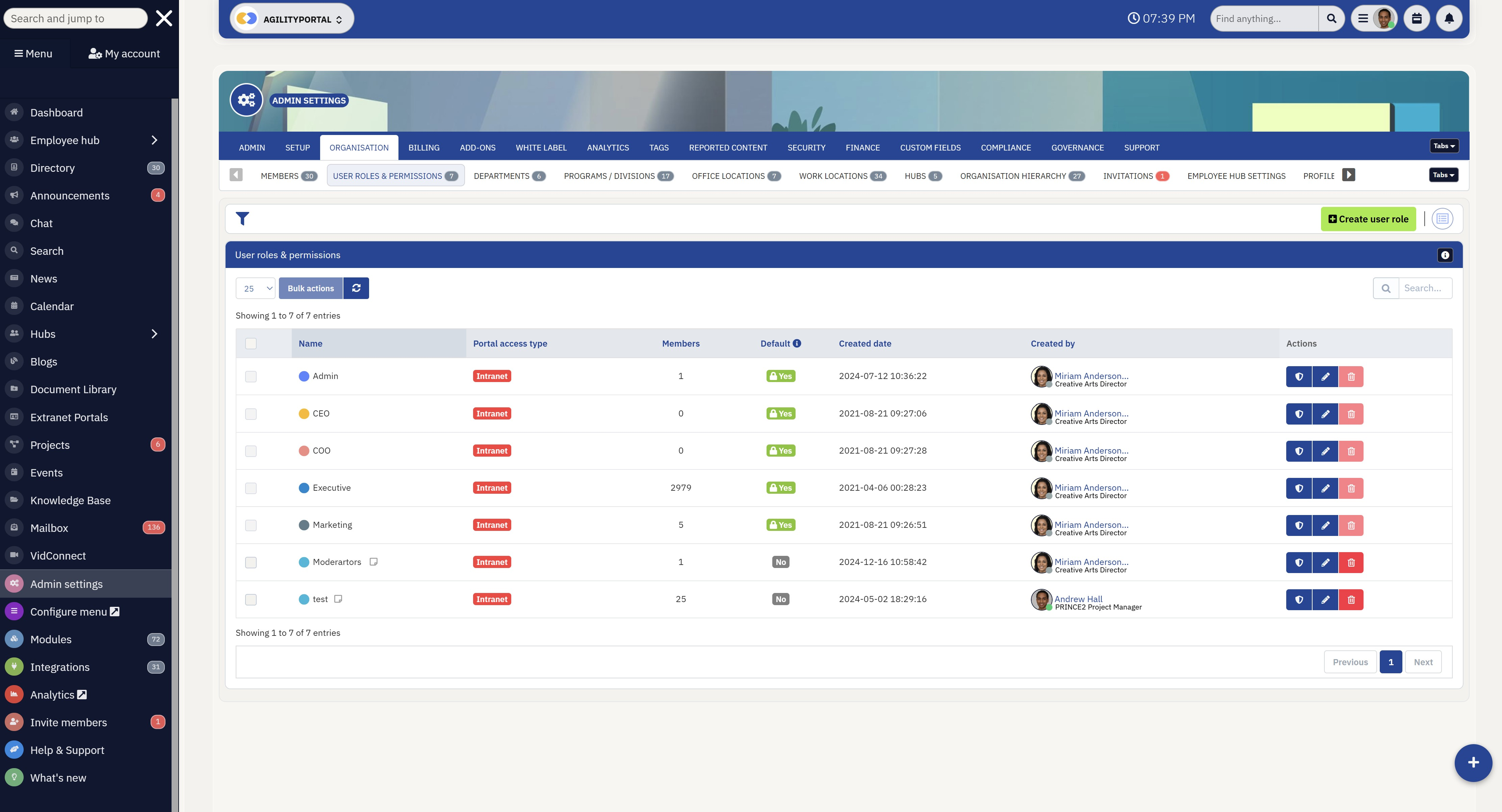
Knowledge platforms often contain a mix of public team processes and sensitive information. Broad permissions make collaboration simple, but they can expose HR, finance, customer or security content unnecessarily.
Notion’s current sharing documentation describes granular page access levels and teamspace controls. Whether you choose Notion, Confluence or another platform, test permissions at the level your organization actually needs. See Notion sharing and permissions guidance.
Permission design principles
- Default general procedures to broad internal visibility where appropriate.
- Restrict sensitive spaces explicitly.
- Give edit access only where people need to maintain content.
- Review public links and guest access.
- Remove former employees and contractors quickly.
- Test what a normal user can discover through search.
A page that is restricted but whose title appears in broad search may still reveal sensitive information. Test the user experience rather than relying only on admin settings.
Templates Should Improve Consistency, Not Create Empty Pages
Templates help teams create predictable content, but too many mandatory fields can discourage documentation.
Useful templates include
- Standard operating procedure.
- Troubleshooting article.
- Decision record.
- Project handover.
- Customer FAQ.
- Policy page.
A procedure template might include purpose, prerequisites, steps, owner, last-reviewed date and escalation path. That is enough structure to make the page useful without turning documentation into bureaucracy.
AI Features Should Be Evaluated Through Source Quality
Many knowledge platforms now offer AI summaries, Q&A or search. These can reduce time spent reading, but the quality of the answer depends heavily on the underlying content.
Test AI knowledge features with four question types
| Question type | Example | What to verify |
|---|---|---|
| Direct fact | “What is the current travel approval limit?” | Correct current page cited |
| Procedure | “How do I restore customer access?” | Steps and prerequisites preserved |
| Conflict | “Which onboarding process is current?” | Old page not treated as equal authority |
| Unanswerable | “What is our 2027 budget?” | System admits missing source |
If AI answers do not show useful source references, employees may trust summaries they cannot verify. Our guide to building an AI knowledge base explains source hygiene and citation checks in more detail once that draft is published.
Integrations Should Bring Knowledge Into Workflows Carefully
Knowledge is more likely to be used when it appears where people work. Integrations with chat, ticketing, project systems and browsers can reduce context switching.
Good integration use cases
- Suggest an approved support article inside a ticket.
- Link a project task to its operating procedure.
- Search internal documentation from team chat.
- Create a documentation task when a recurring support issue appears.
- Send a review reminder to the page owner.
Avoid automatically copying the full knowledge base into every connected application. Use least-privilege access and understand what each integration can read or write.
Export and Exit Planning Protect Your Knowledge
A team wiki can become one of the organization’s most valuable internal assets. Before committing to a platform, test how that information can be exported.
Ask these exit questions
- Can pages be exported in common formats?
- Are attachments included?
- Are links between pages preserved?
- Can page metadata and owners be exported?
- What happens to comments and history?
- Is there an API for bulk retrieval?
- How long is content available after cancellation?
Migration will never be perfect, but a platform should not make your own documentation effectively impossible to retrieve.
Measure Knowledge Management With User Outcomes
Page views alone do not prove value. A frequently viewed page could be excellent—or confusing enough that people keep reopening it.
Useful measures
- Time to find an answer.
- Repeated questions in support or team chat.
- Percentage of high-value pages with owners.
- Percentage of verified pages past review date.
- Searches with no useful result.
- New-hire time to independent work.
- Documentation feedback or correction rate.
Use metrics to identify where the knowledge system is failing, then improve source content before buying more features.
How to Compare Knowledge Management Software
| Criterion | Suggested weight | Test |
|---|---|---|
| Search and retrieval | 25% | Real employee questions |
| Content governance | 20% | Owners, verification, archive |
| Permissions | 15% | Teams, guests, restricted content |
| Editing experience | 15% | Templates, collaboration, mobile |
| Integrations | 10% | Chat, support, project tools |
| Export/API | 10% | Bulk retrieval and exit plan |
| Cost | 5% | Expected users and advanced features |
A 30-Day Knowledge Base Pilot
Week 1: Choose one domain
Pick a bounded area such as customer support, onboarding or IT procedures. Do not migrate everything at once.
Week 2: Clean and import
Remove duplicates, assign owners and import the most useful current pages.
Week 3: Test retrieval
Give users a list of real questions and record whether they find the correct answer.
Week 4: Test governance
Expire a verification, change an owner, restrict a page, archive old content and export the space. Only then decide whether the platform fits.
Knowledge Management Software Checklist
- Useful search on real terminology.
- Simple information structure.
- Page ownership.
- Verification or review workflow.
- Clear archive/deprecation process.
- Granular permissions.
- Practical templates.
- Source-aware AI features where used.
- Integrations with least privilege.
- Reliable export and API options.
Frequently Asked Questions
Is a team wiki the same as a knowledge base?
They overlap. A wiki is a collaborative publishing structure, while a knowledge base emphasizes retrieval and reuse of trusted information. Many products support both.
Should every employee be able to edit everything?
No. Broad contribution is useful, but high-value policies and procedures should have appropriate ownership and edit controls.
Does AI search solve poor documentation?
No. AI can make retrieval easier, but stale and conflicting sources still produce unreliable answers. Source quality remains fundamental.
What is the most important feature?
For most teams, dependable retrieval of current information is more important than advanced formatting. Test search and content freshness before focusing on cosmetic features.
Conclusion
Knowledge management software succeeds when employees can find the right information quickly and trust that it is current. That requires more than a good editor. Search quality, page ownership, verification, permissions, archive rules and export all shape whether the system remains useful as it grows.
Start with one real knowledge domain, clean the sources before migrating them and test retrieval with actual employee questions. Assign owners to important pages and build a lightweight freshness process. The best knowledge platform is the one that makes trusted information easier to maintain and easier to use—not the one that makes it easiest to create another page.